

have actual knoppix cd, it says boot from cd and then the pc hangs on the first screen where the tux is, a blank cursor is there, i wait 2 min´s whats wrong?
my hardware:
epox8rda+
512mb samsung ddr333
ati 9700pro
no, you didnt understand it right
i go to bios, boot from cd ok
turn the cd into cdrom, then it says boot from cd, hit return to boot and then i saw the little tux on left side and no more
The page I directed you to has a listing of cheat codes. After you boot the cd DO NOT just hit enter and wait. You should hit F2 first. You will see a listing of some (not all) available cheat codes. Here is how I boot my machine. I wait for the Knoppix screen to appear and then hit F2 immediately. This gives you all the time you need. You can then enter a line of cheat codes that will hopefull help your machine boot. Here is the line I enter for my machine:
boot: knoppix lang=us wheelmouse noscsi nopcmcia
Then I hit enter. When I boot the cd this way it will set Knoppix up to use a US language keyboard, a wheelmouse and it will not attempt to load drivers for scsi devices or pcmcia cards. That is how you use the cheat codes.
When Knoppix boots one of the first things it does is try to load scsi drivers. If you don't have any scsi devices you do not need it to load scsi drivers right? So boot similar to what I do. If you don't have a wheelmouse do not use the 'wheelmouse' cheat code. You might try it like this:
Boot the cd, wait for the Knoppix screen. DO NOT hit enter- hit F2 instead. This will give you a menu and at below the menu it will say 'boot:' Enter the following line there.
knoppix lang=us noscsi <enter>
If you do not want the US language keyboard then enter the language you want instead. If you DO have a wheelmouse do it like this:
knoppix lang=us wheelmouse noscsi
See if that gets it to boot OK. Post back if you need more assistance or if I just don't make any sense.
i've been having the same problem with knoppix. i can boot off of the cd, but when i try to continue i get a blank screen and the system hangs. i've tried just about every combination of cheatcodes i can think of. (no scsi, etc) i've tried booting through expert mode and even setting up several different boot disks. all to no avail. this system does not have a hard-drive, but from my understanding that shouldn't matter, right? it is a compaq presario 7470, which may explain part of the problem. i've been sucessfull booting knoppix on several other machines, but this is the one i want to use it on and am having no luck. any idea?
How much ram? Also I notice (maybe it's a typo) that you wrote "no scsi" which is incorrect. It should be 'noscsi'Originally Posted by prospero
i'm running 128 mb of pc100 ram in two 64mb strips. these are the original strips that came with the box. also, i'm sorry that was a typo, i tried noscsi and several other options at boot.
the bios for this machine is pretty non-standard, like all compaqs. but i'm not sure that is the problem, because it does recognize the cd and boot to the first screen.
one thing i saw going through this forum is the failsafe option, which i didn't see listed under the cheatcodes screen. do you know if there is a way to get a complete listing of these other options i can pass to the kernel at the boot prompt?
thank you very much for your help.
128 megs should be enough- Knoppix commonly hangs with too little ram. Here is the site documentation with most (not all) of the cheat codes.
http://www.knoppix.net/docs/index.php/CheatCodes
I have often thought of starting a post asking anyone & everyone to add the undocumented codes but haven't yet. Perhaps you are not aware that you can string the codes together as well like so:
knoppix lang=us wheelmouse nopcmcia noapic noscsi xmodule=vesa
While Knoppix runs independently of the hard drive it does attempt to create a swap file. I cannot say that it is having an effect on your machine however. I don't suppose you have an old les-than-a-gig hard drive lying around?
I would concentrate on trying different values in here:
xvrefresh=60
Use 60 Hz vertical refresh rate for X
You should be able to find your vertical refresh rate for your monitor in the original documentation or online.
Also try these different xservers.
xserver=XFree86|XF86_SVGA
Use specified X-Server
What do you have for a video card?
xmodule=ati|radeon|fbdev|vesa|savage|s3
Use specified XFree4-Module
This is entered as
xmodule=fbdev
xmodule=savage
So perhaps you could come up with something like this:
knoppix lang=us wheelmouse noscsi xvrefresh=40 xserver=XF86_SVGA
As always, post back with results.
thank you very much for your input. i have tried different monitors, but was wondering if the video card might be the problem. but the next screen in the boot is the tux screen, which i'm assuming is a pretty low end vga screen. however, i will try these suggestions when i get home from work
i'll let you know what happens.
i'm able to move a little past if i use vga=normal. but then i get an error when it goes to decompress linux
crc error
system halted.
any ideas?
 Posting Permissions


Intel Core i5-12500T SRL5W 2GHz 18MB 6 Core Socket LGA1700 Desktop CPU Processor
$114.99

INTEL CORE I9-10940X X-SERIES PROCESSOR | 3.30GHZ | SRGSH
$179.99

Lenovo ThinkCentre M920s SFF Barebones PC Motherboard PSU DVD No CPU RAM SSD
$27.99

LAST BATCH *Brand New-Sealed* AMD Ryzen 9 9950X3D2 Dual Ed. 4.3GHz 16Core AM5
$768.00

Intel Core i7-9700 Octa-Core 3 GHz Desktop Processor LGA 1151
$79.99
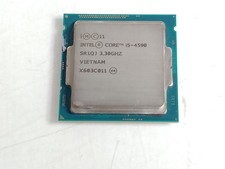
Intel Core i5-4590 3.3 GHz 5 GT/s LGA 1150 Desktop Processor CPU SR1QJ
$10.99

Intel Core i7-3770K 3.5 GHz Processor
$39.00

Intel Xeon E3-1230 v3 SR153 3.3GHz Quad Core LGA 1150 CPU Processor
$14.49

Intel 6th Gen Core i7-6700K 4.0GHz (Turbo 4.2GHz) 4-Core LGA1151 CPU SR2L0
$38.00

AMD - Ryzen 7 5800X3D 8-Core - 16-Thread 3.4 GHz (4.5 GHz Max Boost) w/ Ice Pad
$355.99


 Reply With Quote