-
Partitioning with knoppix-installer...
The laptop is only going to be running Linux, but I do plan to share files with WinXP computers. Anyway, I want to do a harddrive installation...
I've created a 20GB primary partition, set it as bootable. By default, the filesystem is set to Linux.
Then I created a logical 768MB linux swap partition.
The remaining space was partitioned as NTFS.
I then wrote the partition table to the drive. When I exit the partition tool, I get this message:
"The installer detected that the installation requirements are not fullfilled yet.
Please make sure that you have an free partition with at least 2 GB to install knoppix on. Also we need a swap partition with at least 128 MB, if you don't have 512 MB Memory or more.
In the following menu, you can [...]"
What requirements haven't I met?? I'm just using the partitioning tool supplied with knoppix-installer if that helps. (I can't start qtparted)
-
Senior Member
registered user
The trick is to go through the entire first step -- "1. Configure Installation" -- then quit without going any further, and save your configuration by answering "yes" when it asks.
(You can save your knoppix-installer configuration under your own filename/location, but if you do, you'll have to reload it manually. So let's not muddy the waters with that.)
The default configuration file is saved as /root/.knofig (note the leading dot -- it's normally hidden). Edit this part of .knofig in your favorite text editor:
Code:
# If set to yes, the program will NOT check if there is enough space to install knoppix on the selected partition(s). Use at your own risk! Useful for example with HD_MAP if you only have a small root partition.
# Possible are: yes|no
# Default value is: no
HD_IGNORECHECK="no"
Change the "no" to "yes" and save the file, and when you restart the knoppix-installer, you will no longer get this error message.
Check out the rest of .knofig to see other options you can play with.
-
Hmm. I ran:
emacs /root/.knofig
and got an empty file. When I hit ctrl+alt+f5 to get back into the GUI, I can't mount Hda1. All I want to do is force Knoppix to install to those partitions... am I doing something wrong?
I figured knoppix-installer would actually work in the 5/10/04 release...
Similar Threads
-
By Free in forum Hdd Install / Debian / Apt
Replies: 9
Last Post: 01-09-2005, 06:09 AM
-
By mentalalien2002 in forum Hdd Install / Debian / Apt
Replies: 2
Last Post: 07-20-2004, 02:03 PM
-
By Shrike in forum General Support
Replies: 3
Last Post: 01-31-2004, 07:40 PM
-
By waynejkruse10 in forum Hdd Install / Debian / Apt
Replies: 13
Last Post: 10-27-2003, 10:02 AM
-
By bxb32001 in forum Hdd Install / Debian / Apt
Replies: 7
Last Post: 10-24-2003, 06:17 PM
 Posting Permissions
- You may not post new threads
- You may not post replies
- You may not post attachments
- You may not edit your posts
-
Forum Rules


Dell PowerEdge M630 Blade Server 2x Xeon E5-2680 v4, 2F3MP , 4GDP5 ,R10KJ ,JVFVR
$96.60

Dell PowerEdge M640 Blade Barebone Server Dell P/N: HHB006 Tested Working
$149.99
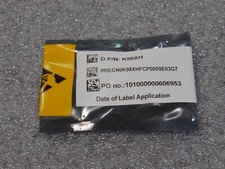
NEW DELL TRUSTED PLATFORM MODULE TPM 2.0 POWEREDGE T430 T630 G13 SERVERS K98XH
$225.00
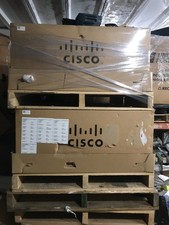
NEW Cisco UCSB-5108-AC2 Blade Server Chassis 8 Slot 6RU Chassis 4 X PSU - DW
$599.40

Dell PowerEdge VRTX 2.5"x25 Bay Blade Enclosure 4x1600W + 4X M640 (4X Blades)
$1599.99

NETAPP HCI NAF-1701 SuperMicro Server 4X BLADE H410C 8X GOLD 5120 4 NODE SERVER
$1499.97
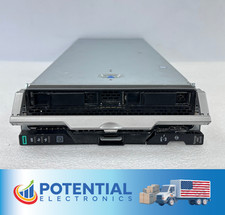
HPE Synergy 480 Gen10 Blade Server BAREBONES NO CPU, RAM OR HDD 🚚
$140.00

Dell PowerEdge FX2 FX2s Server 10GbE CMC Blade Enclosure Chassis
$274.99
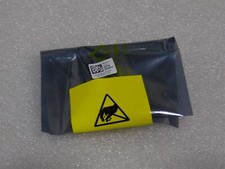
NEW DELL TRUSTED PLATFORM MODULE TPM 2.0 POWEREDGE R730 SERVER M48YR RXW6R K98XH
$225.00

Dell PowerEdge M620 Blade Server 2x Xeon E5-2680v2 256GB DDR3 RAM NO HDD
$349.99



 Reply With Quote