-
Junior Member
registered user
You need to change your hard-drive first to read write mode from the desktop. Click on the image of the hard-drive and uncheck read-only.
I got the same error after making the hard-drive read&write mode. I had to start terminal (at the bottom of the screen...black box icon) and from there type su and after that type sudo knoppix-installer on the screen.
Similar Threads
-
By Jameson in forum General Support
Replies: 3
Last Post: 05-07-2005, 10:40 PM
-
By namelessservant in forum Hdd Install / Debian / Apt
Replies: 1
Last Post: 12-18-2004, 02:56 AM
-
By Needtoknow in forum Hdd Install / Debian / Apt
Replies: 10
Last Post: 10-22-2004, 02:27 AM
-
By musicmaster in forum Hdd Install / Debian / Apt
Replies: 4
Last Post: 05-30-2004, 06:40 AM
-
By lello107 in forum General Support
Replies: 2
Last Post: 11-24-2003, 08:10 PM
 Posting Permissions
- You may not post new threads
- You may not post replies
- You may not post attachments
- You may not edit your posts
-
Forum Rules


Intel SRG17 Core i7-9700T Desktop Processor CPU
$74.99
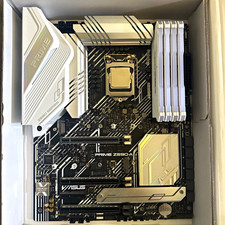
CPU-RAM-MOBO COMBO- 32gb DDR4 3600MHz, i5 CPU, Asus Prime Motherboard
$370.00
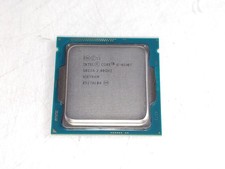
Intel Core i5-4590T 2 GHz 5 GT/s LGA 1150 Desktop CPU Processor SR1S6
$14.99

GAMING COMBO: ASUS Prime H470M-PLUS MOTHERBOARD + i5-10600KF CPU + 16GB DDR4
$229.95

Intel Core i7-3770K 3.5 GHz Processor
$39.00
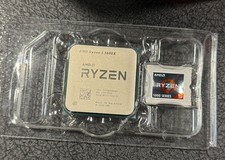
AMD Ryzen 5 5600X Desktop Processor (3.7GHz, 6 Cores, AM4 CPU) 100-100000065
$125.00

Intel Core i7-9700 Octa-Core 3 GHz Desktop Processor LGA 1151
$79.99

Intel Core i5-14600KF Unlocked Desktop Processor
$259.99

AMD Ryzen 7 PRO 8700GE 8-Core/16-Thread Up to 5.1GHz AM5 (FL1)
$175.00

PS5 Over Heating Problem Solver 1.5 Grams Liquid metal thermal paste CPU, GPU
$15.99



 Reply With Quote