-
Junior Member
registered user
Check here:
http://www.knoppix.net/forum/viewtop...een+resolution
"Open a root shell (from the Knoppix menu) and type in kxconfig and press enter, you should see an option for screen resolution. After selecting the correct resolution, quit and save configuration. From the same root shell type restartx and press enter."
Similar Threads
-
By Jameson in forum General Support
Replies: 3
Last Post: 05-07-2005, 10:40 PM
-
By namelessservant in forum Hdd Install / Debian / Apt
Replies: 1
Last Post: 12-18-2004, 02:56 AM
-
By Needtoknow in forum Hdd Install / Debian / Apt
Replies: 10
Last Post: 10-22-2004, 02:27 AM
-
By musicmaster in forum Hdd Install / Debian / Apt
Replies: 4
Last Post: 05-30-2004, 06:40 AM
-
By lello107 in forum General Support
Replies: 2
Last Post: 11-24-2003, 08:10 PM
 Posting Permissions
- You may not post new threads
- You may not post replies
- You may not post attachments
- You may not edit your posts
-
Forum Rules


OPNsense Firewall VPN QAT 8-Core Atom C3758 2.20GHz 16GB DDR4 128GB SSD 8xNIC
$175.00

Ubuntu Server 26.04.1 LTS Bootable USB Flash Drive – Latest September 2026
$12.99

OPNsense pfSense 8-Core Atom C3758 2.2GHz 8GB DDR4 64GB SSD 8x NIC QAT AES VPN
$115.00
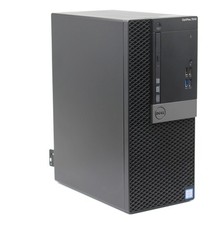
Ubuntu 26.04 Linux Desktop PC, Quadcore i7, up to 32GB RAM + 2TB SSD, Dell 7040
$399.99

Start9 Server Pure 32GB 4TB Intel i7 Node StartOS — Box + PSU
$649.00

ZimaBoard 2 1664 Home Server 16GB
$350.00

All New Ubuntu 26.04 LTS Linux Bootable USB Flash Drive
$15.95
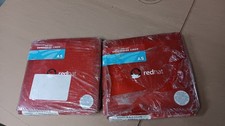
Brand New Genuine Red Hat Enterprise Linux AS (Advanced Server) Version 3
$39.99

Microsoft SQL Server 2019 Enterprise 40 Core Unlimited CAL Retail License FPP
$299.00

SQL Server 2022 Enterprise 96 Core License & DVD Unlimited CALs with CoA
$284.99



 Reply With Quote