-
Partition problem: "Error: expected at least 7 tokens..
Trying to install double-boot with preinstalled Win xp, 250 GB mirror HDD . Current partition (with Partition magic):
50 MB - FAT (Dellutilities) primary, 160GB - NTFS primary, 20 GB - FAT32 logical, ~70 GB - unallocated.
Then I started knx-hdinstall (v 3.3) and got the following after a second dialogue window:
"Error: expected at least 7 tokens for --radiolist, have 5".
Prepartitioning (again with Partition magic) of the empty space as ex2 or ex3 and extra swap partition does not help. cfdisk results in "FATAL ERROR: connot open disk drive" ...
Knoppix runs well from a CD.
What is wrong with this partition and/or installation?
-
Senior Member
registered user
Re: Partition problem: "Error: expected at least 7 toke

Originally Posted by
palex
Trying to install double-boot with preinstalled Win xp, 250 GB mirror HDD . Current partition (with Partition magic):
50 MB - FAT (Dellutilities) primary, 160GB - NTFS primary, 20 GB - FAT32 logical, ~70 GB - unallocated.
Then I started knx-hdinstall (v 3.3) and got the following after a second dialogue window:
"Error: expected at least 7 tokens for --radiolist, have 5".
That's an error from the installer itself. Are you runing the installer from X or run level 2? Try whichever one you've not yet tried. Of course it would be a good idea to get the latest Knoppix if you can.
To get run level 2 at the boot: type
knoppix 2
Prepartitioning (again with Partition magic) of the empty space as ex2 or ex3 and extra swap partition does not help.
Prepartitionig as ext2 or ext3? This makes no sense to me. You cannot partition as ext2 or ext3. You create a partition then you put a filesystem on it. These are two different things.
What is wrong with this partition and/or installation?
From what I've read (nope haven't tried it myself) PM is anything but magic but it does appear to be quite good at hosing up partition tables. Anyway....
cfdisk results in "FATAL ERROR: connot open disk drive" ...
Knoppix runs well from a CD.
Are you running cfdisk as root?
Code:
sudo cfdisk /dev/hda
-
is followed by "command not found"...
Code:
sudo cfdisk /dev/hda
- the same FATAL ERROR,
but returns "Opened disk read-only - you have no permission to write"
Could that be the cause?
May be I indeed need to try 3.4 (though a friend who gave me v.3.3 succedded with that CD)...
Similar Threads
-
By minifat in forum Knoppix DVD
Replies: 3
Last Post: 10-18-2005, 08:51 PM
-
By TaNgO in forum Hdd Install / Debian / Apt
Replies: 3
Last Post: 07-26-2004, 11:16 PM
-
By migross in forum General Support
Replies: 4
Last Post: 10-23-2003, 07:56 AM
-
By phillfri in forum Hardware & Booting
Replies: 3
Last Post: 09-26-2003, 01:52 AM
-
By Mad_Max_FX in forum Hdd Install / Debian / Apt
Replies: 1
Last Post: 06-22-2003, 03:29 AM
 Posting Permissions
- You may not post new threads
- You may not post replies
- You may not post attachments
- You may not edit your posts
-
Forum Rules

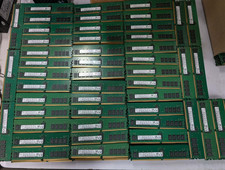
Lot 100 SK hynix 16GB 2Rx8 PC4-23400 DDR4-2933Y ECC Reg Server Memory RDIMM RAM
$9599.00

Netac DDR4 32GB 16GB DDR4 3200MHz UDIMM C16 Desktop Internal Memory RAM Kit
$99.99

SK Hynix 32GB 2RX4 PC4-2666V DDR4 RDIMM Server Memory RAM, HMA84GR7AFR4N-VK
$169.95
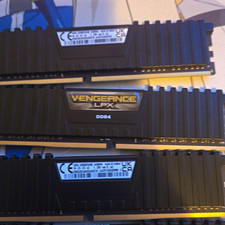
Corsair Vengeance LPX 32GB (4x8GB) DDR4-3000 288-Pin DIMM XMP CMK32G
$600.00

A-Tech 8GB DDR3 1600 PC3-12800 Laptop SODIMM 204-Pin Memory RAM PC3L DDR3L 1x 8G
$21.68

RAMAXEL Lenovo 32GB LPDDR5X CAMM2 7500MHz Laptop RAM | UNTESTED
$445.00

Samsung 8GB DDR4 SO-DIMM PC4-3200AA 260-Pin RAM M471A1G44BB0-CWE Module
$29.25

Major Brand 16GB (2x8GB) PC3-12800U DDR3-1600MHz DDR3-12800 DESKTOP RAM NON-ECC
$29.99
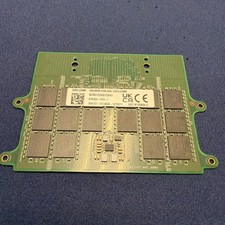
Dell 32GB DDR5 5600 CAMM KYHG6V Precision 7670 7680 7770 7780 16Gx8 Memory
$669.00
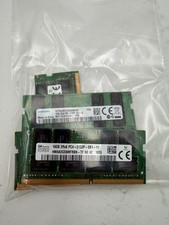
LOT OF 5 RAM STICKS-SAMSUNG/SK Hynix 16GB 2Rx8 PC4-2133 (16GBX5=75GB TOTAL)
$345.00



 Reply With Quote