-
Administrator
Site Admin-
Those fighting this problem (as I did) may want to look at these old threads and see if any of this seems to apply to them too:
http://www.knoppix.net/forum/viewtop...er=asc&start=0
and
http://www.knoppix.net/forum/viewtop...er=asc&start=0
-
Senior Member
registered user
This is from my lilo.conf:
image=/boot/vmlinuz-2.6.11
label="Linux(2.6)-1"
initrd=/boot/initrd.img-2.6.11
append="ramdisk_size=100000 init=/etc/init lang=de apm=noapm nomce quiet screen=800x600 vsync=60 lang=us acpi=off"
read-only
I must have acpi=off for my integrated NIC to work. Knoppix is 3.8.
-
hmmm...interesting...I'll try what's mentioned in those links...it's interesting you mention the acpi=off switch, my bios has acpi disabled as that was the only stable way I could get my w2k system to run games because of IRQ conflicts that would cause BSoD with sound/video conflicts, would I still need the switch if it's disabled in the bios? and would the noscsi switch as mentioned in the other thread affect my pci SATA controller? but thanks for the help so far
-
Administrator
Site Admin-

Originally Posted by
crazyj23
....it's interesting you mention the acpi=off switch, my bios has acpi disabled.... and would the noscsi switch as mentioned in the other thread affect my pci SATA controller? ...
It's interesting that you focus on these two switches. My notebook originally worked with Knoppix and it's network connection just fine. Stopped after a "security update", even with the very same Live CD. I came up with a few work-arounds, mainly resetting the card with mii-tool and then doing another netcardconfig. But around version 3.4 of Knoppix my system stopped booting completely (Knoppix got more agressive in it's startup code, defaulting to things like dma on). I finally found that I needed to use two cheat codes to get my system to boot, acpi=off and noscsi together. Although this seemed to have nothing to do with the network, I found that the nic would work when I used these two codes. As to how these affect your computer, I have no idea and could only guess. The best thing to do would be to try and see.
-
well, what do you know...initially after a simple reboot from w2k the commands didn't work, but tried a power down, disconnect the cable modem, router and disconnected the port i was connected to, went and brushed my teeth, came back hooked everything back up, powered up, loaded knoppix with the noscsi acpi=off and I'm now typing this from knoppix  ...now I need to figure out what I do and don't need to do along the way for this to all work right, hopefully it can just reset with a PC shutdown, otherwise it could be a pain...we'll see...as a side note, everytime I'd go from knoppix to w2k I'd have to reboot an additional time or two to get w2k to re-initialize the NIC to connect, I guess it was just my luck to have a NIC with a screwy chipset
  ...then after that getting it to recognize my usb zip 250 properly
-
well, I've gotten it down to a simple power down and start up knoppix with the noscsi and acpi=off switches...is there anyway to eliminate them when I'm using a permanent home on my 2nd HD, or do they have to be initiated before HW detection?
Similar Threads
-
By calathar in forum Networking
Replies: 12
Last Post: 05-03-2005, 06:47 AM
-
By linukas in forum Networking
Replies: 6
Last Post: 02-16-2005, 10:13 AM
-
By sunpascal in forum MS Windows & New to Linux
Replies: 2
Last Post: 12-02-2004, 02:08 PM
-
By jselman in forum Networking
Replies: 1
Last Post: 12-02-2003, 12:33 AM
-
By THiM in forum Hardware & Booting
Replies: 5
Last Post: 05-19-2003, 07:27 PM
 Posting Permissions
- You may not post new threads
- You may not post replies
- You may not post attachments
- You may not edit your posts
-
Forum Rules


Rare Vintage Macintosh Apple Wooden Disk Storage Box Dovetailed
$69.95

Vintage 1998 iMac G3 M4984 Mac OS + Keyboard Working but Needs Some Repair Read
$295.00

Apple Power Macintosh PowerPC 7300/200 VTG w Keyboard Mouse Storage Drive Read
$199.99

Apple Macintosh DuoDock Duo Dock M7779 & Powerbook 230 Vintage Mac RARE Vintage
$249.00
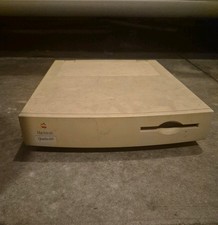
Apple Macintosh Quadra 605 Vintage Desktop Computer, Model M1476 Untested
$299.00

LARGE LOT Vintage Apple Macintosh Mouse Cables Accessories SCSI etc - UNTESTED
$80.00

185--Sonnet Crescendo G3 PPCG3-375-5-K-06 G3 Add-On Card for Vintage Mac
$99.00

Retro Vintage Apple M0110A Compact Wired Mechanical keyboard for Macintosh Plus
$64.95
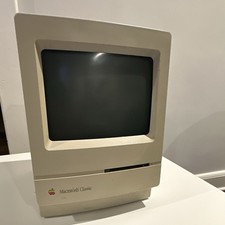
Apple Macintosh Classic M1420 Vintage All-in-One Desktop Computer
$95.00

Mixed Lot Vintage Mac Windows media / Graphics / Sound Software - CDs 37 Pieces
$40.99



 Reply With Quote