

 Reply With Quote
try fdisk /mbr


[quote="xaviers2002"]yes i did... auto is the only setting where it detects the hdd at all: also, the 'auto' setting in my bios has always worked correctly before, with LBA enabled. the only other setting i have in the bios is 'auto, disabled, cdrom', so i have no choice.
Did You clik "ENTER" when You scroll between "AUTO CDROM DISABLE"? If not You have to do this after You see "AUTO".
try fdisk /mbr
go to the manufacturers website (seagate) they generally have boot diskettes to diagnose and repair their model drives (in case drive geometry is messed up)
The same problem happen to me few moth ago when i used grub with xp, but i manage to repair the problem using testdisk utility. This utility is builtin with knoppix. You can try recover your partition using knoppix cd and run testdisk.
Or you can get utility and use a floppy.
Get the utility form here:
http://www.cgsecurity.org/
 Posting Permissions


Refurbished Working 1960's Heathkit EC-1 Educational Electronic Analog Computer
$2999.99

Vintage George A Philbrick Researches Tube Analog Computer Module Serial 005503
$109.99

1969 EAI TR-20 Analog Computer Programming PACE Philbrick Electronic Associates
$36.00

Vintage 1970’s Analogic MP2110 10-Bit A/D Converter Computer Circuit Board
$24.99

Vintage Analog Computing Magazines For Atari Computer Owners No 11-20 Acceptable
$75.00

Extron RGB-160XI Analog Computer Video 60-378-01
$127.06

Vintage Goodyear Electronic GEDA Analog Computer Plug -- Extremely Rare
$179.00

Vintage Early Week 12 1984 Apple Macintosh 128K Computer M0001 w/Analog Board+
$209.99
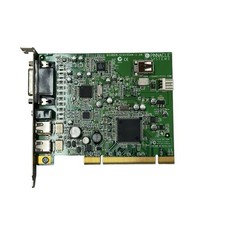
Pinnacle Systems GmbH BigBen-51015544-1.2A PCI Video Capture Card
$26.21

VINTAGE Apple Unidisk Analog Card - Circa 1986 | P/N 820-0190-A
$22.67