

 Reply With Quote
The custom kernel howto should cover what you want to do. You should find the default config for the 2.6 kernel in /boot/


Hello!
I have Knoppix 3.4. I successfully used the knoppix-installer script to install Knoppix 3.4 on my hard drive. For a certain application (LFS 6.0 testing) I need a 2.6.* kernel compiled with GCC 3.*, and a "cat /proc/version" command tells me the K3.4 kernel is 2.6.5 compiled with GCC 2.<whatever>. Now I want to somehoe recompile the same 2.6.5 kernel with a newer GCC; however, the Knoppix remastering / custom kernel HOWTOs are a little above my level of knowledge and understanding... What I want to do is keep the current kernel configuration and just compile it; however I didn't find the kernel source code in /usr/src, and a configuration file only for the 2.4.*.... In short, I'm in need of advice how to proceed to get a working Knoppix with a 2.6.* kernel compiled with GCC 3.*
Thanks!
The custom kernel howto should cover what you want to do. You should find the default config for the 2.6 kernel in /boot/
Here's what I figured out myself. I downloaded the kernel source from http://developer.linuxtag.net/knoppix/sources, unpacked it to /usr/src, and ran "make mrproper" on it. Then I copied the .config-2.6.5 file from the /boot folder to the kernel folder, and renamed it to .config. I then ran "make" and "make modules-install". Then, I copied the System.map and arch/i386/boot/bzImage files to /boot, renaming them to System-2.6.5.map and vmlinuz-2.6.5 respectively, overwriting the ones that were already there. When I did that I rebooted the PC, and everything ran as before. Typing "cat /proc/version" however STILL returned a 2.6.5 kernel compiled with GCC 2.whatever. So either:
1) the /proc/version file (if one exists, I think /proc was some kind of virtual folder, right?) is not updated, or
2) the system for some reason is nto using my precompiled kernel.
Any ideas what to do?
Godji
1 probably ,you have not repointing linux to your kernel
cd /usr/src && rm linux
ln -s /your kernel/ linux <----this is the problem
2 from 2.6.x up you dont need to copy bzimage...
after make oldconfig , " make install "will do (and make modules_install of course)
3 look at Makefile and see the version number,addendum...
at the beginning (you can even put extension_funny_names
so later uname -a gives "president of virtual USA" )
4 after make install ,check grub /lilo
normally with grub the make install modifies for you already
pointing link to new vmlinuz and systemmap
just reboot and cross fingers
I fugred out where the problem was. In fact, for some reason the recompilation STILL used gcc 2.whatever, although the default version was 3.3.3. I deleted gcc 2.whatever and symlinked the name of the executable to point to the new gcc. This did it, and now it says what it's supposed to - that it was compiled with GCC 3.3.3. Thanks everyone for the help!
Godji
P.S. Now at startup I get a few modules complaining and not being able to start due to the alternative gcc version that has compiled the kernel. I did "make modules-install" of course so I don't know why that happens. But it's not that I care.
The modules are stored in miniroot.gz.. so you have to put them there.. it's in the custom kernel howtoOriginally Posted by Godji
 Posting Permissions


(New) AMD Ryzen 7 5700X 8 Core 16 Thread AM4 Unlocked 3.4 GHz CPU OEM Tray
$174.99

Microsoft Surface Pro 5 Silver 128GB SSD 4gb RAM
$97.97

SGIN 17.3" Laptop Intel Quad-Core Up to 2.4 GHZ 8GB RAM 256GB SSD HD
$229.99
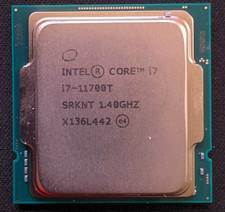
Intel Core i7-11700T 1.4GHz Processor 8-Core Socket LGA1200 SRKNT
$129.95

Apple Macbook Pro 13" M1 8-Core 16GB 512GB - Good
$464.99

Intel Xeon E5 - 2667V2 / SR19W 3.30GHz 25MB 8-Core CPU Socket LGA2011
$30.00

AMD FX 8350 8-CORE 4.00GHz CPU FD8350FRW8KHK SOCKET AM3+ *QTY
$39.99

AMD Ryzen 7 5700G 8-Core 16-Thread 4.6GHz Max Boost, 3.8 GHz Base
$170.00

Lenovo IdeaPad S340-15IWL Laptop 15.6" Intel Core i3-8145U 8GB RAM 256GB SSD
$126.65

Dell T7810 Workstation 8-Core 2.40GHz E5-2630 v3 No RAM GPU HDD OS
$259.98