

 Reply With Quote
First thing, I don't have a clue why you want to run knoppix the hardway. Anyway it's your decision.
try this on root konsole:
mount /dev/hda6 /mnt/hda6
chroot /mnt/hda6
Then drag whatever you want.
Hope this will help


I'm in the process of putting knoppix on my HD, not installing just putting the live-cd on my HD. I read the HD based how to and followed the instructions to copy knoppix to HD & make the hd-copy bootable with LILO on HD.
1.2.1. Knoppix 3.4 version only
* Partition the harddisk to make room for knoppix:
o ext2 partition /dev/hda6 used to boot the kernel with lilo (10 Meg)
o ext2 partition /dev/hda7 for the knoppix image (I used 1000 Meg, but 800 Meg should be enough)
o swap partition /dev/hda8 (I used 256 Meg, but depends on your physical RAM)
o ext2 partition /dev/hda9 for the persistent home (any value you can spare)
* Boot the knoppix cd with the cheatcode "tohd=/dev/hda7". This will copy the knoppix image to disk.
* Reboot the knoppix cd with the cheatcode "fromhd=/dev/hda7" and check if it runs without the cd.
* Make the persistent homedir via the knoppix menu (penguin icon->configuration->make persistent dir).
* Do not save your KNOPPIX configuration via the menu, all changes to the environment will be saved automatically because of the persistent home.
* Copy the files from /boot to /mnt/hda6. Also copy the file "/mnt/cdrom/boot/isolinux/minirt24.gz" from the cd to /mnt/hda6.
* Copy /etc/lilo.conf to /mnt/hda6 and make the following boot entries (do not forget to uncomment the line with "prompt", or else the lilo boot menu will not appear):
image=/mnt/hda6/vmlinuz initrd=/mnt/hda6/minirt24.gz
append="fromhd=/dev/hda7 home=/dev/hda9 apm=power-off lang=nl hda=scsi hdb=scsi hdc=scsi hdd=scsi hde=scsi hdf=scsi hdg=scsi hdh=scsi" root=/dev/hda7 label=Knoppix read-write
other=/dev/hda1
label=Windows98
* Mount the /mnt/hda6 partition temporary as /boot so lilo writes its map-file to the right place (sudo mount /dev/hda6 /boot)
* Let lilo write the boot loader to the master boot record (sudo lilo -C /mnt/hda6/lilo.conf)
* Remove the knoppix cd-rom and reboot. Now lilo will show you the menu and you can choose between win98 and knoppix.
* That's it. Enjoy.
I followed all the instructions up until it says to copy the files from /boot to /mnt/hd6, I'm trying to do this by dragging the files in the boot folder onto hd6 but it gives me an access denied. I made sure that the hd is mounted and writeable but it still happens. Can anyone help me do this, I also don't understand what it means to make a boot entry or the uncomment thing. I am totally new to linux and knoppix, so please use language I can understand. Thank you.
First thing, I don't have a clue why you want to run knoppix the hardway. Anyway it's your decision.
try this on root konsole:
mount /dev/hda6 /mnt/hda6
chroot /mnt/hda6
Then drag whatever you want.
Hope this will help
 Posting Permissions

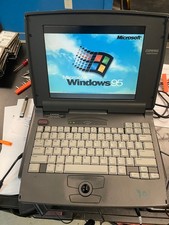
Compaq Contura 430cx Vintage Laptop 9.5" Intel 486DX2 50MHz Windows 95 Working
$150.00

Vintage Computer Keyboard Northgate OMNIKEY Ultra
$120.00

Vintage HP 21MX 1000 M-Series Minicomputer Chassis Backplane Parts AS-IS
$325.99

Lot of 2 Vintage Plextor PX-43CS SCSI CD-ROM Caddy Drives + 4 Caddies Used
$55.99
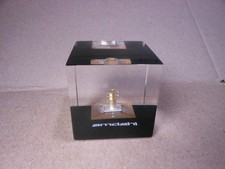
Vintage Amdahl Computer Chip Lucite Paperweight Air Cooled Logic Chip
$89.00

Original Vintage Old Style STANDARD Black CD Jewel Case (Heavy Duty) 90g Lot
$316.95
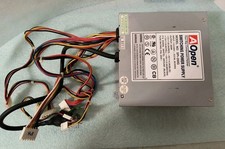
VINTAGE AOPEN MODEL SPI-200 200W AT POWER SUPPLY WITH SWITCH DS-PS-8
$34.95
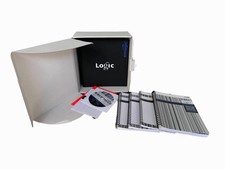
Vintage Emagic Logic 5 / Logic Audio 4.0 Studio Software Box Manuals Serial
$89.99

VINTAGE COLLECTIBLE Comp USA Maxtor 20 GB 3.5 Inch EIDE Hard Drive NEW SEALED
$500.00
HP 5060-8359 8K solid state semiconducter memory HP 2100/1000 Vintage 1974
$135.36