

 Reply With Quote
First thing, I don't have a clue why you want to run knoppix the hardway. Anyway it's your decision.
try this on root konsole:
mount /dev/hda6 /mnt/hda6
chroot /mnt/hda6
Then drag whatever you want.
Hope this will help


I'm in the process of putting knoppix on my HD, not installing just putting the live-cd on my HD. I read the HD based how to and followed the instructions to copy knoppix to HD & make the hd-copy bootable with LILO on HD.
1.2.1. Knoppix 3.4 version only
* Partition the harddisk to make room for knoppix:
o ext2 partition /dev/hda6 used to boot the kernel with lilo (10 Meg)
o ext2 partition /dev/hda7 for the knoppix image (I used 1000 Meg, but 800 Meg should be enough)
o swap partition /dev/hda8 (I used 256 Meg, but depends on your physical RAM)
o ext2 partition /dev/hda9 for the persistent home (any value you can spare)
* Boot the knoppix cd with the cheatcode "tohd=/dev/hda7". This will copy the knoppix image to disk.
* Reboot the knoppix cd with the cheatcode "fromhd=/dev/hda7" and check if it runs without the cd.
* Make the persistent homedir via the knoppix menu (penguin icon->configuration->make persistent dir).
* Do not save your KNOPPIX configuration via the menu, all changes to the environment will be saved automatically because of the persistent home.
* Copy the files from /boot to /mnt/hda6. Also copy the file "/mnt/cdrom/boot/isolinux/minirt24.gz" from the cd to /mnt/hda6.
* Copy /etc/lilo.conf to /mnt/hda6 and make the following boot entries (do not forget to uncomment the line with "prompt", or else the lilo boot menu will not appear):
image=/mnt/hda6/vmlinuz initrd=/mnt/hda6/minirt24.gz
append="fromhd=/dev/hda7 home=/dev/hda9 apm=power-off lang=nl hda=scsi hdb=scsi hdc=scsi hdd=scsi hde=scsi hdf=scsi hdg=scsi hdh=scsi" root=/dev/hda7 label=Knoppix read-write
other=/dev/hda1
label=Windows98
* Mount the /mnt/hda6 partition temporary as /boot so lilo writes its map-file to the right place (sudo mount /dev/hda6 /boot)
* Let lilo write the boot loader to the master boot record (sudo lilo -C /mnt/hda6/lilo.conf)
* Remove the knoppix cd-rom and reboot. Now lilo will show you the menu and you can choose between win98 and knoppix.
* That's it. Enjoy.
I followed all the instructions up until it says to copy the files from /boot to /mnt/hd6, I'm trying to do this by dragging the files in the boot folder onto hd6 but it gives me an access denied. I made sure that the hd is mounted and writeable but it still happens. Can anyone help me do this, I also don't understand what it means to make a boot entry or the uncomment thing. I am totally new to linux and knoppix, so please use language I can understand. Thank you.
First thing, I don't have a clue why you want to run knoppix the hardway. Anyway it's your decision.
try this on root konsole:
mount /dev/hda6 /mnt/hda6
chroot /mnt/hda6
Then drag whatever you want.
Hope this will help
 Posting Permissions


Dell 6P85J 4TB ST4000NM0063 7.2k 6Gb/s 3.5” SAS SED Hard Drive with Tray
$39.99

Western Digital HUS726T4TAL5204 4TB 7.2K SAS 12Gb/s 3.5" 512e HDD NetApp X375A
$64.00

Western Digital 1TB 3.5" SATA III 7200RPM Desktop Hard Drive
$34.99

(ST8000NM0045) SEAGATE ENTERPRISE 8TB 7200RPM 4Kn SATA 6Gb/s 3.5" HARD DRIVE
$199.99

HGST 0F23072 Deskstar NAS 6TB SATA III 7200RPM 128MB 3.5in HDD
$84.99
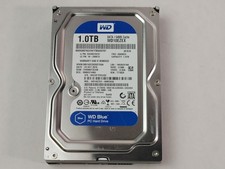
Western Digital WD Blue WD10EZEX 1 TB 3.5" SATA III Desktop Hard Drive
$23.99

Dell ST6000NM0034 1HT27Z-150 NWCCG 6TB SAS 3.5 7.2K ENTERPRISE SERVER DRIVE
$68.99

Seagate Exos ST2000NX0253 HDD 2TB SATA 7.2K 2.5" 512b/s
$55.00

DELL 2TB Enterprise HDD (7200RPM, 3.5", SATA III, 128MB Cache) HUS722T2TALA600
$49.95

Seagate ST12000NM0127 12TB 256MB 7200RPM 3.5" SATA 6.0Gb/s Enterprise Hard Drive
$318.99