
It starts scanning and next thing I know its gone. Running it again looks like its just starting over from scratch. I'm trying to get my NTFS safely writeable. I'm also a knoppix-noo,b so go easy on me.


It starts scanning and next thing I know its gone. Running it again looks like its just starting over from scratch. I'm trying to get my NTFS safely writeable. I'm also a knoppix-noo,b so go easy on me.
Same issue for me...
My details are that I am running Knoppix 3.4_05.17.04
Actually, I have never been able to get this working on my Windows 2000 pc. It never finds the files on my NTFS partition, or in a directory on an ext2 partion, or even if I copy them into /var/lib/captive as suggested.
Does anyone have this running or have some pointers?
~pau1
My brother has the same issue. Here's what I ended up doing. Copied them to a flash drive from my other computer and then dropped them on the desktop on my laptop. I then skipped the search and did the second browse option. It found them and appeared to have accepted and loaded them. I then used the console commands to mount the drive that I found elsewhere in this forum (mount -t captive-ntfs /dev/hdX /mnt/hdX) and it appeared to have mounted the drive with the captive-ntfs driver. My problem now is though is I get access denied errors and I'm not sure if its because it still isn't loaded right or if its an NTFS permissions error. This laptop is a work laptop and though I am a local administrator on it, we have the file system locked down so that the only place our users can save is the server folder. Does the captive-ntfs driver respect NTFS permissions?
Try to copy ntfs.sys and ntoskrnl.exe from Windows XP into /var/lib/captive.
The drivers from Windows 2000 cause problems, see
http://www.jankratochvil.net/piperma...il/000341.html
When I was trying to mount NTFS with the drivers from Windows 2000 (Knoppix 3.4 c't Edition), I got the following message.
Captive[1942]: sandbox: FATAL: file signal.c: line 203 (sigaction_SIGSEGV): assertion failed: (reg_eip_aligned!=NULL)
After copying ntfs.sys and ntoskrnl.exe from a Windows XP installation, the message was gone.
I had troubles mounting NTFS-captive as well. I copied the essential drivers myself, but still I got some error message "disc is dirty etc. etc."Originally Posted by joehtg
 Posting Permissions


OPNsense pfSense 8-Core Atom C3758 2.2GHz 8GB DDR4 64GB SSD 8x NIC QAT AES VPN
$115.00

Ubuntu Server 26.04.1 LTS Bootable USB Flash Drive – Latest September 2026
$12.99
OPNsense pfSense 8-Core Atom C3758 2.2GHz 8GB DDR4 512GB SSD 8x NIC QAT AES VPN
$128.00

1U Rackmount PC Intel Core i5-2520M 8GB RAM 500GB HDD Ubuntu Linux Server
$109.99

All New Ubuntu 26.04 LTS Linux Bootable USB Flash Drive
$15.95

Start9 Server Pure 32GB 4TB Intel i7 Node StartOS — Box + PSU
$649.00
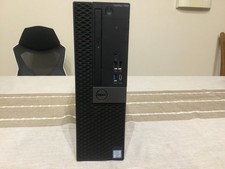
Dell Optiplex 7050 SFF Server (256GB NVME, 8GB RAM, i5-7500 @ 3.8Ghz)
$75.00

ESET Server Security (File Security) | Variant Item | Download Version
$136.15

Sun Enterprise e450 400mhz cpu(x4), 4gb ram, 9gb HD w/spud most complete on ebay
$500.00

SQL Server 2022 Enterprise 96 Core License & DVD Unlimited CALs with CoA
$284.99

 Reply With Quote