

 Reply With Quote
run command:
nvidia-settings
If your system restartX instead of displaying NVIDIA setting gui then you have to delete /.nvidia-settings-rc in your Home directory, then run nvidia-settings again.


I cant access the options on it, known bug or ??
run command:
nvidia-settings
If your system restartX instead of displaying NVIDIA setting gui then you have to delete /.nvidia-settings-rc in your Home directory, then run nvidia-settings again.
Thanks, logged in as root got the GUI up etc.
But still cant get the resize and rotate to work, and cant find the nvidia-settings-rc file to delete.
Slay3r
You don't have to be root to access the nvidia-settings gui.
Your .nvidia-settings-rc is hidden in your HOME directory, try enable
View->Show hidden files in your konquerer.
You might want to read this ftp://download.nvidia.com/XFree86/Li...106/README.txt
Slay3r
For resize and rotate to work try with different refresh rate.
 Posting Permissions


Kingston 16GB DDR4 3200MHz PC4-3200AA-SA2-12 Laptop RAM SODIMM (HP32D4S2S8ME-16)
$64.99

16GB KIT (2x8GB) DDR4 Gamer Desktop RAM PC4 MIXED BRANDS
$65.00
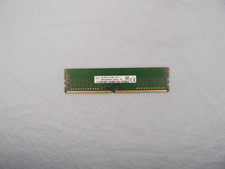
SK Hynix 8GB 1Rx8 PC4-2400T (HMA81GU6AFR8N-UH) DDR4 Desktop ram
$25.99

Netac DDR4 32GB 16GB DDR4 3200MHz UDIMM C16 Desktop Internal Memory RAM Kit
$99.99
![[ BULK LOT OF 10 ] UNITS of 8GB DDR4 Laptop RAM SAMSUNG, HYNIX etc. picture](/store/img/g/IKQAAeSwEK9qv9TG/s-l225/-BULK-LOT-OF-10-UNITS-of-8GB-DDR4-Laptop-RAM-SAMSU.jpg)
[ BULK LOT OF 10 ] UNITS of 8GB DDR4 Laptop RAM SAMSUNG, HYNIX etc.
$299.99
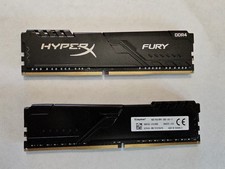
Kingston HyperX Fury 32GB 2x16GB DDR4 RAM 3200MHz X2YH1K-MIE
$150.00
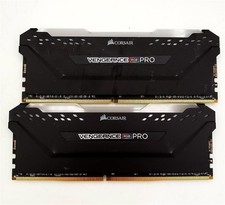
Corsair Vengeance RGB PRO 32GB 2x16GB DDR4 RAM 3200MHz CMW32GX4M2E3200C16
$169.99

RAMAXEL Lenovo 32GB LPDDR5X CAMM2 7500MHz Laptop RAM | UNTESTED
$445.00

Corsair Vengeance DDR3 8GB 16GB 32GB 1866MHz PC3-14900 Desktop RAM Memory DIMM
$85.00
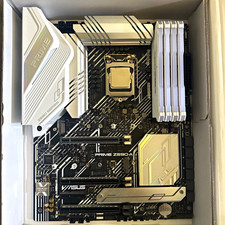
CPU-RAM-MOBO COMBO- 32gb DDR4 3600MHz, i5 CPU, Asus Prime Motherboard
$370.00