-
Junior Member
registered user
Video Resolution to small how to make it bigger?
after i ran knoppix-installer im only allowed to selected 640x480 in debian now and a savage video card is detected during boot.
What do i need to do so that i can get higher resolutions?
-
Senior Member
registered user
Surely there is some tool in that massive Kcontrol thing for adjusting the resolution. Otherwise you can do it like a real Linux geek and edit /etc/X11/XF86Config-4. If your resolution was fine when booted to cd you can also copy the XF86Config-4 from cd to your hdd install.
-
Senior Member
registered user
If you know the specifications of your hardware (video card model and memory and monitor refresh rates), you can run the command "xf86config" to get things set up properly. First, back up your current configuration:
Code:
mv /etc/X11/XF86Config-4 /etc/X11/XF86Config-4.old
Then start "xf86config" There is a step by step guide here: http://www.bitbenderforums.com/vb22/...?postid=313121 I know the guide says Slackware, but it works the same in Debian/Knoppix. I would suggest trying the generic vesa video driver first when you come to that option. Just make sure that you have the correct refresh rates and resolutions set up. If xfree86 thinks the monitor can't support higher resolutions, it will not let you switch to those, and obviously it won't let you switch to higher resolutions if there are none there. Good Luck!
-
Senior Member
registered user
You also can use root shell command:
kxconfig
-
Junior Member
registered user
Thank you so much the kxconfig worked. Ive been messing with everything else all day and it wouldnt work... Thanks agian
-
krandtray (under menu as
system
|
Screen Resize and Rotate
its a kicker applet that allows you to adjust video settings on the fly
if you want it to auto start
go to
home
|
(your user name)
|
.kde
|
Autostart
in this folder place a link to application (right click option ) under command use krandrtray
next time you log in to kde it will auto start
Similar Threads
-
By Chromatic Distortion in forum Tips and Tricks
Replies: 0
Last Post: 06-30-2005, 02:05 AM
-
By lightbulb in forum General Support
Replies: 3
Last Post: 11-20-2004, 12:16 AM
-
By meansbeans in forum Hardware & Booting
Replies: 4
Last Post: 06-14-2004, 07:21 PM
-
By joekm in forum General Support
Replies: 1
Last Post: 06-04-2003, 01:55 PM
-
By DavidTempler in forum General Support
Replies: 1
Last Post: 05-22-2003, 04:52 PM
 Posting Permissions
- You may not post new threads
- You may not post replies
- You may not post attachments
- You may not edit your posts
-
Forum Rules


16GB KIT (2x8GB) DDR3 Gamer Desktop RAM PC3 MIXED BRANDS VIPER VENGEANCE FURY
$10.00

Netac DDR4 32GB 16GB DDR4 3200MHz UDIMM C16 Desktop Internal Memory RAM Kit
$99.99

A-Tech 8GB DDR3 1600 PC3-12800 Laptop SODIMM 204-Pin Memory RAM PC3L DDR3L 1x 8G
$21.68
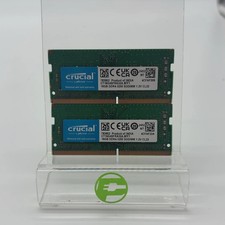
Crucial Laptop Ram 32GB (2x16GB) RAM DDR4 3200MHz CT16G4SFRA32A
$119.99
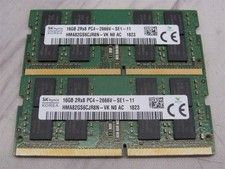
32GB KIT - 2x SK Hynix 16GB 2Rx8 PC4-2666V DDR4 SODIMM Laptop Memory RAM
$99.99

Major Brand 16GB (2x8GB) PC3-12800U DDR3-1600MHz DDR3-12800 DESKTOP RAM NON-ECC
$29.99

Samsung 32GB DDR4-2666V-2Rx4-RB2-12 RAM M393A4K40CB2-CTD6Q
$169.00

Samsung 16GB LPCAMM2 PC5 7500 DDR5 LPDDR5X CAMM2 M561K1LC4DM0-CCTGM RAM Memory
$189.00
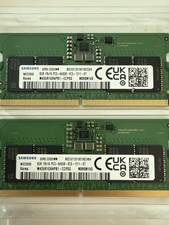
LOTS of 2 Samsung 8GB (8x2 16GB) DDR5 RAM Memory M435R1GB4PB1-CCPSG PC5-6400B
$150.99
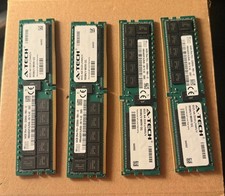
SK Hynix 256GB (4x64GB) DDR4 3200MHz PC4-25600 ECC RDIMM 288-Pin Workstation RAM
$1950.00



 Reply With Quote