-
mouse lost after apt-get upgrade
When I upgrade I loose control over my mouse. The pointer is there, but Sometimes refuses at all, sometimes freaks out.
I tried to xf86config to setup new XF86Config-4 but this didn't help.
What should I do? Please help
-
Senior Member
registered user
When you did the upgrade did you let debconf take over setting up your XF86Config file?
If you did allow debconf to setup your XF86Config-4 file debconf probably goofed up your XF86Config-4 file. So take a look in /etc/X11 for a file named XF86Config-4.debconf-backup, then rename your existing XF86Config-4 file to something like XF86Config-4-bad (just in case things get even worse) and then copy XF86Config-4.debconf-backup to XF86Config-4. Then restart X and see if everything is OK, if it is fine. If not then what I would do is boot to your knoppix cd, make sure to use all of the necessary boot options to get your system where you need it, mount your hard drive knoppix partition rename your existing XF86Config-4 file and then copy the Knoppix created XF86Config-4 file into /etc/X11 on your hd.
HTH
rock
-
I tried but no help. actually I have this same problem with woody too. I do upgrade and then I loose mouse. I have Nvidia GeForce2. Is this the problem?
-
Senior Member
registered user
gpm is the problem and the solution!
apt-get upgrade sets up gpm for mouse support on console. Did you have a mouse on console before ? I think no ...
gpm allows sharing, however for PS/2 Mice this does not work and so it comes to this problems ...
Just stop it ...
/etc/init.d/gpm stop
See if its helps! Mouse should be usable again ...
Then to be safe deinstall it ...
apt-get remove gpm
cu
Fabian
PS: Solved this problem at a friends house yesterday, so I know that this IS (or could be) a solution  )
)
-
Senior Member
registered user
I actually had this same problem yesterday. After doing an apt-get upgrade I didn't pay attention to some of the install messages and selected "yes" instead of "no" when asked about changing configs.
For me the answer turned out to be simpler than you might imagine. I shut down the comupter and removed the mouse. I rebooted and ran X. Then I shut down again and reinserted the mouse. When I rebooted the mouse worked fine.
If this doesn't work, you may also want to try running mouseconfig from the commandline.
Hope this helps.
-
USB
Hi,
Same happened to me. Well, sort of. After upgrading, my ps/2 mouse began moving erratically. It looked like it was using the wrong protocol, but according to XF86Config-4 IMPS/2 is the protocol being used (and the right one, for it was the one I was using before the upgrade)
The solution (i know it's not a grrrreat one though) was plugging the mouse to the usb port through an adaptor. I changed the XF86Config-4 file accordingly and I've had no more problems since.
Well, I hope this to be useful to you (though I doubt it...  )
)
Ganbatte kudasai
-
Senior Member
registered user
Re: gpm is the problem and the solution!

Originally Posted by
Fabianx
apt-get upgrade sets up gpm for mouse support on console. Did you have a mouse on console before ? I think no ...
gpm allows sharing, however for PS/2 Mice this does not work and so it comes to this problems ...
Just stop it ...
/etc/init.d/gpm stop
See if its helps! Mouse should be usable again ...
Then to be safe deinstall it ...
apt-get remove gpm
cu
Fabian
PS: Solved this problem at a friends house yesterday, so I know that this IS (or could be) a solution
)
Had this problem also and your solution worked perfectly.
-
Senior Member
registered user
I'm glad I saw this thread earlier, yesterday I upgraded my 3.1 hd install and sure enough it wanted to set up gpm, so I pointed gpm to /dev/null during the configuration.
Thanks,
rock
Similar Threads
-
By Gralfus in forum Hdd Install / Debian / Apt
Replies: 3
Last Post: 03-01-2005, 07:00 PM
-
By markleong in forum General Support
Replies: 1
Last Post: 01-08-2005, 03:58 PM
-
By pako in forum Hdd Install / Debian / Apt
Replies: 3
Last Post: 08-28-2004, 05:20 PM
-
By twinkel in forum Hardware & Booting
Replies: 8
Last Post: 12-08-2003, 08:21 PM
-
By hamscs in forum General Support
Replies: 2
Last Post: 12-20-2002, 02:44 PM
 Posting Permissions
- You may not post new threads
- You may not post replies
- You may not post attachments
- You may not edit your posts
-
Forum Rules


Samsung JC95-01514A Cover-Side Roller T2 Compatible
$39.00
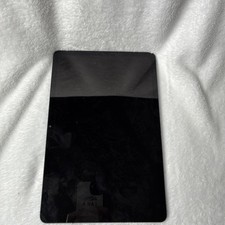
Samsung Galaxy Tab S7 5G SM-T878U 128GB 11" Tablet Untested AS IS
$75.00
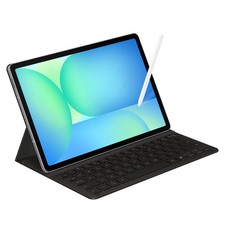
Samsung Galaxy S10 10.9" FE 128GB WiFi Tablet SM-X520NZACXAR S-Pen Keyboard 2025
$299.00

Samsung Galaxy View Tablet 18.4 SM-T670/677A Digitizer 100% Original Oem
$152.99

Samsung JC93-01078A Transfer Roller T2
$89.00

Samsung DVI to DVI Cable 6 ft Digital Video Interface Audio Video NEW
$30.89

Kids Case for Samsung Galaxy Tab A9+/A9 plus 11 Inch 2023 Case, with Strap, Shoc
$27.99
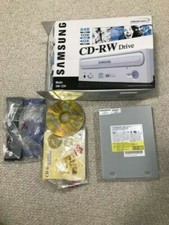
SAMSUNG CD-RW DRIVE MODEL SW-224 AMAZING CONDITION+ORIGINAL BOX NEVER USED
$30.00
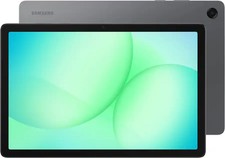
Samsung - Galaxy Tab A11+ - 11" 128GB - Wi-Fi - Gray - Brand new
$235.59

Samsung Chomrebook XE350XBA-K02US LCD Screen FHD Display 15.6" XE350XBA-K03US
$51.77



 Reply With Quote