

 Reply With Quote
the command is
Good LuckCode:su enter-root-passwd chown -R user.group /directory


I changed permissions of /tmp ( cause of a script that I tried which wrote files to /tmp which I later had no access to as user )
I changed it with konqeror (file manager as super user) to group : jack (= user)
After that I couldn't start konqeror and many other programs. error message was something like : /tmp/mcop-root is set accessale to user
After reboot I couldn't login to kde anymore.
my username to login is jack
how can set permissions of /tmp right again? and what camand should I use?
I already tried : chown root /tmp but that didn't help.
It's probably very simple but at this time I cannot use knoppix anymore.
please help
the command is
Good LuckCode:su enter-root-passwd chown -R user.group /directory
thanks ying-yang7 for the help,
so in my case , for user jack I should use command:
chown -R jack.group /tmp ?
Originally Posted by jack-ren
i think that shoud be:
chown jack.jack /tmp -R
jack as user and jack as group (maybe gorup jack is unnessesery...). try...
 Posting Permissions

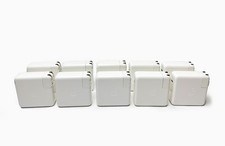
Lot of 10 Genuine OEM Apple 87W USB-C Power Adapter A1719 for Macbook Pro
$179.99

OEM Apple Data Migration Toolkit for A1706 A1707 MacBook Pro PN 076-00236
$549.99

Genuine Apple Power Adapter Extension Cable 6FT White OEM MacBook MK122LL/A
$10.99
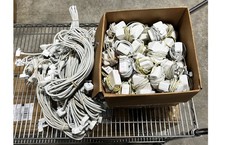
Lot of 100 OEM Apple Magsafe 2 45W AC Adapter A1436 with Power Cable - Grade D
$339.99

Genuine OEM Apple MagSafe 2 45W AC Adapter Charger for Macbook Air 2015 11" 13"
$14.24
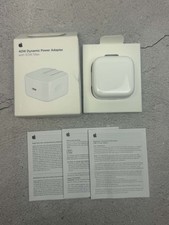
Apple 40W Dynamic Power Adapter 60W Max for iPhone/iPad/AirPods/MacBooks OEM
$17.99

OEM 45w T-Tip Power Adapter charger for Apple macbook air 2012-2017 A1436 A1466
$19.99
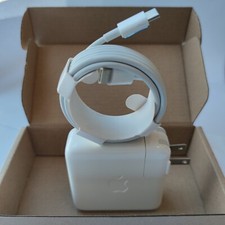
Genuine OEM 61W USB-C Power Adapter Charger For Apple MacBook PRO 13 inch A1718
$22.00

$6.99
Genuine OEM Apple 70W USB-C Power Adapter
$34.99