-
Font Size Or Resolution
I note with interest that, with the livecd, if I select, say, knoppix as a kernel option at boot the fonts are quite small, almost unreadable, but if I select failsafe, the font size is larger and acceptable. While on the surface this difference appears to be a font problem, I suspect it has something more to do with resolution. I've tried to enlarge the font size when I boot with option knoppix by adding in screen=800x600, my preferred screen resolution, but to no effect. The only thing that seems to work better is vga=normal, but why this additional parameter improves things is unknown to me. I'm trying to get the option knoppix to boot with the same appearance as the resolution, 800x600, I select once at the desktop. Your thoughts?
jlowell
-
You need VESA framebuffering for the console resolution, this is usually appended in /etc/lilo.conf at vga=???
For 800x600 you can use:
vga=788 (for 800x600x64k)
vga=787 (for 800x600x32k)
vga=771 (for 800x600x256)
If you're booting from the cd use both the screen and vga cheatcodes.
PS: Don't forget to run lilo after changing lilo.conf.
-
Hello Markus,
Well, your very helpful post plus a little independent research on my part brings an answer to a couple of things I wasn't understanding about the boot and loading processes with linux. And I certainly hope that anyone else finding themselves at sea on these things will benefit from my experience.
What was missing here was understanding that the alternatives available with respect to the character of the initial display begin with choosing between a text approach and the framebuffer approach. Text requires the cheat code vga=normal or vga=ext and framebuffer requires - as you've indicated above - a choice of screen resolution, 600x400, 800x600, etc., plus vga=xxx. I've compared knoppix screen=800x600 vga=normal nodhcp with knoppix screen=800x600 vga=771 nodhcp, for example, and, frankly, prefer the appearance of the text display. The text appears larger, suitably filling the screen, where the framebuffer text, while a good bit larger than it was earlier, is still too small for my tastes. It's my guess that lowering the size of the screen resolution together with a lower vga= would be the only way to increase the size of the text a bit more. Might you know the framebuffer vga= settings for a resolution of 600x400? I can try those.
In any event many thanks for your reply and your help.
jlowell
-
Let's see how a pasted table looks:
Color depth | 640x480 800x600 1024x768 1280x1024
-----------------+-------------------------------------
256 (8bit)|--------769------771------773------775
32000 (15bit)|----784------787------790------793
65000 (16bit)|----785------788------791------794
16.7 Mill.(24bit)|-786------789------792------795
-
Hi Markus,
Looks just fine. Again, thanks.
jlowell
Similar Threads
-
By lotech in forum Hardware & Booting
Replies: 0
Last Post: 07-21-2005, 04:46 AM
-
By urpk in forum Customising & Remastering
Replies: 1
Last Post: 03-04-2004, 02:40 AM
-
By winter009 in forum General Support
Replies: 0
Last Post: 01-21-2004, 05:31 AM
-
By beecee in forum General Support
Replies: 8
Last Post: 01-19-2004, 12:53 AM
-
By hnt in forum General Support
Replies: 4
Last Post: 08-19-2003, 09:36 AM
 Posting Permissions
- You may not post new threads
- You may not post replies
- You may not post attachments
- You may not edit your posts
-
Forum Rules


SK Hynix Server Memory 32GB (1x32GB) RAM DDR4 2400MHz HMA84GR7MFR4N Lot of 12
$1599.99
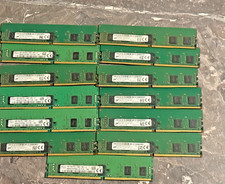
Bulk lot of 13 × 4GB DDR4-2400 ECC Registered RDIMM server memory modules
$195.00

2 in 1 USB 3.0 Card Reader Micro TF card Reader usb adapter High Speed Cardreder
$3.99
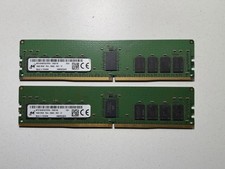
x2 Micron 16GB 2Rx8 PC4-2666V ECC REG Server Memory - MTA18ASF2G72PDZ-2G6E1
$179.00

Kingston 32GB 64GB 128GB 256GB USB 3.0 Flash Drive Thumb Memory Stick Pen lot
$285.90
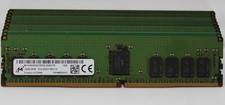
Lot of 9 Micron 16 GB DDR4 2993Y MTA18ASF2G72PDZ Server Memory
$899.99
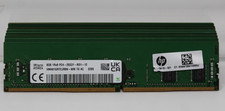
Lot of 8 Hynix 16 GB DDR4 2993Y HMA81GR7CJR8N Server Memory
$849.99
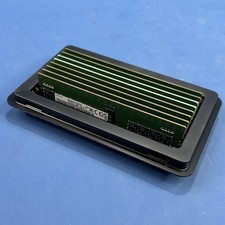
Samsung (8X16GB) 128GB 2Rx8 PC4-3200AA-RE2-12 Registered ECC Memory DDR4
$849.99

x4 Intel 128GB NMB1XXD128GPS Optane Memory 200 Series PMEM Module 3200 DDR4 RAM
$329.99
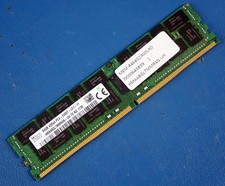
SK HYNIX HMAA8GL7MMR4N-UH 64GB PC4-2400T RDIMM Server RAM
$289.95



 Reply With Quote