

 Reply With Quote
run command:
nvidia-settings
If your system restartX instead of displaying NVIDIA setting gui then you have to delete /.nvidia-settings-rc in your Home directory, then run nvidia-settings again.


I cant access the options on it, known bug or ??
run command:
nvidia-settings
If your system restartX instead of displaying NVIDIA setting gui then you have to delete /.nvidia-settings-rc in your Home directory, then run nvidia-settings again.
Thanks, logged in as root got the GUI up etc.
But still cant get the resize and rotate to work, and cant find the nvidia-settings-rc file to delete.
Slay3r
You don't have to be root to access the nvidia-settings gui.
Your .nvidia-settings-rc is hidden in your HOME directory, try enable
View->Show hidden files in your konquerer.
You might want to read this ftp://download.nvidia.com/XFree86/Li...106/README.txt
Slay3r
For resize and rotate to work try with different refresh rate.
 Posting Permissions


TP-Link TL-SG105 5-Port Gigabit Ethernet Unmanaged Metal Desktop Network Switch
$19.99

TP-Link TL-SX105 10GB 5-Port Switch - Unopened
$195.00

NETGEAR GS308EP Essential Series 8-Port Gigabit PoE+ Unmanaged Switch
$44.99

Cisco WS-C3650-12X48UR-L 48-Port Stackable Layer 3 8x10G SFP+ Port Switch
$129.99
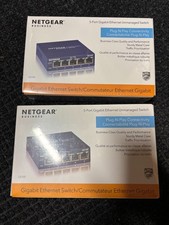
NETGEAR ProSAFE GS105E 5-Port Gigabit Ethernet Plus Switch Built for Business
$11.00

5 Port Gigabit Unmanaged Ethernet Switch, Home Network Hub, Office Ethernet S...
$9.64

10-Port Gigabit PoE Network Switch with 8 PoE+ Ports with 2 Combo SFP Slots 125W
$39.99

NETGEAR 5-Port Gigabit Ethernet Unmanaged Switch (Gs305) - Desktop Quiet Fanless
$22.99

TP-Link TL-SG1048 48-Port Gigabit Rackmount Switch New Factory Sealed
$199.99

5Ports Gigabit Network Switch w/ 4 PoE+ Ports Total 52W each port 30W Plug&Play
$31.99