-
Re: unable to view/access my win98se(fat32) partitions

Originally Posted by
a2ilindia
hi,
i am a newbiee in the world of linux but like knoppix so much that i decided to install it on my hd. the problems rise from here only, i am having a 2.4 ghz prossesor with intel 845gvad2 motherboard and 256mb of DDR RAM with two harddisks(40 gb samsung &4gb seagate) so i installed knoppix on my smaller hd with a 256mb swap and the rest as ext2.
1. After many

&

i was able to install knoppix on it with lilo but after bios data check each time i got a message :-
you passed an undefined mode no press [return] to see available mode
press space to continue or wait 30 secs. i am using a samsung 17" syncmaster 753s.
2.further more my linux partitionn remains read-only even after mount command when i login as user and is read-write as root after using mount command(also with sudo when as user)
I have a nvidia graphis card with tv-out. When the tv-out cable is plugged in i get the same message. If i unplug the tv-out cable the message disapers!
Perhaps this is the problem!
i have 5 partition of fat32
3. After login i was unable to found my fat32 partitions from my second drive.
when running fdisk-l i got
disk /dev/hdc:4327mb
Device Boot ID System
/dev/hdc1 * 83 linux
/dev/hdc2 82 linux swap
Partition table entries are not in disk order
disk /dev/hda:40.0gb
Device Boot ID System
/dev/hda1 * b w95fat32
/dev/hda2 f w95 ext'd(LBA)
/dev/hda5 b w95fat32
/dev/hda6 b w95fat32
/dev/hda7 b w95fat32
/dev/hda8 b w95fat32
any help is welcomed
Thanks in advance
I asume that the problem is that for some reason there's not created a proper /etc/fstab file.
(Perhaps hda was unpluged when you installed knoppix.)
For eatch partition you have to create a line in /etc/fstab witch looks like this:
Code:
#Partition		#Mountpoint	#Filesystem	#Options
/dev/hda1		/mnt/hda1		vfat			noauto,users,exec,umask=000	0	0
Exept for /devhda2 because it's the contanor for hda5 to hda8
So hda3 would look like this:
Code:
/dev/hda3 /mnt/hda3 vfat noauto,users,exec,umask=000 0 0
As you can see you only have to change the partition and the mount point.
The mount point is a dictory, and that must exist, else mounting fails!
Similar Threads
-
By Josh83 in forum Hdd Install / Debian / Apt
Replies: 3
Last Post: 04-03-2005, 05:50 AM
-
By John in Brisbane in forum General Support
Replies: 5
Last Post: 05-26-2004, 05:27 PM
-
By johnnylipps in forum Hdd Install / Debian / Apt
Replies: 7
Last Post: 10-15-2003, 03:18 AM
-
By Pex_boa in forum Hdd Install / Debian / Apt
Replies: 7
Last Post: 04-10-2003, 08:20 PM
-
By pc_dev in forum Hdd Install / Debian / Apt
Replies: 4
Last Post: 02-27-2003, 08:50 AM
 Posting Permissions
- You may not post new threads
- You may not post replies
- You may not post attachments
- You may not edit your posts
-
Forum Rules

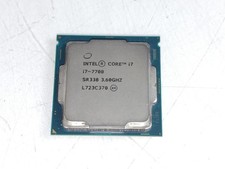
Intel Core i7-7700 3.6 GHz 8 GT/s LGA 1151 Desktop CPU Processor SR338
$39.99
READ Intel Core Ultra 9 285 Processor LGA 1851
$449.99
LOT OF 4 Intel Core i5-10505 6-Core 3.2GHz SRH38 CPU Processor
$349.95
Corsair HX1500i 1500W 80+ Platinum Fully Modular ATX 3.1 PSU Certified Refurb
$207.99
AMD RYZEN 5 3600 PROCESSOR | 3.60GHZ | 100-000000031
$59.99
Intel Core i5-12600 3.30 GHz Processor CPU
$119.99
Intel Core i7-8700 3.2 GHz 8 GT/s LGA 1151 Desktop CPU Processor SR3QS
$67.99

Intel Core i9-9900 3.10GHz CPU Processor SRG18
$165.00

INTEL CORE I7-870 SLBJG 2.93GHZ LGA1156 4 CORE CPU PROCESSOR
$23.00
*Brand New-Sealed* AMD Ryzen 9 9950X3D2 Dual Ed. 4.3GHz 16Core AM5 (Bulk+Fast)
$790.00



 Reply With Quote