


 Reply With Quote
Not sure if this is what you wanted.....
To insert a driver use modprobe (as root of course):
modprobe mdc800
But hotplug *should* do that for you.


Hi. I`m new...
If I boot Knoppix 3.4 from CD and plug in my USB-Digicam annything works fine. -The Camera ist noticed as sbd1. If I made the HD-Installation in this condition I suppose after reboot from HD the USB-Camera will be noticed. My USB-Stick works fine this way.
The Problem: I only can Plugin one Thing (Camera or USB-Stick) while the Installation because I only got one USB-Slot.
While booting from CD I suppose the USB-Modul dc2xx (kodak) or mdc800 (mustek) is used with Hotplug.
My big Question: How can I Install one of the USB-Modules (kodak or mustek) after installing Knoppix (the way like debian) on HD. -In other cases my Installation works quite fine
Thanks for help
Not sure if this is what you wanted.....
To insert a driver use modprobe (as root of course):
modprobe mdc800
But hotplug *should* do that for you.
If you want it loaded at each boot, add the module name to /etc/modules-$KERNERVERSION
Hotplug does what it wants to, especially for 2.6.n kernels
 Posting Permissions


RAM-HOL-SAM52CPU RAM USB-C Powered Dock Samsung Tab Active4 Pro & Tab Active Pro
$81.99

New Samsung 512GB FIT Plus USB 3.2 Gen 1 Type-A Flash Drive MUF-512AB/AM NEW
$120.00

Samsung 24" S3 Essential IPS 100Hz Monitor | Sealed | Fast shipping
$50.00
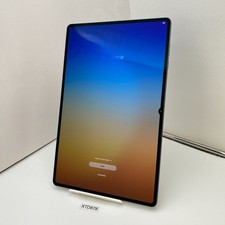
Samsung Galaxy Tab S11 Ultra SM-X930 - 256GB, Wi-Fi, 14.6" - Gray /Open Box
$869.99

RAM-HOL-SAM60CPU RAM USB-C Powered Dock for Samsung Tab Active5 - 3 - 2
$81.99

RAM-GDS-SKIN-SAM54-NG-1 RAM Mounts IntelliSkin® Next Gen for Samsung Tab Active4
$93.99

Samsung Galaxy Tab SCH-1800 7" 4GB Wi-Fi + Verizon Tablet Working
$30.00

Samsung SCXSTP000, SCX-STP000 (Swingline Staple Cartridge - 3 Refills)
$57.99
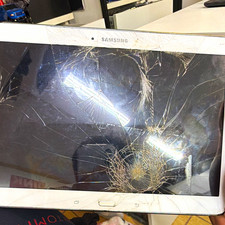
Samsung 10.1in Wi‑Fi Tablet 32GB White Cracked Screen For Parts/Repair
$18.50

NEW Samsung NoteBook NT930QCG touch LCD Full Screen Assembly Blue
$225.77