-
persistent troubles with this release please help
knoppix v3.4 5-17 2004
i posted all ready in the loung and was refered to this catagory
I had had issues with the nvidia driver
instead of load glx (lowercase)
i stumbledd on the fix
load GLX (upercase)
but still doesnt detect my specific 5700LE card im using generic driver
any help here (ps im useing the latest version of nvidia from site under 2.6.6 kernel)
for those of you that get it installed and still have isssues configing (if you need wimpy gui like me use kxconfig command gives you graphic front end for configuring)
next on usb drives it only seems to pick them up 1/3 of the time i plug it in and wait 1-2 min then try again and again till it works some times only reboot fixes any suggestions
the issue with sound notifications for users not working was fixed by someone telling me to use aplay or artsplay as external player
(im listing fixes as well as curent remaining probs in case helps someone else)
next icons
under kcontrol i told it to animate all icons and it does nothing
if my memory serves me on my old mandrake install mouse in hover mode activated animations
how do i enable it here..
next
two ide accelerator cards
during boot process shows all drives
but system
hwinfo qtparted etc only show drives off of one card
my other problem with cdrom drives as scssi and not working properly was fixed by using synaptic and looking under mount (name & description ) and cant tell you witch program actually fixed it but now works properly hope this steers someone in the right direction
next (as if i havnt gripped enough)
is there a way to allow the system to integrate rpm's without using alien -d ?? would be alot simpler if i could
linux == a rose
for such a beautiful thing it sometimes has some really painfull thorns
-
ps dual monitors
forgot to mention during boot both monitors work but upon launch of kdm
say goodby to monitor 2
??????? im assuming not picking it up because im using vanilla nvidia instead of 5700LE
-
looking back at what i installed mount wise i think it was discover and i told it to handle my cdroms
-
Hi Voldemort,
That's a list of grief!
Let's start with the monitors. In your /etc/X11 folder there's a file calle XF86Config-4. Can you cut and paste the sections that start with these;
Section "Module"
Section "Monitor"
Section "Device"
In the last one, make sure you get the Driver line.
Post these and I'll have a look and we'll get the Twinview working. OK?
Jim
-
Senior Member
registered user
Voldemort
I doubt your nvidia and glx is running. Try this command on Konsole:
glxgears
to test your glx.
Sorry, i might be wrong.Just curious about caps GLX.
-
not at home right now or id post my XF86Config-4 but as far as the gears goes allready ran that test
dont ask me about the cap letters issue its what made it happy so im NOT going to argue with it
but thanks for the replies I'll get that file posted as soon as i get home
-
Senior Member
registered user
-
Section "ServerLayout"
Identifier "XFree86 Configured"
Screen 0 "Screen0" 0 0
InputDevice "Keyboard0" "CoreKeyboard"
# PS/2 Mouse using /dev/input/mice in Kernel 2.6
# Serial Mouse not detected
InputDevice "USB Mouse" "CorePointer"
EndSection
Section "ServerFlags"
Option "AllowMouseOpenFail" "true"
EndSection
Section "Files"
RgbPath "/usr/X11R6/lib/X11/rgb"
ModulePath "/usr/X11R6/lib/modules"
FontPath "/usr/X11R6/lib/X11/fonts/misc:unscaled"
FontPath "/usr/X11R6/lib/X11/fonts/misc"
FontPath "/usr/X11R6/lib/X11/fonts/75dpi:unscaled"
FontPath "/usr/X11R6/lib/X11/fonts/75dpi"
FontPath "/usr/X11R6/lib/X11/fonts/100dpi:unscaled"
FontPath "/usr/X11R6/lib/X11/fonts/100dpi"
FontPath "/usr/X11R6/lib/X11/fonts/Speedo"
FontPath "/usr/X11R6/lib/X11/fonts/PEX"
# Additional fonts: Locale, Gimp, TTF...
FontPath "/usr/X11R6/lib/X11/fonts/cyrillic"
# FontPath "/usr/X11R6/lib/X11/fonts/latin2/75dpi"
# FontPath "/usr/X11R6/lib/X11/fonts/latin2/100dpi"
# True type and type1 fonts are also handled via xftlib, see /etc/X11/XftConfig!
FontPath "/usr/X11R6/lib/X11/fonts/Type1"
FontPath "/usr/share/fonts/ttf/western"
FontPath "/usr/share/fonts/ttf/decoratives"
FontPath "/usr/share/fonts/truetype"
FontPath "/usr/share/fonts/truetype/openoffice"
FontPath "/usr/share/fonts/truetype/ttf-bitstream-vera"
FontPath "/usr/share/fonts/latex-ttf-fonts"
FontPath "/usr/X11R6/lib/X11/fonts/defoma/CID"
FontPath "/usr/X11R6/lib/X11/fonts/defoma/TrueType"
EndSection
Section "Module"
Load "ddc" # ddc probing of monitor
Load "dbe"
Load "extmod"
Load "glx"
Load "bitmap" # bitmap-fonts
Load "speedo"
Load "type1"
Load "freetype"
Load "record"
Load "GLX"
EndSection
Section "InputDevice"
Identifier "Keyboard0"
Driver "keyboard"
Option "CoreKeyboard"
Option "XkbRules" "xfree86"
Option "XkbModel" "pc105"
Option "XkbLayout" "us"
EndSection
Section "InputDevice"
Identifier "Serial Mouse"
Driver "mouse"
Option "Protocol" "Microsoft"
Option "Device" "/dev/ttyS0"
Option "Emulate3Buttons" "true"
Option "Emulate3Timeout" "70"
Option "SendCoreEvents" "true"
EndSection
Section "InputDevice"
Identifier "PS/2 Mouse"
Driver "mouse"
Option "Protocol" "auto"
Option "ZAxisMapping" "4 5"
Option "Device" "/dev/psaux"
Option "Emulate3Buttons" "true"
Option "Emulate3Timeout" "70"
Option "SendCoreEvents" "true"
EndSection
Section "InputDevice"
Identifier "USB Mouse"
Driver "mouse"
Option "Device" "/dev/input/mice"
Option "SendCoreEvents" "true"
Option "Protocol" "IMPS/2"
Option "ZAxisMapping" "4 5"
Option "Buttons" "5"
EndSection
# Auto-generated by KNOPPIX mkxf86config
Section "Monitor"
Identifier "Monitor0"
Option "DPMS" "true"
VendorName "DEC"
ModelName "DEC06da"
HorizSync 30-86# DDC-probed
VertRefresh 50-130# DDC-probed
# These are the DDC-probed settings reported by your monitor.
# 1024x768, 85.0Hz; hfreq=68.68, vfreq=85.00
ModeLine "1024x768" 94.50 1024 1072 1168 1376 768 769 772 808 +hsync +vsync
# 1024x768, 75.0Hz; hfreq=60.02, vfreq=75.03
ModeLine "1024x768" 78.75 1024 1040 1136 1312 768 769 772 800 +hsync +vsync
# 800x600, 75.0Hz; hfreq=46.88, vfreq=75.00
ModeLine "800x600" 49.50 800 816 896 1056 600 601 604 625 +hsync +vsync
# 800x600, 72.0Hz; hfreq=48.08, vfreq=72.19
ModeLine "800x600" 50.00 800 856 976 1040 600 637 643 666 +hsync +vsync
# 640x480, 75.0Hz; hfreq=37.50, vfreq=75.00
ModeLine "640x480" 31.50 640 656 720 840 480 481 484 500 -hsync -vsync
# 640x480, 60.0Hz; hfreq=31.47, vfreq=59.94
ModeLine "640x480" 25.17 640 648 744 784 480 482 484 509 -hsync -vsync
# Extended modelines with GTF timings
# 640x480 @ 100.00 Hz (GTF) hsync: 50.90 kHz; pclk: 43.16 MHz
ModeLine "640x480" 43.16 640 680 744 848 480 481 484 509 -HSync +Vsync
# 768x576 @ 60.00 Hz (GTF) hsync: 35.82 kHz; pclk: 34.96 MHz
ModeLine "768x576" 34.96 768 792 872 976 576 577 580 597 -HSync +Vsync
# 768x576 @ 72.00 Hz (GTF) hsync: 43.27 kHz; pclk: 42.93 MHz
ModeLine "768x576" 42.93 768 800 880 992 576 577 580 601 -HSync +Vsync
# 768x576 @ 75.00 Hz (GTF) hsync: 45.15 kHz; pclk: 45.51 MHz
ModeLine "768x576" 45.51 768 808 888 1008 576 577 580 602 -HSync +Vsync
# 768x576 @ 85.00 Hz (GTF) hsync: 51.42 kHz; pclk: 51.84 MHz
ModeLine "768x576" 51.84 768 808 888 1008 576 577 580 605 -HSync +Vsync
# 768x576 @ 100.00 Hz (GTF) hsync: 61.10 kHz; pclk: 62.57 MHz
ModeLine "768x576" 62.57 768 816 896 1024 576 577 580 611 -HSync +Vsync
# 800x600 @ 100.00 Hz (GTF) hsync: 63.60 kHz; pclk: 68.18 MHz
ModeLine "800x600" 68.18 800 848 936 1072 600 601 604 636 -HSync +Vsync
# 1024x768 @ 100.00 Hz (GTF) hsync: 81.40 kHz; pclk: 113.31 MHz
ModeLine "1024x768" 113.31 1024 1096 1208 1392 768 769 772 814 -HSync +Vsync
# 1152x864 @ 60.00 Hz (GTF) hsync: 53.70 kHz; pclk: 81.62 MHz
ModeLine "1152x864" 81.62 1152 1216 1336 1520 864 865 868 895 -HSync +Vsync
# 1152x864 @ 85.00 Hz (GTF) hsync: 77.10 kHz; pclk: 119.65 MHz
ModeLine "1152x864" 119.65 1152 1224 1352 1552 864 865 868 907 -HSync +Vsync
# 1152x864 @ 100.00 Hz (GTF) hsync: 91.50 kHz; pclk: 143.47 MHz
ModeLine "1152x864" 143.47 1152 1232 1360 1568 864 865 868 915 -HSync +Vsync
# 1280x960 @ 72.00 Hz (GTF) hsync: 72.07 kHz; pclk: 124.54 MHz
ModeLine "1280x960" 124.54 1280 1368 1504 1728 960 961 964 1001 -HSync +Vsync
# 1280x960 @ 75.00 Hz (GTF) hsync: 75.15 kHz; pclk: 129.86 MHz
ModeLine "1280x960" 129.86 1280 1368 1504 1728 960 961 964 1002 -HSync +Vsync
# 1280x960 @ 100.00 Hz (GTF) hsync: 101.70 kHz; pclk: 178.99 MHz
ModeLine "1280x960" 178.99 1280 1376 1520 1760 960 961 964 1017 -HSync +Vsync
# 1280x1024 @ 100.00 Hz (GTF) hsync: 108.50 kHz; pclk: 190.96 MHz
ModeLine "1280x1024" 190.96 1280 1376 1520 1760 1024 1025 1028 1085 -HSync +Vsync
# 1400x1050 @ 60.00 Hz (GTF) hsync: 65.22 kHz; pclk: 122.61 MHz
ModeLine "1400x1050" 122.61 1400 1488 1640 1880 1050 1051 1054 1087 -HSync +Vsync
# 1400x1050 @ 72.00 Hz (GTF) hsync: 78.77 kHz; pclk: 149.34 MHz
ModeLine "1400x1050" 149.34 1400 1496 1648 1896 1050 1051 1054 1094 -HSync +Vsync
# 1400x1050 @ 75.00 Hz (GTF) hsync: 82.20 kHz; pclk: 155.85 MHz
ModeLine "1400x1050" 155.85 1400 1496 1648 1896 1050 1051 1054 1096 -HSync +Vsync
# 1400x1050 @ 85.00 Hz (GTF) hsync: 93.76 kHz; pclk: 179.26 MHz
ModeLine "1400x1050" 179.26 1400 1504 1656 1912 1050 1051 1054 1103 -HSync +Vsync
# 1400x1050 @ 100.00 Hz (GTF) hsync: 111.20 kHz; pclk: 214.39 MHz
ModeLine "1400x1050" 214.39 1400 1512 1664 1928 1050 1051 1054 1112 -HSync +Vsync
# 1600x1200 @ 100.00 Hz (GTF) hsync: 127.10 kHz; pclk: 280.64 MHz
ModeLine "1600x1200" 280.64 1600 1728 1904 2208 1200 1201 1204 1271 -HSync +Vsync
ModeLine "1600x1200/60Hz" 162 1600 1664 1856 2160 1200 1201 1204 1250 +HSync +VSync
ModeLine "1280x1024/76Hz" 135 1280 1312 1416 1664 1024 1027 1030 1064
EndSection
Section "Device"
### Available Driver options are:-
# sw_cursor is needed for some ati and radeon cards
#Option "sw_cursor"
#Option "hw_cursor"
#Option "NoAccel"
#Option "ShowCache"
#Option "ShadowFB"
#Option "UseFBDev"
#Option "Rotate"
Identifier "Card0"
# The following line is auto-generated by KNOPPIX mkxf86config
Driver "nvidia"
VendorName "Generic"
BoardName "nvidia"
# BusID "PCI:1:0:0"
EndSection
Section "Screen"
Identifier "Screen0"
Device "Card0"
Monitor "Monitor0"
DefaultColorDepth 16
SubSection "Display"
Depth 1
Modes "1600x1200"
Virtual 0 0
EndSubSection
SubSection "Display"
Depth 4
Modes "1600x1200"
Virtual 0 0
EndSubSection
SubSection "Display"
Depth 8
Modes "1600x1200"
Virtual 0 0
EndSubSection
SubSection "Display"
Depth 15
Modes "1600x1200"
Virtual 0 0
EndSubSection
SubSection "Display"
Depth 16
Modes "1600x1200"
Virtual 0 0
EndSubSection
SubSection "Display"
Depth 24
Modes "1600x1200"
Virtual 0 0
EndSubSection
SubSection "Display"
Depth 32
Modes "1600x1200"
Virtual 0 0
EndSubSection
EndSection
Section "DRI"
Mode 0666
EndSection
Section "InputDevice"
Identifier "Mouse"
Option "Protocol" ""
Option "Device" "/dev/mouse"
Driver "mouse"
Option "Emulate3Buttons"
Option "ZAxisMapping" "4 5"
EndSection
-
heres the glxinfo
name of display: :0.0
display: :0 screen: 0
direct rendering: Yes
server glx vendor string: NVIDIA Corporation
server glx version string: 1.3
server glx extensions:
GLX_EXT_visual_info, GLX_EXT_visual_rating, GLX_SGIX_fbconfig,
GLX_SGIX_pbuffer, GLX_SGI_video_sync, GLX_SGI_swap_control,
GLX_ARB_multisample, GLX_NV_float_buffer
client glx vendor string: NVIDIA Corporation
client glx version string: 1.3
client glx extensions:
GLX_ARB_get_proc_address, GLX_ARB_multisample, GLX_EXT_visual_info,
GLX_EXT_visual_rating, GLX_EXT_import_context, GLX_SGI_video_sync,
GLX_NV_swap_group, GLX_SGIX_fbconfig, GLX_SGIX_pbuffer,
GLX_SGI_swap_control, GLX_NV_float_buffer
GLX extensions:
GLX_EXT_visual_info, GLX_EXT_visual_rating, GLX_SGIX_fbconfig,
GLX_SGIX_pbuffer, GLX_SGI_video_sync, GLX_SGI_swap_control,
GLX_ARB_multisample, GLX_NV_float_buffer, GLX_ARB_get_proc_address
OpenGL vendor string: NVIDIA Corporation
OpenGL renderer string: NV36/AGP/SSE2
OpenGL version string: 1.4.1 NVIDIA 53.36
OpenGL extensions:
GL_ARB_depth_texture, GL_ARB_fragment_program, GL_ARB_imaging,
GL_ARB_multisample, GL_ARB_multitexture, GL_ARB_occlusion_query,
GL_ARB_point_parameters, GL_ARB_point_sprite, GL_ARB_shadow,
GL_ARB_texture_border_clamp, GL_ARB_texture_compression,
GL_ARB_texture_cube_map, GL_ARB_texture_env_add,
GL_ARB_texture_env_combine, GL_ARB_texture_env_dot3,
GL_ARB_texture_mirrored_repeat, GL_ARB_transpose_matrix,
GL_ARB_vertex_buffer_object, GL_ARB_vertex_program, GL_ARB_window_pos,
GL_S3_s3tc, GL_EXT_texture_env_add, GL_EXT_abgr, GL_EXT_bgra,
GL_EXT_blend_color, GL_EXT_blend_func_separate, GL_EXT_blend_minmax,
GL_EXT_blend_subtract, GL_EXT_compiled_vertex_array,
GL_EXT_depth_bounds_test, GL_EXT_draw_range_elements, GL_EXT_fog_coord,
GL_EXT_multi_draw_arrays, GL_EXT_packed_pixels, GL_EXT_paletted_texture,
GL_EXT_point_parameters, GL_EXT_rescale_normal, GL_EXT_secondary_color,
GL_EXT_separate_specular_color, GL_EXT_shadow_funcs,
GL_EXT_shared_texture_palette, GL_EXT_stencil_two_side,
GL_EXT_stencil_wrap, GL_EXT_texture3D, GL_EXT_texture_compression_s3tc,
GL_EXT_texture_cube_map, GL_EXT_texture_edge_clamp,
GL_EXT_texture_env_combine, GL_EXT_texture_env_dot3,
GL_EXT_texture_filter_anisotropic, GL_EXT_texture_lod,
GL_EXT_texture_lod_bias, GL_EXT_texture_object, GL_EXT_vertex_array,
GL_HP_occlusion_test, GL_IBM_rasterpos_clip,
GL_IBM_texture_mirrored_repeat, GL_KTX_buffer_region, GL_NV_blend_square,
GL_NV_copy_depth_to_color, GL_NV_depth_clamp, GL_NV_fence,
GL_NV_float_buffer, GL_NV_fog_distance, GL_NV_fragment_program,
GL_NV_half_float, GL_NV_light_max_exponent, GL_NV_multisample_filter_hint,
GL_NV_occlusion_query, GL_NV_packed_depth_stencil, GL_NV_pixel_data_range,
GL_NV_point_sprite, GL_NV_primitive_restart, GL_NV_register_combiners,
GL_NV_register_combiners2, GL_NV_texgen_reflection,
GL_NV_texture_compression_vtc, GL_NV_texture_env_combine4,
GL_NV_texture_expand_normal, GL_NV_texture_rectangle,
GL_NV_texture_shader, GL_NV_texture_shader2, GL_NV_texture_shader3,
GL_NV_vertex_array_range, GL_NV_vertex_array_range2, GL_NV_vertex_program,
GL_NV_vertex_program1_1, GL_NV_vertex_program2, GL_NVX_ycrcb,
GL_SGIS_generate_mipmap, GL_SGIS_texture_lod, GL_SGIX_depth_texture,
GL_SGIX_shadow, GL_SUN_slice_accum
glu version: 1.3
glu extensions:
GLU_EXT_nurbs_tessellator, GLU_EXT_object_space_tess
visual x bf lv rg d st colorbuffer ax dp st accumbuffer ms cav
id dep cl sp sz l ci b ro r g b a bf th cl r g b a ns b eat
----------------------------------------------------------------------
0x21 16 tc 0 16 0 r y . 5 6 5 0 0 16 0 16 16 16 16 0 0 None
0x22 16 dc 0 16 0 r y . 5 6 5 0 0 16 0 16 16 16 16 0 0 None
0x23 16 tc 0 16 0 r . . 5 6 5 0 0 16 0 16 16 16 16 0 0 None
0x24 16 tc 0 16 0 r y . 5 6 5 0 0 24 8 16 16 16 16 0 0 None
0x25 16 tc 0 16 0 r . . 5 6 5 0 0 24 8 16 16 16 16 0 0 None
0x26 16 tc 0 16 0 r y . 5 6 5 0 0 0 0 16 16 16 16 0 0 None
0x27 16 tc 0 16 0 r . . 5 6 5 0 0 0 0 16 16 16 16 0 0 None
0x28 16 tc 0 16 0 r y . 5 6 5 0 0 16 0 16 16 16 16 2 1 Ncon
0x29 16 tc 0 16 0 r y . 5 6 5 0 0 16 0 16 16 16 16 4 1 Ncon
0x2a 16 tc 0 16 0 r y . 5 6 5 0 0 24 8 16 16 16 16 2 1 Ncon
0x2b 16 tc 0 16 0 r y . 5 6 5 0 0 24 8 16 16 16 16 4 1 Ncon
0x2c 16 dc 0 16 0 r . . 5 6 5 0 0 16 0 16 16 16 16 0 0 None
0x2d 16 dc 0 16 0 r y . 5 6 5 0 0 24 8 16 16 16 16 0 0 None
0x2e 16 dc 0 16 0 r . . 5 6 5 0 0 24 8 16 16 16 16 0 0 None
0x2f 16 dc 0 16 0 r y . 5 6 5 0 0 0 0 16 16 16 16 0 0 None
0x30 16 dc 0 16 0 r . . 5 6 5 0 0 0 0 16 16 16 16 0 0 None
0x31 16 dc 0 16 0 r y . 5 6 5 0 0 16 0 16 16 16 16 2 1 Ncon
0x32 16 dc 0 16 0 r y . 5 6 5 0 0 16 0 16 16 16 16 4 1 Ncon
0x33 16 dc 0 16 0 r y . 5 6 5 0 0 24 8 16 16 16 16 2 1 Ncon
0x34 16 dc 0 16 0 r y . 5 6 5 0 0 24 8 16 16 16 16 4 1 Ncon
-
Senior Member
registered user
Similar Threads
-
By ayeyen in forum General Support
Replies: 2
Last Post: 08-08-2004, 06:02 PM
-
By tumultuoustranquility in forum Hardware & Booting
Replies: 1
Last Post: 08-01-2004, 03:16 AM
-
By DusteD in forum General Support
Replies: 6
Last Post: 07-28-2004, 03:45 PM
-
By cameik in forum Hdd Install / Debian / Apt
Replies: 8
Last Post: 06-01-2004, 01:35 AM
-
By cold in forum Hdd Install / Debian / Apt
Replies: 0
Last Post: 05-03-2004, 08:51 PM
 Posting Permissions
- You may not post new threads
- You may not post replies
- You may not post attachments
- You may not edit your posts
-
Forum Rules

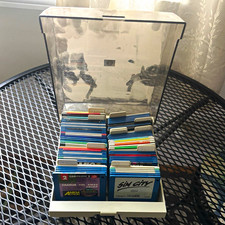
ALS Storage Box with Assorted Amiga Format 3.5" Floppy Disks
$199.00

RGB2HDMI Amiga 500 UltraLong (Accelerator Friendly) HDMI Games, non-RTG A500
$50.00

Microbotics Starboard 2MB + SCSI Sidecar for Amiga 1000 Vintage Computer READ
$329.00

Amiga Model 1080 RGB color CRT monitor - Parts Or Repair - Doesn’t Power On
$100.00
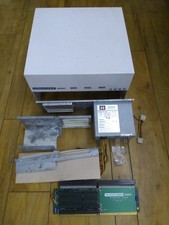
HighFlyer Amiga 4000 Tower & Bus Extender, Expansion Systems A4000T Kit
$888.50

Amiga 1000 Computer w/ Monitor Keyboard Mouse Disc Drive Sidecar Expansion Discs
$895.00
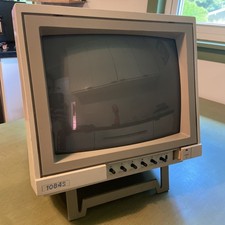
Commodore Amiga Color CRT Monitor Model 1084S-P Stereo - Parts Or Repair
$100.00

Amiga Emplant Emulator Card For Commodore Amiga 2000 4000 3000
$249.00

Pi1541 Zero with Epyx Fastload Hat, Case & 16gb SD for Commodore 64 and 128
$79.99
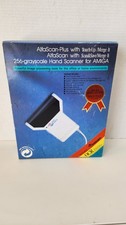
NOB AlfaData AlfaScan Plus Hand Scanner for Commodore Amiga 256 Grayscale RARE
$149.99



 Reply With Quote
