

 Reply With Quote
Try a cheatcode:
screen=1024x768
Sound....well you can try sudo sndconfig or I *think* there is an option in the Knoppix menu perhaps for soundcard configuration.
What kind of souncard? Are the mixer(s) volumes up? Unmuted?


A couple of newbie questions.
1) How can I change the resolution of the screen (and how can I set it to default to 1024x768 when Knoppix starts up)?
2) When I try to play an MP3 file using XMMS, I get no sound (the volume appears to be on, though?) What's wrong?
Try a cheatcode:
screen=1024x768
Sound....well you can try sudo sndconfig or I *think* there is an option in the Knoppix menu perhaps for soundcard configuration.
What kind of souncard? Are the mixer(s) volumes up? Unmuted?
What is a cheatcode? A command line parameter when you start Knoppix?
The soundcard is a SoundBlaster Live! MP3. The volume appears to be on (although the mute/unmute is unclear in the KDE interface, IMO.. )
One more problem I realized.. the extra mouse button (used in web browsers as a "back" button.. I don't know what the name of it would be) doesn't seem to work. Any ideas?
71 people view this thread.. and I don't get an answer to my questions?
What gives? Could someone please answer my questions?
Hey, settle down, Dude. Nobody here owes you anything. A lot of people don't get replies.
You will find that people around here generally try to help if they can. Be aware, though, that there is an expectation that someone, even a new user, will take the time to read the basic documentation. Your question is a very basic one that is easily answerable from very basic materials. Many people don't bother with such questions, specifically to discourage an expectation of spoon feeding. Unfortunately, your last reply didn't help your case. The Knoppix disk contains basic information, including the answer to this question, as does the documentation already on this forum. There is also a search box.
Normally, there is a tab called "docs" at the top of the page of this forum with documentation. With the new skin, I can't find it, so I can understand why you couldn't either. A cheatcode is simply a boot code. When you start from CD, a knoppix splash screen will appear and hesitate for a few seconds. During that time, you can type whatever cheatcodes you want, and one was recommended to you in a prior post. As for the mouse, Knoppix loads basic drivers by default, along with commonly-found linux hardware drivers. The thing to do would be to look for a linux hardware driver for your mouse. Possibly, one of the mouse cheatcodes might help, but I doubt it. Getting the linux driver to work within the context of a liveCD will be somewhat of a challenge. You should probably accept the basic configuration as is for now, until you become more comfortable with the system.
HTH
jd.
Okay, let's go step by step:
Yes, cheatcodes are command line parameters when you boot knoppix and are used to avoid hardware problems, set your language, etc,etc. In your case you should type in the boot line:
knoppix screen=1024x768
and then press enter.
For more information about cheatcodes (there are a lot of them!) visit the FAQ section.
About your problems with your soundcard ¿is it detected in booting process?
J
Wow, j.drake was faster!
You can forget my post
 Posting Permissions

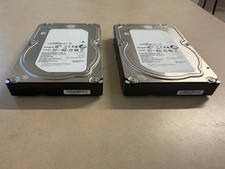
Lot of 2 Seagate Constellation ES.3 ST2000NM0023 2TB 7200RPM SAS 6Gb/s 3.5" HDD
$34.99
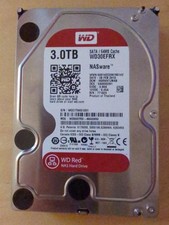
Western Digital WD 3.5" Western Digital Red 3TB SATA III 6Gbps HDD - Works great
$79.99

Seagate 14TB Exos X14 7200RPM SATA 6Gb/s 256MB 3.5" Enterprise HDD ST14000NM0408
$354.99

Seagate Exos X16 ST10000NM010G 10TB 7200RPM SAS 12Gb/s 3.5" 512e/4Kn HDD
$199.00

Seagate ST6000NM0115 6TB 256MB 7200RPM 3.5" SATA 6.0Gb/s Enterprise Hard Drive
$159.99

Hitachi / HGST Travelstar HTS541010B7E610 1TB 2.5" SATA III HDD
$29.99

HGST HUS724040ALA640 4TB 7200 RPM SATA 3.5" Internal Desktop Drive 100% Health
$78.00
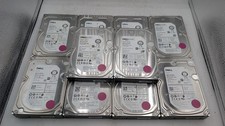
Lot Of 10 0M40TH ST8000NM0185 Dell 8TB 7.2K RP 12Gb/s 3.5" SAS Hard Drive Tested
$1500.00

HUS726060ALA640 HGST Ultrastar 6TB SATA 6Gbps 7.2K 3.5" Hard Drive OF21860
$129.99

Western Digital HUS726T4TAL5204 4TB 7.2K SAS 12Gb/s 3.5" 512e HDD NetApp X375A
$84.00