

 Reply With Quote
Sounds like root cannot use the Xserver. As user try:
xhost local:
Then root should be able to use the X server. For a permanent fix:
apt-get update && apt-get install sux
Of course ther ARE editors that don't need Xwindows too!


I currently have about 16 partitions on my hdrive presently;there is a FAT partition that I would like to automount at boot up.However whenvever I edit and save fstab I get the following message :
Xlib: connection to ":0.0" refused by server
Xlib: No protocol specified
When I reboot the original fstab has not changed.
Any suggestions

Sounds like root cannot use the Xserver. As user try:
xhost local:
Then root should be able to use the X server. For a permanent fix:
apt-get update && apt-get install sux
Of course ther ARE editors that don't need Xwindows too!
I get the following error when running xhost local:Originally Posted by mzilikazi
Xlib: connection to ":0.0" refused by server
Xlib: No protocol specified
xhost: unable to open display ":0.0"
Keep in mind, that nobody are mind readers. You have to say exactley hvat you are trying to do. and how you are trying to do it. The more in details you can tell, the better you can be helped.
If we try to flip it over. You are a ploice dective, There has just been a murder. It's done with a knive, The problem hovewer is that nobody knows witch knive it's done witch. Then you don't know where to start to look nor where to finish! And the case is never solved!
Ok I take it that maybe you're not a native English speaker or maybe you didn't read the entire post or misunderstood what I posted;
I am trying to edit the fstab file so as to automount a FAT partition however on trying to save the file I get an error about Xlib.Someone suggested trying xhost local:to fix so in my last post I am indicating the error that I get on trying that.
Hope that clears things up.
My errortrying to run as root it seemed to have worked
installed sux as well.
Ok on reboot the same problem occurs and the fstab reverts to what is was originally
have had simmilar issues (slighly different ) with fstab on this release try using apt and installing discover1 worked on two of my machines for automatically mounting all drives
my only remaining issue (on one machine ) is during boot it sees both ide accelerator card but once i get to the desktop the system (parted fstab whatever) only sees on accelerator card
but beyond that everyting works great with discover handling fstab
jodef,
The; Xlib: connection to ":0.0" refused by server
Xlib: No protocol specified
is somewhat linux security issues, it was ment that way so that not every user can share X. It can easily bypass by su using this command :
cp ~user/.Xauthority ~
or
xauth merge ~user/.Xauthority
*change user to your user name.
About fstab not changing/saved or revert back to before saved, has something to do with knoppix hardware detection script (knoppix-autoconfig).
You can use other work around method(autofs). You need some editing of mainly three files in your /etc :
1) auto.misc
2) auto.master
3) auto.mnt
You can read these articles to get the idea:
http://www.faqs.org/docs/Linux-mini/Automount.html
http://linux.about.com/library/bl/op...ewbie4.2.8.htm
http://www.linux-consulting.com/Amd_AutoFS/autofs.html
You don't need to run autofs as daemon since knoppix-autoconfig will run them for you.
You might also want to use this application:
http://auto-autofs.sourceforge.net/
If you chose the beginner-style install of knoppix your fstab will be regenerated upon every boot, wiping out any changes you've made.
 Posting Permissions


Samsung MLT-R116 Imaging Unit Xpress M2625 M2675 M2825 M2875 M2885 M3015 OEM NEW
$49.99

Samsung Galaxy Tab S10+ 5G (256GB, 12GB, Wi-Fi + Cellular, Unlocked) 12.4" X828U
$579.99

Samsung T7 Shield 1TB Portable External SSD USB 3.2 Black MU-PE1T0S NEW SEALED
$219.99

Original for Samsung NP950QCG-K01US LCD Screen Touch Full Top Assembly FHD Blue
$299.00

3 -M.2 2280 512GB SSD - Samsung MZNTE512HMJH, MZNLN512HMJP, Toshiba KSG60ZMV512G
$155.00

1 lot of 3 (2)Samsung PM951 SM961 & (1)Intel SSD 600P 256GB M.2 2280 SSD NVMe
$109.00

Samsung 256GB SSD MZ-JPV256S/0A2 PCIe Solid State Drive SSD SSUBX 655-1959A
$22.02
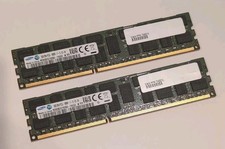
Samsung 32GB (16GB x2) PC3L-12800R DDR3L M393B2G70DB0-YK0Q2 Server RAM Memory
$27.99

Samsung Galaxy View Tablet 18.4 SM-T670/677A Digitizer 100% Original Oem
$152.99

Samsung Chromebook WE500C13 1.6 GHz Celeron 2GB RAM 16GB eMMC Webcam
$29.99