

 Reply With Quote
Sounds like a great idea!!! There are alot of big stuff, flightgear map of the world....
That would be a great iso to put somewhere.
Bill


This is going in the other direction of most people but I wanted to try it I haven't added much to it yet just distcc, blender and wings3d.
I burnt the image onto a dvd-rw and booted it on a laptop and everything works fine, now to start adding some big things like my 2 gig Unreal Tournament folder and see what the speed is like.
Anybody else try Knoppix on dvd?
Martin
Sounds like a great idea!!! There are alot of big stuff, flightgear map of the world....
That would be a great iso to put somewhere.
Bill
I suggested this to Klauss several months ago and he said it would run too slow!
Regards,
I will keep adding to it and see what the speed is like so far its okay just a lag as the disk spins up.
I want to put some games like Unreal Tournament Demo but I would need nvidia acceleration and doing a search it doesn't look like its being done.
Any other suggestions for adding to it, big programs that won't fit on a cdrom.
Martin
I saw your post about Knoppix on DVD and REALLY want to get a clue how you did it. I have the small (80mm) 1.45Gb disks in my drawer and want to be able to get Knoppix onto one of them. I know it won't be as easy as burning a CD, but I am able to burn regular DVD's in WinXP. Any ideas for me?
Blender! yea baby
I created the image using the remastering how-to then I burned the image using dvd-decrypter under xp.
Dvd-decrypter is a great free program that will work when Nero won't to the job.
My later attemps using a larger compressed file system failed, I have to do some more testing to see if something got corrupted or if there is a size limit on the compressed file system.
I wonder if its possible to have more than one compressed file system on a disk and mount them seperately.
Martin
The bigger the image will get indeed,the slower it will get.
Isn't it possible to create then multiple img files and mount them seperately to accelerate it ?
I think by wisely deviding them (ex. each big game an img file) wouldn't it
accelerate things a little ?
Nevertheless using DVD's I think wouldn't demand a considerable amount of memory (read ramdisk ) extra to load the game.
In case of that extra memory maybe create more then 1 ramdisk ? A part for the system and a part for large gamefiles ?
Or is there maybe a trick on creating extra buffermemory for the DVD player ?
I think we'll have to wait for the new ATA standard.
Greetings,
It works! I have my Knoppix 3.2 on a 1.45Gb 8cm mini DVD. I couldn't get the DVD-RAM to work with DVD-Decryptor though. Is there a problem with DVD-RAM and DVD-Decryptor. I checked their site and there doesn't seem to be any info about it.
Cool, I don't know about dvd-ram I have been using dvd-rw's to play with this and they work fine.
Next I want to get the nvidia drivers working so I can try some games on it.
Martin
 Posting Permissions


Intel Core i7-9700 Octa-Core 3 GHz Desktop Processor LGA 1151
$79.99

RYZEN 7 9800X3D 8-Core, 16-Thread Desktop Processor
$440.00

INTEL CORE I7-9700K PROCESSOR | 3.60GHZ | SRG15
$89.99

INTEL CORE I7-870 SLBJG 2.93GHZ LGA1156 4 CORE CPU PROCESSOR
$23.00

Intel SRG13 Core i7-9700 3.00GHz Socket 1151 8 Core CPU Processor LGA1151
$77.99

AMD Ryzen 5 5600X Desktop Processor (3.7GHz, 6 Cores, AM4 CPU) 100-100000065
$135.00

Intel Core i9-9900 3.10GHz CPU Processor SRG18
$165.00
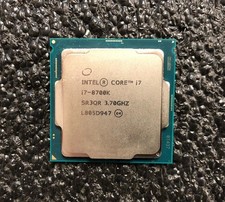
Intel i7-8700K Coffee Lake 3.7 GHz (4.7 GHz Turbo) LGA 1151 Unlocked
$69.99
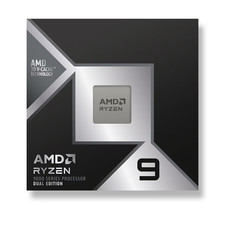
*Brand New-Sealed* AMD Ryzen 9 9950X3D2 Dual Ed. 4.3GHz 16Core AM5 (Bulk+Fast)
$790.00

AMD Ryzen 5 7600X 6-Core 4.7GHz CPU Socket AM5 32MB L3 6MB L2
$120.00