

 Reply With Quote
Use gimp. The bmp size should be 640x480 and the colour is 16.
Use gimp, image must be in indexed mode-->generate optimum pallette (change to 16), then choose no dithering. That's it.


I have saw that lilo uses .bmp files for its background image, and decided to try to change it. I made a new image with a graphics program and then changed my lilo.conf file to include it, but it gave me an error saying it was an invalid bmp file. How can i change my lilo background?
Use gimp. The bmp size should be 640x480 and the colour is 16.
Use gimp, image must be in indexed mode-->generate optimum pallette (change to 16), then choose no dithering. That's it.
thanks, it worked
 Posting Permissions


TP-Link TL-SG105 5-Port Gigabit Ethernet Unmanaged Metal Desktop Network Switch
$19.99

NETGEAR GS308EP Essential Series 8-Port Gigabit PoE+ Unmanaged Switch
$49.99

TP-Link TL-SG1048 48-Port Gigabit Rackmount Switch New Factory Sealed
$199.99

D-Link DGS-1210-28P 28-Port PoE Gigabit Web Smart Switch With Cord
$49.99

10-Port Gigabit PoE Network Switch with 8 PoE+ Ports with 2 Combo SFP Slots 125W
$39.99

TP-Link TL-SG105, 5 Port Gigabit Unmanaged Ethernet Switch, Network Hub, Ethern
$15.25

Arista DCS-7010T-48-R 48P 1GbE 4P 10GbE SFP+ RA Switch with rack mounts
$69.00

TP-Link TL-SG2210P 10-Port Gigabit Smart Switch w/ 8-Port PoE+ NO AC SKU 25597
$36.98

Cisco Catalyst 2960-48TT-L 48-Port Fast Ethernet Managed Rackmount Switch
$46.99
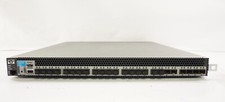
HP ProCurve J9265A 6600-24XG 10GBE Layer3 Gigabit Switch w/ 2 x PSU
$180.20