

 Reply With Quote
Use gimp. The bmp size should be 640x480 and the colour is 16.
Use gimp, image must be in indexed mode-->generate optimum pallette (change to 16), then choose no dithering. That's it.


I have saw that lilo uses .bmp files for its background image, and decided to try to change it. I made a new image with a graphics program and then changed my lilo.conf file to include it, but it gave me an error saying it was an invalid bmp file. How can i change my lilo background?
Use gimp. The bmp size should be 640x480 and the colour is 16.
Use gimp, image must be in indexed mode-->generate optimum pallette (change to 16), then choose no dithering. That's it.
thanks, it worked
 Posting Permissions


Lenovo ThinkStation P520c Intel Xeon W-2133 6-Core 3.60GHz -NO RAM/ HDD/ GPU/ OS
$127.54

Intel Xeon Phi 5110P 60-Core 1.053GHz Coprocessor
$50.00

Dell Precision Tower 7810 Xeon E5-2630 v3 @ 2.40GHz , 32GB Ram, NO HDD, NO OS
$239.99

Dell EMC PowerEdge R440 Xeon silver 4215 2.5GHz 16 GB ram 2x 550W PSU No HDD
$275.00

Dell Precision T5820 Workstation 3.70GHz W-2135 No RAM/ GPU/ HDD/ OS
$179.98

Intel Xeon E5-2699 V4 2.20GHz 55M 22-CORES LGA2011-3 Server Processor 145W SR2JS
$84.49

Intel Xeon E5-2680 V2 2.8GHz 10-Core 25MB 8GT/s SR1A6 LGA2011 B Grade Server CPU
$7.95

Matched Pair _ Intel Xeon E5-2698 V4 2.2GHz 20-Core Processor CPU LGA2011 SR2JW
$94.99
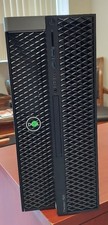
Dell Precision T7820 Dual Xeon 4214R 48GB RAM 512GB + 1TB Quadro P400 Win 11
$699.00
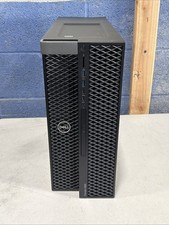
Dell Precision 5820 Computer WorkStation PC - Intel Xeon W-2123 - 16GB Ram - DVD
$199.00