

 Reply With Quote
Have you tried the cheatcode?
At the "boot:" prompt, try typing "knoppix screen=1920x1200".
Works with 1280x1024 so it might be worth a try.
Goos luck!


Hi all,
I have a Dell Inspiron 8500 with an WUXGA screen. It has a resolution of 1920x1200. When I use Knoppix, it does not use the entire screen. How can I change it to use "full screen"??
Thanks for your help
Have you tried the cheatcode?
At the "boot:" prompt, try typing "knoppix screen=1920x1200".
Works with 1280x1024 so it might be worth a try.
Goos luck!
Hi smalone,
Thanks for your reply. I'll try that.
regards
That doesn't work.... I also have one, and the best I can do is 1600x1200 resolution. Is there anything else I could try? I'm sure if I had a hard drive install I could edit the Xfree configuration file, but I only have the CD at the moment.
Since my previous post, I've found some modelines that will work in Xfree86 and X.org...
In the monitors section, set horizontal sync to 31.5-100
Vertical refresh works between 30-90, and below that are some modelines I dug up. The actual sizes of most 15.4" widescreen LCDs are 1280x800, 1680x1050 and 1920x1200, but the other modelines should also work (KDE will squish/stretch as needed)# HorizSync is in kHz unless units are specified.
# HorizSync may be a comma separated list of discrete values, or a
# comma separated list of ranges of values.
# NOTE: THE VALUES HERE ARE EXAMPLES ONLY. REFER TO YOUR MONITOR'S
# USER MANUAL FOR THE CORRECT NUMBERS.
HorizSync 31.5-100.0
Then you need to put those new modelines into the 'Screen sections' section. It will look something like this (fyi, as described it will boot into 1920x1200, 24 bit depth because that's the first option for the default depth)# VertRefresh may be a comma separated list of discrete values, or a
# comma separated list of ranges of values.
# NOTE: THE VALUES HERE ARE EXAMPLES ONLY. REFER TO YOUR MONITOR'S
# USER MANUAL FOR THE CORRECT NUMBERS.
VertRefresh 30-90
ModeLine "1920x1200" 162 1920 1984 2176 2480 1200 1201 1204 1250 +hsync +vsync
ModeLine "1680x1050" 147.14 1680 1784 1968 2256 1050 1051 1054 1087 +hsync +vsync
ModeLine "1280x800" 84 1280 1344 1480 1680 800 801 804 829 +hsync +vsync
EndSection
These will of course only work on Hard Drive installs where you can change /etc/x11/xfree86.conf# Any number of screen sections may be present. Each describes
# the configuration of a single screen. A single specific screen section
# may be specified from the X server command line with the "-screen"
# option.
Section "Screen"
Identifier "Screen 1"
Device "Videocard0"
Monitor "Monitor0"
DefaultDepth 24
Subsection "Display"
Depth 8
Modes "1280x1024" "1280x800" "1024x768" "960x600" "800x600" "640x480"
ViewPort 0 0
EndSubsection
Subsection "Display"
Depth 16
Modes "1920x1200" "1600x1200" "1680x1050" "1400x1050" "1280x1024" "1280x800" "1024x768" "800x600" "640x480"
ViewPort 0 0
EndSubsection
Subsection "Display"
Depth 24
Modes "1920x1200" "1600x1200" "1680x1050" "1400x1050" "1280x1024" "1280x800" "1024x768" "800x600" "640x480"
ViewPort 0 0
EndSubsection
EndSection
 Posting Permissions


Crucial 32GB (4x8GB) RAM DDR4 2400MHz CT8G4DFS824A.M8FR
$79.99

DDR4 Laptop RAM 4GB 8GB 16GB 32GB 2400 2666 3200 Samsung Hynix
$31.00

RAMAXEL Lenovo 32GB LPDDR5X CAMM2 7500MHz Laptop RAM | UNTESTED
$445.00

A-Tech 8GB DDR3 1600 PC3-12800 Laptop SODIMM 204-Pin Memory RAM PC3L DDR3L 1x 8G
$21.68

Crucial DDR3L 16GB 2 x 8GB 1600 MHz PC3L-12800 Laptop RAM Sodimm Memory 1.35V
$41.00

Major Brand 16GB (2x8GB) PC3-12800U DDR3-1600MHz DDR3-12800 DESKTOP RAM NON-ECC
$29.99

Major Brand 8GB PC3L-12800 (DDR3-1600) 2Rx8 DDR3L SDRAM Desktop Memory
$12.99
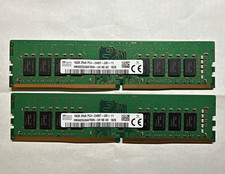
SK hynix 32GB (2x16GB) DDR4 288-Pin DIMM PC4-2400T Unbuffered RAM
$119.99
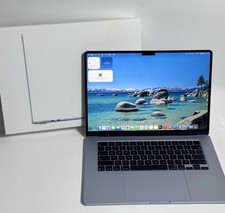
Apple MacBook Air 15-inch 2026 M5 Chip 24GB RAM 1TB SSD ''Rеаd dеѕсriрtiоn''
$1200.00

Apple MacBook Air 13-inch M4 Chip 16GB RAM 512GB SSD w ''Rеаd dеѕсriрtiоn''
$774.00