

 Reply With Quote
/usr/sbin/knoppix-terminalserver


I'd like to take a crack at editing it manually. I finally decided to do a hard drive install and the whole purpose was to see how it would affect performance on the terminal server. And as I discovered, the script doesn't work for a hard drive install. And yes, I'm aware that it is possible to trick it by using the compressed CD image copied to the hard drive, but that seems to be defeating the purpose if I'm looking for better performance.
Furtermore, it's not just better performance I'm after. I'm also hoping to apply the badmem kernel patch so I can run terminals that use up my fairly huge collection of bad RAM modules.
So, it's really in my best interests to get the terminal server working with the hard drive install. If somebody could just help me out with a pointer on where to look for the script, I'd be much obliged.
/usr/sbin/knoppix-terminalserver
If you get this working please poste how !
( eventually the script or the changes ? )
i was serching if someone did this already for a while
but only found those hints to use the copyied cd image ...
maybe this is the most importand thing missing from the
harddrive installed version ....
 Posting Permissions


Vintage Apple II Avant-Garde Creations Super Shape Draw And Animate 1981
$295.00

Apple Macintosh Classic M1420 Vintage Desktop Computer Model Macintosh Classic
$100.00

Vintage Apple Macintosh Plus 1MB - M0001A W/ Keyboard, 2 Mice, 800K HD, + More
$300.00

Vintage Apple Macintosh Plus Desktop Computer - M0001A
$150.00

LARGE LOT Vintage Apple Macintosh Mouse Cables Accessories SCSI etc - UNTESTED
$80.00
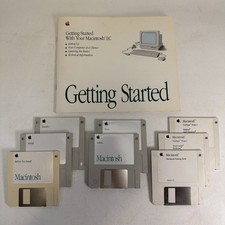
Vintage Apple Macintosh LC Getting Started Manual With Lot of 8 Floppy Discs
$24.99
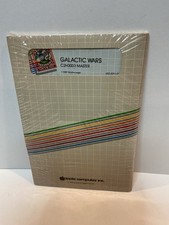
Vintage Apple II Arcade Game Galactic Wars Apple Computer NOS Sealed
$125.00
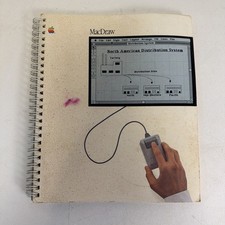
Vintage Apple MacDraw released 1984 User Guide (Has Wear & Tear - See Photos)
$9.99

Vintage Apple Multiple Scan 15av Display Monitor M4681
$299.99

Vintage Apple Monitor IIc 9" Green Monochrome 06/1985 A2M4090 October 1984 Stand
$275.00