

 Reply With Quote
Not enough information. Tell us what you install, in what partition and send your lilo.conf, then we can help you....I hope.


I installed another system on a lin partition (Mandrake) which has been removed. Anyhow, now the lilo gui shows up and when I click on it instead of the Knoppix loading I get this:
initrd-tools: 0.1.67
mount: fs type devfs not supported by Kernel
umount: devfs: not mounted
mount: fs type devfs not supported by Kernel
umount: devfs: not mounted
chroot: /sbin/init: no such file or directory
Kernel panic: Attempted to kill init!
All of this, of course, after I tried to reinstll lilo to the hda4 root partition.
Can anyone help steer me the right direction?
I can access the partition with the knoppix 3.4 disk, the partition and all info is there, I just can't access it.
tia
pgk
Not enough information. Tell us what you install, in what partition and send your lilo.conf, then we can help you....I hope.
You can click on LILO??? How? I want to know.Originally Posted by pgk3734
Yes, the lilo gui comes up with selection of kernels and windowsxp and I
can select default 2.4 or any and I get the above instead of booting up.
I must add this happened after I tried some instructions (cheats, etc).
I edited lilo.conf to reflect that hda4 is where the boot info is to be and
was able to save this in the knoppix partition (hda4). I did something wrong, I suspect. I am having a hard time to get the lilo.conf copied to the winxp partition.
tia
pgk
You cannot do this -----> "I am having a hard time to get the lilo.conf copied to the winxp partition." lilo.conf is the configuration file for lilo and belongs on your linux partition. lilo.conf is obviously not right so let's fix it. Here's what you do:
It seems you installed Knoppix to /dev/hda4.
Boot Knoppix
mount /dev/hda4 /mnt/hda4
xedit /mnt/hda4/etc/lilo.conf
Paste your entire lilo.conf file here in the forum. Also explain how your drive is partitioned and what OS is on which partition. Without that information I think no one can really help.
 Posting Permissions


Samsung SCXSTP000, SCX-STP000 (Swingline Staple Cartridge - 3 Refills)
$57.99
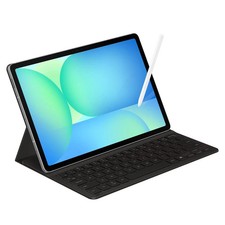
Samsung Galaxy S10 10.9" FE 128GB WiFi Tablet SM-X520NZACXAR S-Pen Keyboard 2025
$299.99

Samsung Galaxy View Tablet 18.4 SM-T670/677A Digitizer 100% Original Oem
$152.99
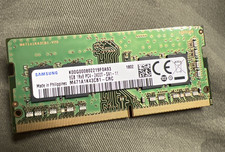
SAMSUNG 8GB 1RX8 PC4-2400T-SA1-11-M471A1K43CB1-CRC-LAPTOP MEMORY
$29.90
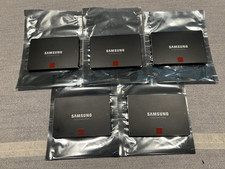
Samsung 850 Pro Series 2TB 2.5inch SATA3 6Gbp Internal SSD MZ-7KE2T0 5 Available
$189.00

Kids Case for Samsung Galaxy Tab A9+/A9 plus 11 Inch 2023 Case, with Strap, Shoc
$27.99
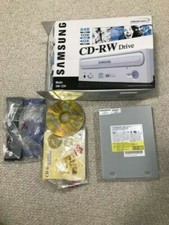
SAMSUNG CD-RW DRIVE MODEL SW-224 AMAZING CONDITION+ORIGINAL BOX NEVER USED
$30.00
Samsung JC93-01078A Transfer Roller Assembly
$35.00
SAMSUNG 32GB PC4-25600R DDR4-3200 2RX4 RDIMM SERVER MEMORY M393A4K40EB3-CWE
$304.99
Samsung MLT-D111S Brand New Genuine In Sealed Box. Ships Fast. M202x/m207x.
$39.00