-
Junior Member
registered user
Dual Boot, LILO and XP
I am very impressed with Knoppix! I downloaded an iso file and burned a CD. The CD booted without any problems and in less than 5 minutes I was surfing the Internet with Mozilla via my router and cable modem. It just doesn't get any better than that!
Now I would like to install Knoppix to a hard drive. I have two hard drives with plenty of room on "C" drive to install Knoppix. My current configuration is Win98 on hard drive "C" and WinXP on hard drive "D" in a dual boot setup using the WinXP boot loader. I believe the boot sector of "C" calls the WinXP boot loader and it uses files in "C" root to display a menu and then boot the selected OS.
So, the question is can I install LILO such that it gives me a choice of booting Knoppix or Windows? And if I choose Windows would I get the WinXP boot loader with the choice between Win98 and WinXP?
jimbo
-
Senior Member
registered user
It can work. About a year ago, a fellow named garyng, IIRC posted a how-to for a previous version using 2 separate HDs, with Windows on one and Linux on the other. I used that idea a while back with a Mandrake dual boot. The idea was to keep the Windows drive (particularly the MBR) free of any vestiges of Linux. Unfortunately, Mandrake installed LILO to the MBR anyway. Worked fine, though. Just to let you know, the plan was that C: had a factory-installed WinXP with NTFS. I partitioned D: into a number of ext3 partitions, and intended to install LILO or GRUB into the root directory of D:, then change the boot order of the HDs in BIOS. What I wound up with worked for a few weeks, but then my motherboard died (under warranty), so when I shipped the PC back, they reimaged everything. Worked well for a while, though. Haven't tried with Knoppix.
Have you tried a poor man's install? Great for learning. If you set up a persistent home, it's darn close in function to a hd install.
jd
-
Senior Member
registered user
-
Junior Member
registered user
Did you install Knoppix and LILO after the other OSs had been installed? Do you have any OSs other than WinXP and Knoppix? It sounds like you have WinXP on "C" which would be your normal boot disk and that you have LILO installed in the MBR of that hard drive.
jimbo
-
Senior Member
registered user
-
Senior Member
registered user
I had/have a setup quite similar to yours and it was pretty easy, AAMOF. http://www.knoppix.net/forum/viewtop...789&highlight=This should pretty much answer your question.
HTH,
Durand
-
Grub4Dos / Grub4all: Dos, Nt, XP, net boot loader
Please have a look at this, you can use grub to have a multi boot: http://www.knoppix.net/forum/viewtop...r=asc&start=20
Gilles
-
Junior Member
registered user
Just an update on this subject. I had Win98se on my first hard drive, "C" and WinXP on my second hard drive, "D". I used the WinXP boot loader for a dual boot system. When the PC is booted, I get a menu that lets me choose between WinXP and Win98.
I used Partition Magic 8.0 to down size the "C" partition and to create a Linux ext3 partition and a linux swap partition in the free space. Partition Magic is very easy to use and everything went without any problems.
Then I booted the Knoppix LiveCD, opened a Konsole, entered the command, "sudo knoppix-installer" and followed the directions. I installed Lilo to the MBR of the first hard drive. Everything went without any problems.
Now when I boot the PC, I get a lilo menu that gives me a choice of Linux, failsafe, memtest or Windows. If I choose Windows, I get the WinXP boot loader menu with a choice of WinXP or Win98.
I would be glad to answer questions.
jimbo
-
Senior Member
registered user
You Need Bootpart
You need a utility called Bootpart. You can get it here:
www.winimage.com/bootpart.htm
It will automagically put a comand into your XP boot.ini menu file that will allow to boot into Knoppix as a menu option.
It's what I use.
sakiZ
Similar Threads
-
By doesnotcompute in forum Hardware & Booting
Replies: 1
Last Post: 03-01-2005, 07:29 PM
-
By Bonster in forum Hardware & Booting
Replies: 3
Last Post: 02-04-2005, 10:52 AM
-
By jimbo62 in forum MS Windows & New to Linux
Replies: 4
Last Post: 08-09-2004, 04:22 PM
-
By snarkfinder in forum Hdd Install / Debian / Apt
Replies: 3
Last Post: 08-08-2004, 09:36 PM
-
By willowwillow in forum Hdd Install / Debian / Apt
Replies: 2
Last Post: 10-26-2003, 01:34 PM
 Posting Permissions
- You may not post new threads
- You may not post replies
- You may not post attachments
- You may not edit your posts
-
Forum Rules


IBM POWER8 8286-42A S824 16-Core 128GB RAM 4.8TB SAS Fedora Linux Server PowerVM
$750.00

KTN-STL3 EMC VNX 15-slot Disk Array Expansion, full 15 x 2tb drives 100% health
$360.00

Start9 Server Pure 32GB 4TB Intel i7 Node StartOS — Box + PSU
$599.00

Ubuntu Server 26.04.1 LTS Bootable USB Flash Drive – Latest September 2026
$12.99

OPNsense pfSense 8-Core Atom C3758 2.2GHz 8GB DDR4 64GB SSD 8x NIC QAT AES VPN
$115.00

Microsoft SQL Server 2025 Standard 32 Core Unlimited CAL Retail License Package
$299.00
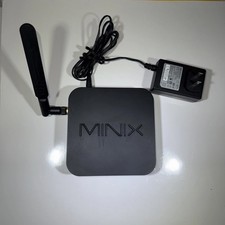
MINIX NEO Z83-4 MAX Fanless Mini PC Win 11 Pro 4GB 128GB Home Lab Linux Server
$69.99

Ubuntu 26.04 LTS – 3 DVD Set Desktop - Server - Studio Edition - Grade AAA+
$14.99
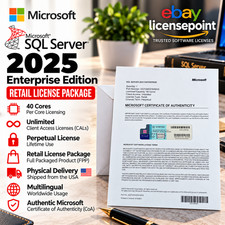
SQL Server 2025 Enterprise 40 Core Unlimited CAL Retail License Package Per-Core
$389.00

SQL Server 2022 Enterprise 96 Core License & DVD Unlimited CALs with CoA
$284.99



 Reply With Quote
