

 Reply With Quote
[guessing]
run a standard remaster, and omit the compression portion? just a guess...
[/guess]


The most time, power and space consuming process in remastering (frequently) Knoppix seems to be creating the compressed filesystem. But for many specialized applications, we do not really need the compression. A basic Knoppix with KDE would fit on a uncompressed CD. Any way to do this (easily)? I would *love* to have a Knoppix where all the files are "normal" files on the CD (so that I can change them easily, let's say using multisession). Of course, I still want the hardware detection from Knoppix. How can this be achieved?
[guessing]
run a standard remaster, and omit the compression portion? just a guess...
[/guess]
One downside to this is that if knoppix is uncompressed it will be signicantly slower. It may seem odd to say that compression=faster, but a big bottleneck in the live cd model is the time it takes to read data from your cdrom. Compression actually helps aleviate this problem. Ever try Demo Linux? It was nice but one gripe I had about it was that it was much slower than knoppix. I think part of this was due to the fact that it is not compressed.
Yup, if you have a slow CPU, then uncompressed might be better. But for any moderately fast CPU, compressed should do better.Originally Posted by aay
Uncompressed might be useful though for "experimental" masters where you're tweaking things heavily before recompression. Also, if you burn Knoppix to a DVD instead of a CD, then the higher transfer rate of DVDs will increase the minimum speed of a CPU where compression will help instead of hinder.
Speaking of compression - Would it be possible to use bzip instead of gzip for cloop? That would allow for more files to be fit onto a CD and also speed up access times.
What will be really cool is when we get blue laser dvd writers that use the forthcoming Mt. Rainier standard of writing. This will you to have a 20-30 GB disk that is seen by Linux as just another drive. Mt. Rainier will allow native OS writing to the disk. This should allow us to add anything we want to the CD without remastering. It will allow for a truly portable OS.
As the subject says I've recently been learning/working for UDF packet writing CD-RW and/or DVD-RAM for Knoppix.
I really wish to boot Knoppix in UDF CD-RW so that I can write, say persistent home, save config etc etc.
Cloop allows read only then above boot in UDF can't be done on compressed file system.
The latest news says Sony started to sell Blue Ray disk with a digital broadcast tuner included with the cost of about $4000!
I'm afraid we must wait for another few years till it gets more cheaper.
Are there anyone interrested in such project - "Boot Knoppix in UDF"?
Here is some interesting URLs:
http://archive.linuxfromscratch.org/...-cdrw-hint.txt
http://lists.suse.com/archives/packe...-Jan/0087.html
http://lists.suse.com/archives/packe...-Jan/0090.html
I'm still in puzzling status
As I understand it, Mt. Rainier became available as of the 2.4.19 kernel. Unfortunately, I don't think there are any CD writers that support it yet. I have read that some current ones will be able to use the Mt Rainier standard but will require a firmware upgrade that isn't yet available. I suspect that these companies have been asked to wait by MS before they release this stuff. MS would not like it known that linux is way ahead of the curve on this cool technology. Anyway, once this goes into effect we won't need UDF.
Yes, I have found the patches for linux kernel here;
http://www.ussg.iu.edu/hypermail/lin...03.3/0362.html
ftp.kernel.org/pub/linux/kernel/people/axboe/
I will try to read more carefully.
In regard to Mt.Rainier, I did download demo version WriteCD-RW! from;
http://www.softarch.com/index.html
It didn' work due to unsupported drive error for Mt.Rainier even though the drive's property says it supports.
I just gave up
I must learn more and more, thanks for the input!
 Posting Permissions


Vintage Apple Macintosh Plus Desktop Computer - M0001A
$150.00

Apple Macintosh Classic M1420 Vintage Desktop Computer Model Macintosh Classic
$100.00

Vintage 1998 iMac G3 M4984 Mac OS + Keyboard Working but Needs Some Repair Read
$295.00
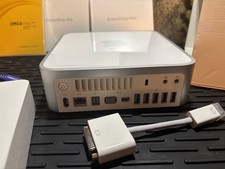
Vintage Apple Mac mini CIB (2009 Mod A1283) Original box/sealed manuals
$450.00
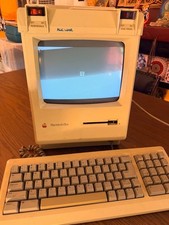
Vintage Apple Macintosh Plus Desktop Computer - M0001A
$155.00

185--Sonnet Crescendo G3 PPCG3-375-5-K-06 G3 Add-On Card for Vintage Mac
$99.00

LARGE LOT Vintage Apple Macintosh Mouse Cables Accessories SCSI etc - UNTESTED
$80.00
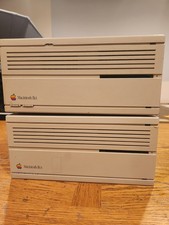
2X Vintage Apple Macintosh Desktop Computers - IIcx/IIci - Parts Repair Untested
$129.00
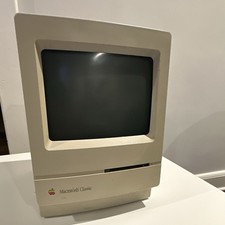
Apple Macintosh Classic M1420 Vintage All-in-One Desktop Computer
$95.00

Apple Power Macintosh PowerPC 7300/200 VTG w Keyboard Mouse Storage Drive Read
$199.99
