-
Senior Member
registered user
ValhallaSystems,
I am seriously "reaching" here, so take pity on me if this doesn't solve, or work, but, its my best I can offer on the issue...
I think your partition is already mounted, by Knoppix, when you booted - my guess...
Go to a Konsole window, and try the following "view" command ( for Disk Free):
Code:
cuddles@Morpheus:~$ df
Filesystem           1K-blocks      Used Available Use% Mounted on
/dev/hda5              4806904   2946124   1616596  65% /
/dev/hda6             34218604  15114240  17366136  47% /home
cuddles@Morpheus:~$
What devices are mounted in your output? I am going to take a "stab" at the fact your hard drive partition will show up in the output, and it was probably "mounted" by Knoppix on boot, and is defaulted to read-only. If you get a /dev/hdX# in the output of df, try a root Konsole, and do a umount /dev/hdX# - on the device. Then try your installer again, and see what happens. ( like I said, this is a stab at it )
Another thought, this is about as simple as I can think of, you are running the installer in a "root" window, right? If you are running this as a "normal" user, do a su to get root priviledges, and then re-run the installer...
I also had problems with the installer in v3.4 - my success was to actually run the mkfs.ext3 manually ( I think, it has been a few weeks of doing my install )
A few things, that I can come up with, from the top of my Geekette head...
Hopefully, this helps,
Ms. Cuddles
Similar Threads
-
By dr_s99 in forum Customising & Remastering
Replies: 2
Last Post: 03-10-2005, 10:23 PM
-
By Danielx11 in forum Hdd Install / Debian / Apt
Replies: 4
Last Post: 08-27-2004, 07:03 PM
-
By Jesse in forum Hdd Install / Debian / Apt
Replies: 0
Last Post: 05-22-2004, 12:21 AM
-
By bfc in forum General Support
Replies: 4
Last Post: 05-08-2004, 12:09 AM
-
By oreo in forum General Support
Replies: 0
Last Post: 07-24-2003, 11:01 PM
 Posting Permissions
- You may not post new threads
- You may not post replies
- You may not post attachments
- You may not edit your posts
-
Forum Rules


Dell PowerEdge FX2s + 8x FC430 Blades 16x E5-2630v4 160 Cores Rails No PSU/RAM
$699.00

Dell PowerEdge FC430 Blade Server 2x Xeon E5-2630v4 20 Cores FX2 FX2s No RAM/HDD
$119.99

Dell PowerEdge M630 Blade Server 2x Xeon E5-2680 v4, 2F3MP , 4GDP5 ,R10KJ ,JVFVR
$95.20

Dell PowerEdge M640 Blade Barebone Server Dell P/N: HHB006 Tested Working
$149.99

NETAPP HCI NAF-1701 SuperMicro Server 4X BLADE H410C 8X GOLD 5120 4 NODE SERVER
$1499.97

Datto S4P10 1U Blade Rack Server Intel Xeon D-2143IT 2.20GHz 48GB DDR4 4-Bay PSU
$229.95

Dell PowerEdge M620 Blade Server 2x Xeon E5-2680v2 2.8ghz 20-Cores | 128GB
$149.99

Dell Poweredge C6400 24x 2.5’’ 2x 2400W 4x C6420 Nodes H330 | 2x SFP | 8x Trays
$799.99

Dell Poweredge VRTX 25Bay 2.5" 2x PERC 8, 2xCMC, I/O 1GB Pass Through, 4x PS
$578.08
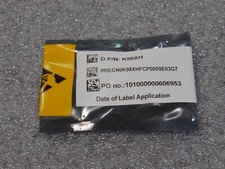
NEW DELL TRUSTED PLATFORM MODULE TPM 2.0 POWEREDGE T430 T630 G13 SERVERS K98XH
$199.00



 Reply With Quote