

 Reply With Quote
I also have that problem...


Hi, im relative new to linux, but i think i know what mount command is about..
I have installed knoppix on my laptop with knx2hd i think its called.
Im running kernel 2.6, it finds my cdrom drive, but i cant mount it,
its a cd-rw/dvd combo, and when the system boots up, it finds the drive,
but i cant put a cd in and mount it ? it tells me that theres no such device ?
HEELP!! thx
I also have that problem...
I had something similiar. Looked in my /etc/fstab and found it was using /dev/cdrom which linked to /dev/scd0. Then I "dmesg | grep cd" and was told my cd was /dev/hdc. So i changed /dev/cdrom to point to /dev/hdc.
Do that and see what your startup says and try "mount -t iso9660 /dev/hdc /cdrom"(replace hdc with your device). To make that permanent, modify /etc/fstab or recreate /dev/cdrom link to point to right device.
Hi, guys.
I have some problems with my cdrom drivers. Well, I have a Combo drive and a normal cd-rom driver. They are /dev/hdc and /dev/hdd respectively. In my /etc/fstab I have these two lines:
/dev/cdrom /cdrom iso9660 defaults,ro,user,noexec,noauto 0 0
/dev/cdrom1 /cdrom1 iso9660 defaults,ro,user,noexec,noauto 0 0
and /dev/cdrom? are simbolic links two /dev/hdc and hdd.
When I try to mount them I received to both the following message:
mount: wrong fs type, bad option, bad superblock on /dev/hdc,
or too many mounted file systems
(could this be the IDE device where you in fact use
ide-scsi so that sr0 or sda or so is needed?)
What ca I do?
well, i found out that my drive was called sr0, so
mount /dev/sr0 /etc/cdrom
works fine for meit even plays dvd´s

It didnt work with me, everytime I change my fstab it always automatically points to /dev/auto/cdrom ....and I cant change that because everytime I boot it goes back to that
If you did a knoppix style hd install it recreates the fstab at every boot.
You could try adding nofstab to the append line in /etc/lilo.conf and run the command lilo -v to update it.
 Posting Permissions


GIGABYTE A520M DS3H AC AMD AM4 Motherboard mATX
$59.99

Intel H310 LGA1151 8-9th Gen DDR4 M.2 NVMe mATX Motherboard IO Shield Battery
$54.99

ASUS ROG STRIX X870E-E GAMING WIFI
$289.99

ASUS B85M-G/B85M-G PLUS LGA1150 DDR3 Micro ATX Motherboard HDMI for Inter 4thCPU
$45.00

GIGABYTE B365 HD3 LGA1151 Intel 9th Gen motherboard
$59.99

Intel H81 Motherboard M.2 NVMe LGA 1150 mATX w/ IO Shield (Random Slot Color)
$29.90

ASRock B550M PRO4 AM4 AMD B550 SATA 6Gb/s Micro ATX AMD Motherboard
$81.99
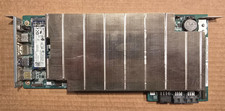
ASRock AMD BC-250 16GB 128GB SSD Used
$220.00
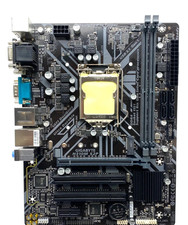
GIGABYTE H310M S2P Motherboard
$55.99
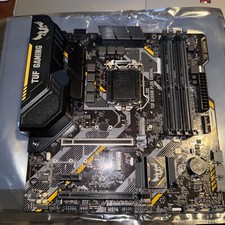
ASUS TUF GAMING B365M-PLUS LGA 1151 DDR4 8th/9th Gen Intel B365 Motherboard
$89.00