-
If you are running the live cd, open a root shell, type kxconfig and press enter. You should see an option for screen resolution. Use the dropdown menu for the desired screen resolution. Quit and be sure to save the configuration. In the same root shell, type restartx and press enter. This should also work with hdd install.
Similar Threads
-
By rolelael in forum Laptops
Replies: 2
Last Post: 08-11-2005, 07:05 AM
-
Replies: 0
Last Post: 05-14-2005, 11:14 PM
-
Replies: 5
Last Post: 05-14-2005, 12:30 AM
-
By Pierre_Gronau in forum Hardware & Booting
Replies: 2
Last Post: 02-17-2004, 04:48 PM
-
By Patrick21 in forum General Support
Replies: 6
Last Post: 09-21-2003, 10:07 PM
 Posting Permissions
- You may not post new threads
- You may not post replies
- You may not post attachments
- You may not edit your posts
-
Forum Rules

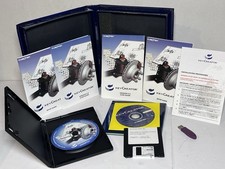
Vintage Kubotek KeyCreator 3D CAD Modeling Software Box 2000’s
$199.99

🔥 RARE VINTAGE HP 2112A 21MX M-SERIES 16-BIT MINICOMPUTER HP
$299.99

Vintage Computer Keyboard Northgate OMNIKEY Ultra
$120.00

🔥 RARE VINTAGE HP 2113A 21MX 1000 E-SERIES MINICOMPUTER CHASSIS BACKPLANE
$249.00

Vintage IBM ThinkPad 600X Type 2645 Laptop with accessories *Read Description*
$149.99
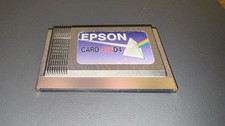
Epson Card 486D4 Single Board Computer Card PCMCIA Vintage Industrial
$906.39
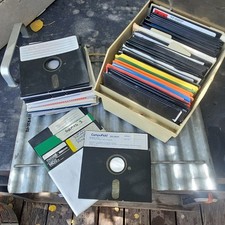
8 Inch Floppy Disk Lot of 109 Assorted Brands Maxell KAO Vintage Media Games Ins
$195.00
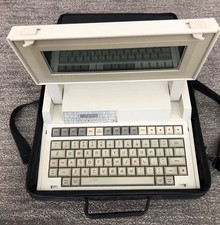
VINTAGE HEWLETT PACKARD HP 110 LAPTOP WITH CARRYING CASE
$350.00

Lot of 2 Vintage Plextor PX-43CS SCSI CD-ROM Caddy Drives + 4 Caddies Used
$55.99

HP 5060-8359 8K Semiconductor Memory Module 5080-9747 Vintage HP Computer
$224.72



 Reply With Quote