

 Reply With Quote
use dos fdisk /mbr


I've had knoppix as a HDD install for a few months but now have a second PC which is running knoppix as the main OS. I now want to uninstall the installation i have on my first PC which also has windows XP wich i'm using for video editting. how do i go about doing this and removing the start up screen which lets me select which install to use so it just boots into windows again?
thanks in advance Liquid
use dos fdisk /mbr
thank i'm now booting straight into windows but the hard drive i was using for knoppix still has it installed and partitioned can i now run a disk format in XP to delete knoppix completely ?
Liquidant,
I don't think a simple format from XP is going to do it... I think you will need to use fdisk, from XP to regain the partition in a FAT, VFAT, NTFS "type" ( not the "Linux" type ) first, and then you should "see" the device/drive in XP, thus, being able to format it to what you want for XP to use... ( not sure on this, cause I have Win98, and the partition I have set-aside for Linux, has yet to even be "seen" by Windows. This being a setup on one of my first attempts at Knoppix and a hdinstall... Its an older system... I really should remove the Knoppix on it, and reclaim the drive into Win98 on that system, but have been working more on my "new" knoppix/debian system too much to have the time to do it... )
Hope this helps,
Ms. Cuddles
SImple. Presuming you installed Knoppix to /dev/hda3....Boot KnoppixOriginally Posted by Liquidant
dd if=/dev/zero of=/dev/hda3
Be careful - you wouldn't want to issue this command on the wrong partition. Then just format it.
I don't know if you are using Xp pro or Home. You could try in XP , go to control panel--> Sytem administration---> system mangement.
Try find disk or storage management, you will see all the partition on you hdd. You will see something like unrecognize partition. That will be linux partition. Delete that partition and create new one of your choice, than format.
 Posting Permissions


IBM System X3850-X5 Server w/4x Intel Xeon E7-4870 CPU , 512 GB DDR3 RAM,NO HDD
$1299.99

IBM QRadar xx29 2x Xeon E5-2650v4 2x 900W PSU M5120 12x 3.5" Bay Server No RAM
$179.99

Unused IBM 09P0037 MAINBOARD For RS/6000 7044-170 P-Series
$375.00

Rare Vintage IBM 93ZZ PowerPC Server Board - MCM Ceramic CPU - 40N1844 - 1.1 lbs
$49.99

IBM 02YC027 Seagate ST2400MM0129 2.4TB 10K SAS 12Gb/s 2.5" Server Hard Drive
$200.00

IBM SYSTEM X3500 M3 SERVER 7380AC1 TOWER Server XEON E5620 8GB RAID SEE NOTES
$110.30
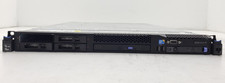
IBM System x3550 M3 1U Server Intel Xeon E5630 4GB DDR3 No HDD
$279.99

IBM Power 8 S822L Server 8247-22L POWER8 Enterprise 256GB RAM 2x 00KV626 CPU
$999.99

IBM ADP Server Type 7870 AC1 NO HDD | 128GB RAM PC3L | 2 x Xeon E5620
$199.99
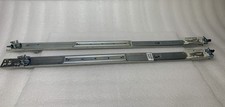
IBM Server Rackmount Sliding Rail Kit ( Part Numbers: 00D9375 / 00D9374 )
$24.99