-
keep it simple
I'm new to linux as well so lets Keep it simple, Winblows hates it when you install other OS's, I wouldn't even bother with lilo or grub, not yet anyway. find a partition maker such as qtparted or any one of the millions of others (I use Acronis because it does both windows and linux partitions in a simple GUI) and figure out how to make partitions at the end of your drive where you might have enough room. i would start by making a partition called /root about 800mb's in size towards the end of your drive (0x82 is ext3 I believe, but definatly check). after that i would make another partition after that about 500mb's in size as a swap (0x83 is swap, maybe?). and as the final partition on the drive, make a /home directory (0x82 should be ext3 again) any size you can spare, try to give yourself a good amount of room for the files you save. once you have these three partitions this is where the fun begins.
Knoppix has cheat codes! with the partition manager you choose you should be able to print the partition info. I believe Dos is one big partition (dont qoute me I'm not sure) logically speaking that would make it hda1. your next partition (the /root) just might be hda2, So
reboot your computer with the Knoppix cd in and when you get the first screen, before the pretty colored letters you will need to type in "BOOT: Knoppix tohd=/dev/hda2 " this will copy the cd to your /root (assuming your root is hda2). Knoppix will automatically recognize the swap. now let it boot completely, this will take a minute so it can copy and all.
Once your "completely" booted, on the desktop is a penguin that looks like its a bug that hit your windshield at 65mph! that's your knoppix directory, go there and then to configure, then to " make persistant home directory "
viola! not so bad after the partition struggle. Now, when you boot your computer it should load windows automatically. (that is your primary OS right?) Then If you want to boot to Knoppix, put in the cd and type this command at the BOOT prompt " BOOT knoppix fromhd=/dev/hda3" this will boot you into knoppix, when the boot is finished you can remove the cd and do whatever you please with the cd-rom because it will read everything from the hard drive.
some final words of wisdom, make a windows start disk floppy!!!!!!!!!!!!!! It will save your butt if something goes wrong. make back ups of all necessary files, nobody can stress this enough.
If you have any questions about qtparted and or your MBR http://www.knoppix.net/forum/viewtopic.php?t=3311 .
If you insist on having your cake and eating it to you will need to read http://www.knoppix.net/docs/index.php/HdBasedHowTo for your lilo/grub installation.
enjoy 
Similar Threads
-
By s-m-n in forum Tips and Tricks
Replies: 0
Last Post: 06-08-2005, 07:44 PM
-
By pestie in forum Hardware & Booting
Replies: 2
Last Post: 04-24-2005, 11:10 PM
-
By splittik in forum General Support
Replies: 2
Last Post: 04-08-2005, 04:19 PM
-
By lulu in forum Customising & Remastering
Replies: 0
Last Post: 11-29-2004, 12:52 PM
-
By egancs in forum General Support
Replies: 5
Last Post: 11-19-2003, 01:18 AM
 Posting Permissions
- You may not post new threads
- You may not post replies
- You may not post attachments
- You may not edit your posts
-
Forum Rules


Intel Core i5-12500T SRL5W 2GHz 18MB 6 Core Socket LGA1700 Desktop CPU Processor
$114.99

(LOT OF 20) Intel Core i5-8400 CPU 2.80GHz Desktop Processor (SR3QT)
$700.00

Intel Core i7-4770 3.40GHz Quad Core SR149 LGA 1150 CPU Processor tested
$35.00

INTEL CORE I9-10940X X-SERIES PROCESSOR | 3.30GHZ | SRGSH
$179.99

Intel Core i7-9700 Octa-Core 3 GHz Desktop Processor LGA 1151
$79.99

Intel Core i7-7700K SR33A 4.20GHz 4-Core LGA1151 CPU Processor
$62.95

Intel Core i7-3770K 3.5 GHz Processor
$39.00
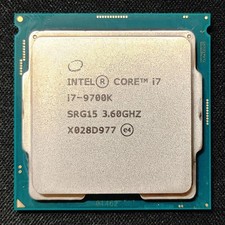
Intel Core i7-9700K Octa-Core 3.6 GHz Desktop CPU
$99.99
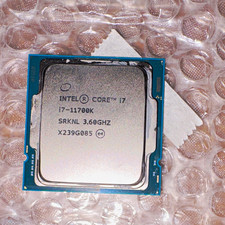
Intel Core i7-11700K 3.60GHz 11th Gen CPU Processor MPN SRKNL X239G085
$140.00
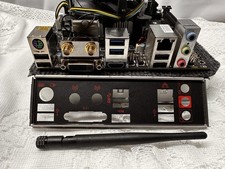
Compo MSI B150I GAMING PRO AC LGA1151 16 Gb DDR4 + Cpu I7 6700+I/O Shields.
$159.00



 Reply With Quote