-
Senior Member
registered user
I assume you have one harddrive, connected as first hd on the first controller, and which is therefore named /dev/hda.
A second device on the first controller would be /dev/hdb, the first dev. at the sec. controller /dev/hdc and so on.
I assume further, that you like to have a partition for win, a normal one for linux (type=83), and a swap-partition for linux (type=82).
For win98 you will use a vfat-partition (fat32? not sure, type=c).
For the size of your partitions you decide by your needs - if you have no idea do it like this: your physical RAM * 2 for swap, 50% of the rest for win98 and linux.
To partition the drive, you call
You will get a prompt which shows that you get the list of options with 'm'.
I would start 'p' - print partition-table.
Depending what you get as response, you may delete the partitions listed there.
Create a new partition (primary) for win98 as first partition - which will be '/dev/hda1' for linux and 'C:' for windows.
Toggle the bootable flag for this.
Create the two linux-partitions.
The list of types you get with 'l'.
If you're unsure, you may always leave the program with 'q'. As long as you don't hit 'w' like 'write' - your changes aren't made.
After partitioning, you have to format the partitions.
mkfs.reiserfs for the linux-partition (/dev/hda2).
If you can format the win-partititon with the windows-install medium, I would prefer that.
Similar Threads
-
By eljoky in forum General Support
Replies: 3
Last Post: 02-01-2005, 08:36 PM
-
By martianrobot in forum Hdd Install / Debian / Apt
Replies: 0
Last Post: 03-16-2004, 04:40 PM
-
By Eradicator in forum Hardware & Booting
Replies: 2
Last Post: 10-28-2003, 04:21 PM
-
By hololi in forum Hdd Install / Debian / Apt
Replies: 1
Last Post: 03-05-2003, 05:31 AM
-
Replies: 1
Last Post: 02-15-2003, 06:52 PM
 Posting Permissions
- You may not post new threads
- You may not post replies
- You may not post attachments
- You may not edit your posts
-
Forum Rules


16GB KIT (2x8GB) DDR3 Gamer Desktop RAM PC3 MIXED BRANDS VIPER VENGEANCE FURY
$10.00

Netac DDR4 32GB 16GB DDR4 3200MHz UDIMM C16 Desktop Internal Memory RAM Kit
$99.99
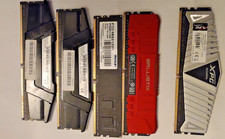
Lot of 5 DDR4 Mixed Desktop RAM 28GB Total G.Skill Patriot Ballistix XPG Tested
$358.50

Major Brand 16GB (2x8GB) PC3-12800U DDR3-1600MHz DDR3-12800 DESKTOP RAM NON-ECC
$29.99

A-Tech 8GB DDR3 1600 PC3-12800 Laptop SODIMM 204-Pin Memory RAM PC3L DDR3L 1x 8G
$21.68

Crucial 32GB(4 x 8GB) CT8G4DFS824A.C8FDD1 DDR4-2400 UDIMM Desktop RAM - CR352A
$89.95

DDR4 Laptop RAM 4GB 8GB 16GB 32GB 2400 2666 3200 Samsung Hynix
$66.00

RAMAXEL Lenovo 32GB LPDDR5X CAMM2 7500MHz Laptop RAM | UNTESTED
$445.00
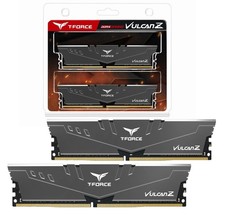
TeamGroup T-FORCE VULCAN Z 16GB (2 x 8GB) DDR4 3000Mz (PC4 24000) Desktop Memory
$188.00
Crucial Ballistix Tracer 2GB (2x1GB) DDR2-800 PC2-6400 240-Pin DIMM
$145.00



 Reply With Quote