-
KNOPPIX ROCKS......but I'm a noob
Yeah, I've been using WinBlows like a religion for years but once I saw Knoppix......oh my god! I am seriously concidering leaving the WinBlows realm in favor for Linux. But I have no idea what I'm doing with linux, It took me a good 2 days just to install knoppix onto my hdd. Do you guys have suggestions on any tutorials on where I can pick up some skills? I don't even know what a compiler does and why I need it.....I stared at a .bin file for 3 hours yesterday and I still don't know what to do with it........
Dumbfully Yours.
Hoy_128
-
Senior Member
registered user
You might want to try the linux documentation project (don't know the address).
A compiler takes code such as C and changes it into a binary form.
Every OS has one. (Ether built in or downloadable, its needed to make programs)
As for bin, I still don't no what to do with them ether.
-
Junior Member
registered user
-
you won't need a compiler as long as you don't want to install programs from source code.
Just use "synaptic" to install new software (be aware that you have to be root (=administrator on windows) to be able to install programs)
otherwise just enjoy playing around with the large number of programs under linux.
Another hint. As Knoppix is based on "debian", you may have a look at the debian documentation: www.debian.org/doc
The Linux documentation project may be found at: www.tldp.org
Keep in mind that many manuals often refer to command line tools. Don't panic, there are often nice graphical interfaces available (like synaptic, kuser ...)
-
BTW, .bin files (as for example the realplayer installer) are usually directly executable.
Just open a shell, go to the directory where the .bin file is and type ./FILENAME.bin
if this doesn't work try to issue: chmod u+x FILENAME.bin
and try it again
-
sweetness, u guys are great, looks like I have a lot of learning to do.....I guess I'll just have to leve winblows behind and hop on the bandwagon.
-
Welcome to linux. If you want some more links...: http://www.linuxlinks.com/Beginners/
Apart from tldp I would recommend http://sunsite.auc.dk/linux-newbie/
-
Senior Member
registered user

Originally Posted by
hoy_128
sweetness, u guys are great, looks like I have a lot of learning to do.....I guess I'll just have to leve winblows behind and hop on the bandwagon.
Yes the learning curve is quite steep, but you learn fast enough.
-
Senior Member
registered user
Originally Posted by
firebyrd10
Originally Posted by
hoy_128
sweetness, u guys are great, looks like I have a lot of learning to do.....I guess I'll just have to leve winblows behind and hop on the bandwagon.
Yes the learning curve is quite steep, but you learn fast enough.
and its worth it!
The fastest way to learn is to get rid of windows!
Force yourself to do it! 
What you can do (later) as a safetly measure is install a second knoppix which is a backup. Then if you mess about and wreck something you can actually take the time to discover why... and how to fix it instead of reinstalling....
think about moving to a real debian install sometime... knoppix is great and a terrific kickstart but a bit limited in the medium term...becuase of its live Cd origins... check out kanotix as a knoppix derivative which installs cleaner becuase this will give you a system that behsaves more like the documentation says it should....
in the meantime once you worked out the install once its pretty easy to repeat linux is in many ways just different to the way MS do things... and this makes it seem strange but its just a different paradigm to the one we are force fed!
-
Junior Member
registered user
I just switch from windows to linux too.
What I would suggest you to read is the documents at kde webpage( http://www.kde.org).
FYI, KDE is the desktop enviroment used in knoppix. I will be good for you to familiar with the enviroment and its basic tools before you a step futher.
Similar Threads
-
By knoppixrox in forum Laptops
Replies: 0
Last Post: 09-22-2004, 01:58 PM
-
By ILoveChessAndCompScience in forum Hdd Install / Debian / Apt
Replies: 0
Last Post: 12-15-2003, 04:22 PM
-
By Spencer in forum General Support
Replies: 2
Last Post: 10-19-2003, 02:56 AM
-
By aay in forum The Lounge
Replies: 0
Last Post: 02-11-2003, 02:39 AM
-
By hmarq in forum Hdd Install / Debian / Apt
Replies: 1
Last Post: 01-26-2003, 05:10 AM
 Posting Permissions
- You may not post new threads
- You may not post replies
- You may not post attachments
- You may not edit your posts
-
Forum Rules

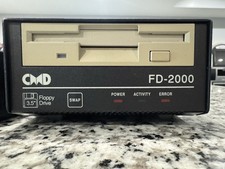
CMD FD-2000 Floppy Disk Drive For Commodore 64/128 - Original And Works Great
$600.00

Commodore 64 Dead Test & Diagnostic Cartridge & Test Harness Set - USA seller
$39.99

Pi1541 Zero with Epyx Fastload Hat, Case & 16gb SD for Commodore 64 and 128
$84.99

TeensyROM+ TR+ v0.4 Cartridge for C64/128 - w/ Case & 32GB SD Preloaded
$89.50
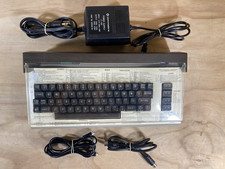
Commodore 64 Vintage Home Computer Without Box/No turn ON/FOR PARTS
$99.99

Commodore 64 Serial Cable 6PIN DIN 1541 1571 C64 128 C128 Disk Drive Printer USA
$10.49
Vintage Commodore 1702 CRT Video Monitor 1984 for C64 Amiga Retro Gaming Tested
$300.00
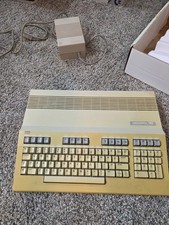
Commodore 128 Personal Computer Powers On w/ Power Supply in Original Box
$145.00

Commodore OS USB | Bootable LIVE + Install | The Ultimate Gaming Linux OS | NEW
$11.99
Commodore C128 Comp w/ Original Box TESTED & WORKING + Original & PETG Key Plung
$260.98



 Reply With Quote