

 Reply With Quote
anyone?


On the begining of the knoppix-installer, I didn`t understand those options:
Beginner : Multi-user system with hardware-detection (preferred way)
Knoppix: Knoppix system like from cd
Debian: Debian system (old installer way)
What is the difference in each one?
anyone?
What is the difference between the debian / beginner options?
I have always used the DEBIAN way. The KNOPPIX way I just plain didnt like. And from what I read on the BEGINNER choice, there were problems with it. But what have you got to lose??? You can always do an install using one at a time till you settle on the one you like best....I suggest DEBIAN. The cool thing about the KNOPPIX choice is you get a cool startup and shutdown audio message!!! You lose it with the other 2 choices, which sux.
This is the best discussion I've seen on the merits of each.
http://www.knoppix.net/forum/viewtop...?p=51819#51819
jd
Functionally, the biggest difference between Knoppix style & Debian styale is that Knoppix style runs through a complete new HW autodetection each time it starts up (just like on the CD). All other file systems & partitions are detected but not mounted, there are the mount icons on the desktop, etc. just like the CD. It also rewrites a new fstab but this can be stopped by using bootcode 'nofstab' if you have a custom fstab to automount drives. Unlike the CD, it does not resort to defualt settings for your /home but retains any changes you have made. (like the CD with a persistent home). On the plus side, you can use it as a base system for remastering a custom CD.
Debian style loses much of the Knoppix specialties (like the startup/shutdown vocals) and attempts to mimic a basic Debian system but with all the apps found in Knoppix pre-installed.
thanks for your answers..
What the about the hw when I choose Debian style? because my internet didnt work automatically when I choosed the Debian way..differently of when I choosed the Begginer style, which automatically detected and configured my internet.
thanks again,
Thiago.
PS. Sorry if I wrote anything wrong, Im at Brazil, so, its kind of hard to practice my english.
oh, and what must I do, so that the fstab isn`t rewritten everytime I boot.. when installing from knoppix.. because Im having trouble to access my cdrom ... I need to edite my fstab to make it work so...
Sorry about the stupid preview question... I hadnt noticed about the nofstab ....
now, when we choose the Debian Style it uses the hw config that has been loaded by Knoppix boot right? Bacause I noticed that my internet didn't work on the Debian style, but it did work on the Beginner, is that normal?
thanks a lot..
TJ
 Posting Permissions


USB Type-A Flash Drive Metal Memory Stick High Speed USB Drive 128GB 256GB 512GB
$8.47
Critical BIOS ROM HPE ProLiant DL60 DL80 Gen9 (U15) U15_3.40_08_29_2024+iLO4
$7.99

Critical BIOS ROM HPE ProLiant DL160 DL180 Gen9 (U20) U20_3.40_08_29_2024+iLO4
$7.99

Critical BIOS ROM HPE ProLiant BL460cWS46 Gen9 (I36) I36_3.40_08_29_2024+iLO4
$7.99
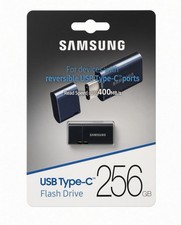
NEW Samsung USB Type-C 256GB Flash Drive USB 3.2 Gen 1 Genuine OEM -MUF-256DA/AM
$55.99
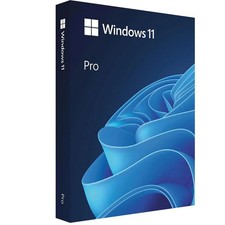
Microsoft Windows 11 Pro 64-Bit USB Flash Drive Sealed with Product Key Card
$39.99

Kingston 32GB 64GB 128GB 256GB USB 3.0 Flash Drive Thumb Memory Stick Pen lot
$285.90
USB 3.0 Flash Drive 128GB Type C Memory Photo Stick for iPhone Android iPad lot
$501.59

Critical BIOS ROM HPE ProLiant DL560 Gen9 (P85) P85_3.40_08_29_2024+iLO4
$7.99

Zero Trace Pen: All-in-one Tor Network Anonymous Drive + Cryptocurrency Wallet
$147.00