

 Reply With Quote
Boot your pc, look carefully at what bios reported, is is reporting your memory is 512MB. Sometime, memory module just got loose from it slots and only able to read less.


Hello all,
I've just got a copy of Knoppix 3.4 but I'm having problems booting. While booting I recive a message saying "Couldn't Start KDEint. Check your installation!". Instantly after this message I recive another saying that I do not have enough memory.
I've had a look at the FAQs and found mention of the second error but the answer for this involved creating a swap file. This doesn't seem approiate as I have 512MB memory (32 is used by onboard graphics).
I have tried typing "knoppix mem=480M" but this has no effect.
Anyone able to help?
Cheers,
Benedict
Boot your pc, look carefully at what bios reported, is is reporting your memory is 512MB. Sometime, memory module just got loose from it slots and only able to read less.
I think I've found the problem. I ran 'knoppix testcd' and this reported an error in the file 'knoppix\knoppix'. I tried coping this file to my HD in Windows but it failed. Seeing this is file is 678MB I guess that's what's causing the problem.
Benedict
 Posting Permissions

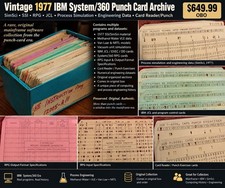
Vintage 1977 IBM System/360 Punch Card Program Archive SimSci SSI RPG Mainframe
$449.99

HP 5060-8359 8K Semiconductor Memory Module 5080-9747 Vintage HP Computer
$157.30

Vintage Intel Mainframe Server MCM CPU Substrate Lot Prototyping PGA Validation
$500.00

HP 13210-60001 Disc Drive Interface PCB HP 7900A 7901A Vintage
$157.93

Computer Tape Reel 1600 BPI 9 Track Vintage Mainframe LOT OF 2 WITH BOX
$89.95
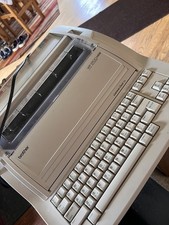
1970s Brother's Printer and Typewriter with Working Floppy Disk
$378.00

Vintage IBM #192726 Paper Tape Punch Mainframe Computer Programming Tool 1960s
$81.39

Vintage Mainframe Computer Disk Drive Pack Dyson SMD 5 Level Disks
$79.00

Vintage Telex 952003-112 Mechanical Terminal Keyboard IBM 3270 Mainframe DB25
$799.00

IBM 3274-51C Controller 3270 mainframe 8" floppy tested to power on
$500.00