-
Copying Knoppix from disk to CD
I have Knoppix saved on a laptop running MS Windows 2000. I want to transfer this to a CD, but when I format a CD, 30MB or so is used in the formatting and there is not enough room to copy Knoppix.
Any ideas,
Dave
-
Senior Member
registered user
Have you checked the Frequently Asked Questions in regards to burning the CD? http://www.knoppix.net/docs/index.php/FaqDownloading
If the FAQ does not help please let us know what OS you are running, the CDR burning program, and by what method (menu choice or wizard) you are using to burn the CD.
I hope this helps.
James
-
Copying Knoppix from disk to CD
I have looked at the FAQ - but no solution.
It is a Dell laptop and I'm using the CD burner that came with it Roxio DirectCD version 5.3.5.10. and the Dell internal CD/CD writer
41MB is used up during the format process, I am using Verbatim CD-R disks and they are formated using CDUDF. Other than giving the CD a label I have no other options.
Dave
-
Senior Member
registered user
Are you trying to burn a CDR using a downloaded ISO? If so, don't format first, just do a raw burn!
If you have a running version of KNOPPIX on your laptop and you are trying to make your own CD or ISO, that's remastering and is a much more involved process than you describe....
Good Luck!
HTH,
AJG
-
Senior Member
registered user
You need to burn the .iso as an image.
I know roxio can do that.
-
Senior Member
registered user
Only cdrw need to be formatted/erase before you can burn,but cdrw capacity is limited to 600MB and it's not sufficient for knoppix.
If you use cdr(700MB), no formatting is needed. Just burn the iso without any adjustment on your software you use.
-
Senior Member
registered user

Originally Posted by
shah
Only cdrw need to be formatted/erase before you can burn,but cdrw capacity is limited to 600MB and it's not sufficient for knoppix.
If you use cdr(700MB), no formatting is needed. Just burn the iso without any adjustment on your software you use.
I've got plenty of 700mb cd-rws
You only need to erase a cd-rw if there is something on it. You don't have to format a cd-rw if your just writing an iso file.
Similar Threads
-
By ku637 in forum General Support
Replies: 2
Last Post: 07-15-2005, 07:51 PM
-
By jokam in forum General Support
Replies: 6
Last Post: 09-19-2004, 08:49 AM
-
By tpurl in forum General Support
Replies: 6
Last Post: 12-14-2003, 04:39 AM
-
By BradC in forum General Support
Replies: 1
Last Post: 11-17-2003, 09:37 PM
-
By sschardi in forum The Lounge
Replies: 8
Last Post: 03-09-2003, 11:14 PM
 Posting Permissions
- You may not post new threads
- You may not post replies
- You may not post attachments
- You may not edit your posts
-
Forum Rules


MegaRAID 9580-8i8e 16-port 12G SAS/SATA/NVMe 8GB PCIe RAID - 05-50076-00
$1619.30

Broadcom 9600-24i Tri-Mode RAID Controller 4.0 NVMe SAS SATA NEW 05-50111-01003
$639.69

G-Technology G-SPEED Studio XL 48TB Thunderbolt 2 Storage - Housing Only
$200.00

BROADCOM 05-50077-01 PCI-E 4.0 x8 PCI-Express MegaRAID 9560-8i RAID Controller
$714.99

Broadcom LSI 9305-16i 12Gbps SAS-3 PCIe x8 HBA 16-Ports Raid Controller
$64.99

OWC Mercury Elite Pro Quad 4 Bay RAID Storage Enclosure USB 3.1 Gen 2 No Drives
$149.95

LSI 9305-16i SATA SAS 12Gbs Controller card PCIe 3.0 IT-Mode w/SAS SATA cable US
$106.67

LSI 9260-8i 512MB SAS SATA 8-port PCI-E 6Gb RAID Controller Card US
$29.88
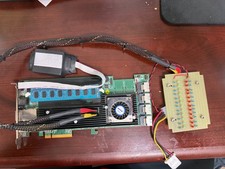
Areca ARC-1882IX-24 (16i4e)24-Port RAID Controller Card w/BBU /HDD Monitor Board
$175.00

KTN-STL3 EMC VNX 15-slot Disk Array Expansion, full 15 x 2tb drives 100% health
$360.00



 Reply With Quote