-
knoppix standard includes one bittorrent client, but is only text mode, no gui. The name is "btlaunchmany".
You will need access to the hard disk with read permissions (right click in the desktop icons). Then launch a console, move to the selected disk (cd /mnt/hda1) and launch the bt client:
btlaunchmay .
The "." is to indicate to the program where the torrent files will be and where to download the files. finally get some torrents and save them in the selected hard disk. The client will begin to download any torrent file found in the selected directory.
Similar Threads
-
By Mic Q in forum General Support
Replies: 6
Last Post: 12-18-2011, 01:27 AM
-
By maxIT in forum General Support
Replies: 0
Last Post: 07-03-2005, 05:53 PM
-
By sunburnt in forum General Support
Replies: 2
Last Post: 04-11-2005, 01:58 AM
-
By impure_client in forum Customising & Remastering
Replies: 5
Last Post: 10-29-2004, 02:18 AM
-
By BaltikaTroika in forum General Support
Replies: 4
Last Post: 09-27-2004, 02:33 AM
 Posting Permissions
- You may not post new threads
- You may not post replies
- You may not post attachments
- You may not edit your posts
-
Forum Rules

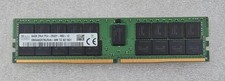
SK Hynix 64GB 2Rx4 PC4-2933Y HMAA8GR7MJR4N-WM DDR4 Server Memory RAM
$355.00

2 in 1 USB 3.0 Card Reader Micro TF card Reader usb adapter High Speed Cardreder
$3.99

Samsung 32GB (1x32GB) PC4-17000 (DDR4-2133) LRDIMM Memory (M386A4G40DM0-CPB0Q)
$120.00
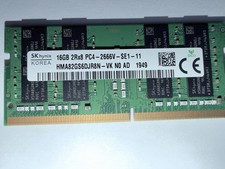
Lot of PC components. 24gb DDR4 SoDIMM, 2 512gb SSDs (windows 11) & M.2 Wifi-5
$250.00

Kingston 32GB 64GB 128GB 256GB USB 3.0 Flash Drive Thumb Memory Stick Pen lot
$285.90
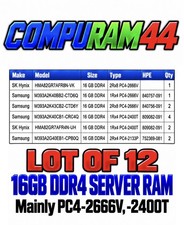
LOT 12x - Samsung SK Hynix 16GB DDR4 RAM PC4-2666V, PC4-2400T, Server Memory
$1300.44
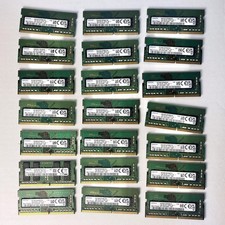
Samsung (21x16GB) 336GB 1Rx8 PC4-3200AA, PC4-2666V Laptop Memory DDR4
$1299.00

Samsung 96GB LPCAMM2 PC5 9600 FE1 E1 LPDDR5X CAMM2 M561K6LC3CL1-CCV DDR5 Memory
$2150.00

P43330-0A1 HPE 32GB 2RX8 PC5-4800B DDR5 SERVER RAM P43328-B21 / HMCG88MEBRA107N
$1100.00

RAMAXEL Lenovo 32GB LPDDR5X CAMM2 7500MHz Laptop RAM | UNTESTED
$445.00



 Reply With Quote