-
Junior Member
registered user
fstab
got knoppix on my hd.
had access in editors to only the root partition made in hdinstall.
i read this forum and modified fstab to auto (from noauto)for my vfat and other linux partitions but still can't see them on the desktop or find them in an editor. the system info does show them now.
is there another move to get access to these for viewing and editing.
thanks for help. very new to this.
-
Senior Member
registered user
the problem mey be with permissions. Perhaps they are set to only root can access them. Go to a cmd prompt, and su to root, and then try and veiw /edit the files. That may be the problem. If it is, you will need to change permissions, and/or edit fstab (add the word "users" in the list of attributes) to get it to work.
-
Junior Member
registered user
i work in root as su since i missed a couple things during the hdinstall. one was making a new user and the other was i made a floppy and now don't know how to do lilo. so i have lots of stuff to do.
this is fstab
# /etc/fstab: filesystem table.
#
# filesystem mountpoint type options dump pass
/dev/hda6 / ext2 defaults,errors=remount-ro 0 1
/dev/hda2 none swap sw 0 0
proc /proc proc defaults 0 0
/dev/fd0 /floppy vfat defaults,user,showexec,umask=022 0 0
/dev/cdrom /cdrom iso9660 defaults,ro,user,noexec, 0 0
# partitions found by Knoppix
/dev/hda1 /mnt/hda1 vfat auto,users,exec,umask=000,uid=knoppix,gid=knoppix 0 0
/dev/hda3 /mnt/hda3 ext2 auto,users,exec 0 0
/dev/hda5 /mnt/hda5 ext2 auto,users,exec 0 0
#/dev/hda6 /mnt/hda6 ext2 auto,users,exec 0 0
also i had to remove the # to make them visible to sys info.
thank you god.
-
Senior Member
registered user
no prob....
type "adduser" at a cmd line to add a new, non-root user.
-
You may already have them
Type
cat /dev/cdrom
cat /dev/fd0
cat /dev/scd1
cntl-z to break out.
To add to desktop try:
Right Click Desktop -> Create New -> CDROM -> add /dev/cdrom line.
-
Senior Member
registered user
Are you mounting the devices before you try to read write?
Use this command as root:
mount /dev/hda1 /mnt/hda1
Also note in this line from your fstab:
...
# partitions found by Knoppix
/dev/hda1 /mnt/hda1 vfat auto,users,exec,umask=000,uid=knoppix,gid=knoppix 0 0
...
this will allow user knoppix in group knoppix access (or root) to this device
If you want a KDE desktop icon for your vfat partition follow zzyzx's example:
To add to desktop try:
Right Click Desktop -> Create New -> CDROM -> add /dev/cdrom line.
Use this same approach:
Right Click Desktop -> Create New -> Hard Disk
In the first tab 'General' pick a new name such as 'Windows' etc. whatever you want, then select the third tab, 'Device' and in the drop-down select the proper device ie: /dev/hda1
Now you will have a KDE mount/access icon on your desktop. Note: if you are running as user knoppix in group knoppix you should now be able to read/write your vfat partition, if you are running as a different user, you will need to edit the fstab line and change uid=knoppix,gid=knoppix to whatever user you run.
HTH
rock
-
Junior Member
registered user
thanks guys,
have another problem that you might be able to help with. knoppix works when i use xmodule=vesa. i have also the woody 3.0 and have tried to put it on my machine but can't get the monitor to work with either s3virge or vesa. why would it work with knoppix but not woody set up on the 3.0 disk set? thanks for help.
-
Senior Member
registered user
I played with woody on a box with an S3 Virge (or something similar) and I had to follow libranet's instructions for adding an xserver from X-3.3.6.
Knoppix uses a lot newer X than stock woody, I've gone away from using official X on my woody based systems, actually I use a whole bunch of backported packages (deb URI's are available at apt-get.org).
If you are interested here is the libranet link:
http://libranet.com/support/view.cgi...item=0138.html
rock
-
Junior Member
registered user
thanks for the info. this is the kind of explaination i've been looking for.
sounds like it might be the problem. do i set up woody and then add this in later? not too familiar with linux yet.
-
Senior Member
registered user
Yes, install woody then use apt-get to get the X v.3.3.6 servers, I would probably get both the svga server and the s3v server and see which one works the best. You could use use:
apt-get update
and then:
apt-get install xserver-vga xserver-s3v xserver-svga xf86setup
I used the second method of setting up X:
dpkg-reconfigure -plow xserver-svga
(or dpkg-reconfigure -plow xserver-s3v depending upon gthe xserver you want to configure)
rock
Similar Threads
-
By cheetahman in forum General Support
Replies: 19
Last Post: 03-21-2005, 11:58 AM
-
By ibrewale in forum General Support
Replies: 1
Last Post: 11-26-2004, 07:02 AM
-
By rrfish72 in forum Hdd Install / Debian / Apt
Replies: 1
Last Post: 07-12-2004, 11:14 PM
-
By DimGR in forum Hardware & Booting
Replies: 8
Last Post: 05-29-2004, 04:48 AM
-
By digiSal in forum Hdd Install / Debian / Apt
Replies: 3
Last Post: 12-19-2003, 04:41 PM
 Posting Permissions
- You may not post new threads
- You may not post replies
- You may not post attachments
- You may not edit your posts
-
Forum Rules

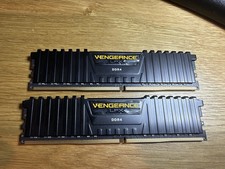
Corsair Vengeance LPX 32GB (2x16GB) RAM DDR4 3200MHz CMK32GX4M2E3200C16
$160.00

16GB KIT (2x8GB) DDR4 Gamer Desktop RAM PC4 MIXED BRANDS
$65.00

Netac DDR4 32GB 16GB DDR4 3200MHz UDIMM C16 Desktop Internal Memory RAM Kit
$199.99

A-Tech 8GB DDR3 1600 PC3-12800 Laptop SODIMM 204-Pin Memory RAM PC3L DDR3L 1x 8G
$21.68
128gb DDR4 Ram Hpyerx HX430C15PB3K8/128 16x8 3000 MHZ CL15 Tested Read DESC
$300.00

DDR4 Laptop RAM 4GB 8GB 16GB 32GB 2400 2666 3200 Samsung Hynix
$30.00

MINT Micron Cisco 32GB PC4-2400T DDR4 2Rx4 RDIMM RAM MTA36ASF4G72PZ-2G3 LOT
$159.99

RAMAXEL Lenovo 32GB LPDDR5X CAMM2 7500MHz Laptop RAM | UNTESTED
$445.00
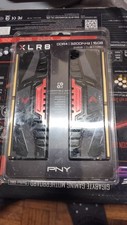
PNY XLR8 DDR4 16GB (2x8GB) 3200MHz DIMM Desktop RAM Kit Black/Red
$87.00
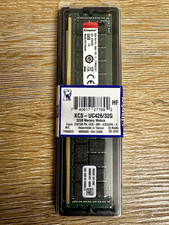
Kingston 32GB DDR4-2666 PC4-21300 288-Pin DIMM Non-ECC Unbuffered
$239.00



 Reply With Quote