-
Well first you might want to change the hostnames to something not so generic as host and gateway. Don't have to of course, you can use the IP when connecting. You can change it in /etc/hostname
Iptables is a firewall in linux for 2.4 and 2.6 kernels, 2.2 had ipchains which is similar.
You can have a look at:
http://www.linuxguruz.com/iptables/
http://rocky.eld.leidenuniv.nl/
http://easyfwgen.morizot.net/gen/
Or you can use a frontend for it such as firestarter, bastille, guarddog.....
RSA and DSA keys are used for the encrypted ssh tunnel and the first time you connect you have to type yes to accept the keys which are then added to ~/.ssh/known_hosts. Although you can try to connect first without generating them to see if they exist on knoppix. If you can't connect, generate them on the server as root with the commands in the earlier post.
Hostname here meant server to which you want to connect, so you can run one box as server on which you have to do all this setuping like:
update-rc.d ssh defaults (which makes ssh server run on bootup if you want this)
/etc/init.d/ssh start (which starts the server until you stop it)
On the client all you need to do is one of these:
ssh -l loginname hostname (if you have a different login, hostname means the one on the server)
ssh hostname (if the login name is the same)
ssh IP-number (if you prefer this instead of hostname)
sftp hostname (use get and put for transferring files, do man sftp)
fish://loginname@hostname (in konqueror, again you can use the IP instead of hostname)
or use sftp with konqueror as gruntbuggly said.
Here's some manuals for openssh: http://www.openssh.org/manual.html
In a nutshell do this on the server: /etc/init.d/ssh start
And this on the client: ssh IP.number.of.server
Similar Threads
-
By redss in forum Networking
Replies: 4
Last Post: 04-17-2005, 11:24 PM
-
By smileeb in forum General Support
Replies: 9
Last Post: 01-15-2005, 05:48 AM
-
By hernan in forum Networking
Replies: 9
Last Post: 01-14-2005, 02:42 AM
-
By rail_man in forum Networking
Replies: 2
Last Post: 12-29-2004, 01:05 PM
-
By net_benjo in forum General Support
Replies: 3
Last Post: 09-04-2004, 08:23 AM
 Posting Permissions
- You may not post new threads
- You may not post replies
- You may not post attachments
- You may not edit your posts
-
Forum Rules


RAM-HOL-SAM60CPU RAM USB-C Powered Dock for Samsung Tab Active5 - 3 - 2
$81.99

Samsung 32GB DDR4-2666 PC4-21300 288-Pin DIMM RAM M393A4K40CB1CRC0Q
$185.00
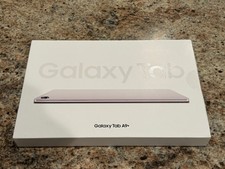
Samsung Galaxy Tab A9+ Plus 11” 128GB Android Tablet Graphite BRAND NEW SEALED.
$214.99

Samsung 2.5" 870 EVO SSD SATA III 250GB 500GB 1TB Internet Solid State Drive Lot
$90.00

RAM-GDS-SKIN-SAM54-NG-1 RAM Mounts IntelliSkin® Next Gen for Samsung Tab Active4
$93.99

RAM-HOL-SAM52CPU RAM USB-C Powered Dock Samsung Tab Active4 Pro & Tab Active Pro
$81.99

Cell Phone Smartphone Computer repair banner poster sign iphone Samsung
$89.99

Samsung Galaxy Tab SCH-1800 7" 4GB Wi-Fi + Verizon Tablet Working
$30.00

Samsung Galaxy View Tablet 18.4 SM-T670/677A Charging Port 100% Original Oem
$98.99
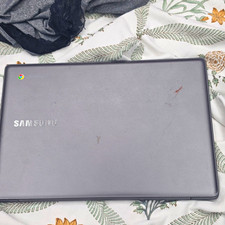
Samsung Chromebook 11.6" Intel Celeron Chrome OS Gray (Charger Inc)
$22.00



 Reply With Quote