-
Senior Member
registered user
Well,
If you were in Windows - you would look for the "uninstall" program - or - in some cases the install program realizes that you already installed it ( as in M$ Office 2000 ) and changes to a "update or remove" switch...
But, since we are in Linux - hopefully you used apt-get install guarddog" -=- in which case you would do the following to remove it -=- apt-get remove --purge guarddog -=- replace the "install" for remove, and if you want the uninstall to remove its files that it created, use the "--purge" option...
Cases when you would use the "purge", and when you wouldn't:
use purge when you want to completely remove the stated program...
don't use purge if you intend to turn right around and re-install - this would keep your config files unchanged, so that after you re-install, the configs would be remaining...
Hope this helps,
Ms. Cuddles
Similar Threads
-
By Markus in forum The Lounge
Replies: 2
Last Post: 05-31-2005, 07:19 AM
-
By eadz in forum The Lounge
Replies: 2
Last Post: 12-04-2004, 07:45 AM
-
By eadz in forum The Lounge
Replies: 9
Last Post: 09-30-2003, 01:32 PM
-
By eadz in forum The Lounge
Replies: 3
Last Post: 05-30-2003, 04:10 AM
-
By eadz in forum The Lounge
Replies: 2
Last Post: 05-07-2003, 05:22 AM
 Posting Permissions
- You may not post new threads
- You may not post replies
- You may not post attachments
- You may not edit your posts
-
Forum Rules

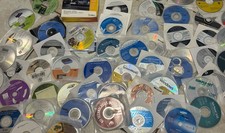
Mixed Lot Of Vintage Software And Drivers - Install Discs - CDs - 94 Pieces
$85.00

Vintage HP Hewlett Packard 2112A 21MX 1000 M-Series 16-Bit Minicomputer
$419.99

Vintage Jetway J-620BF Socket 370 Celeron AT Motherboard SiS 620 Brand New
$75.00

Vintage 1986 Goldenrod Research Corp CP/M Desktop Computer Syste w/Keyboard
$350.00
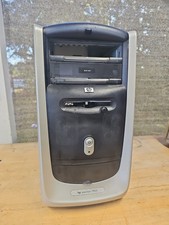
Vintage HP Pavilion PC Case
$99.99

Vintage Mainframe Computer Disk Drive Pack Dyson SMD 5 Level Disks
$79.00
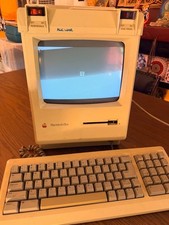
Vintage Apple Macintosh Plus Desktop Computer - M0001A
$155.00
![Apple Macintosh Boot Disk System [1.0 - 8.0] 400/800k/1.4 Floppy for Vintage Mac picture](/store/img/g/EhEAAOSwg7ZnexmU/s-l225/Apple-Macintosh-Boot-Disk-System-1-0-8-0-400-800k-.jpg)
Apple Macintosh Boot Disk System [1.0 - 8.0] 400/800k/1.4 Floppy for Vintage Mac
$14.75

Vintage ECS Micro-ATX Desktop Case | Beige/Dark Grey | *READ*
$80.00

Vintage Toshiba Satellite 4090XDVD Intel Celeron 400Mhz Retro - Powers up Cards
$57.59



 Reply With Quote