

 Reply With Quote
You will need to format atleast a 5 gig ext2 partiton and 500 meg swap partiton.
what windows is it?


Hi,
I am currently using Windows as my default O/S of my computer and I want to install Knoppix to it. Do I need to format my computer before I install Knoppix? Or can I just install Knoppix without formatting my computer?
Thanks.
You will need to format atleast a 5 gig ext2 partiton and 500 meg swap partiton.
what windows is it?
Hi,
I have Windows 2000 Advanced Server on my computer.
Thanks.
yes, you need two partitions, one for windows and other for knoppix.
acually you need 3.Originally Posted by oscar
One for windows, one for knoppix and one for the swap partiton.
Make sure that all the files one the windows are drive are near the beginning (defrag) or use a commerical software to resize the wndows partiton so that there is atleast 3 gigs and 200 megs of unused space.
Then use qtparted (hit alt-f2 and type qtparted, or if needed type sudo qtparted)
Then creat a 3 gig ext2 partiton and a 200 meg swap file
Then upen up a shell(click the black box on the bottom and type sudo knoppix-installer then follow the instructions. Make sure you pick a debian based install.
After words type sudo lilo
Actually you really should have four:
One for Windows O/S, one for Linux O/S, one for swap and one for data.
Always keep your data on a separate partition from your O/S, you'll think you're absolutely brilliant for doing it the first time your O/S crashes. Plus , if you use VFAT format for your data drive, both Windows & Linux can access the same data & any Linux system can safely write to it. If you use NTFS only the newest versions with NTFS support can be used, if you use a Linux file format Windows won't be able to see the partition.
And you don't really need 5Gig for Knoppix, 3.5 or 4 in lots; you can install in as little as 2.5.
 Posting Permissions


Vintage Computer - PC Innovation Intel 486DX2 - Dos Ver 6.2 Windows 3.1
$250.00

Vintage Jetway J-620BF Socket 370 Celeron AT Motherboard SiS 620 Brand New
$75.00

Vintage HP Hewlett Packard 2112A 21MX 1000 M-Series 16-Bit Minicomputer
$419.99
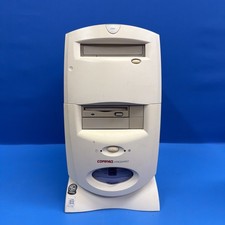
Compaq Presario 7594 Vintage Desktop PC Windows 98 SE 64MB Floppy CD-ROM
$129.00
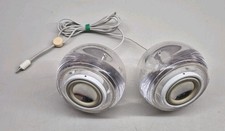
Vintage Clear M6531 Apple Pro Speakers by Harman Kardon For iMac G4
$59.45
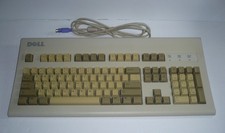
Vintage Dell AT101W GYUM90SK 6780D ps/2 'Clicky' Mechanical Beige Keyboard
$79.00
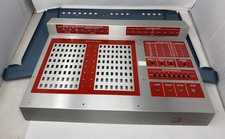
Vintage NRI Model 832 Microcomputer Case - See Photos
$295.00
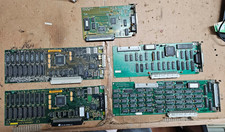
5x Vintage Apple Macintosh II NuBus Cards 630-4179 NI GPIB DIO Asante Ethernet
$239.95

Vintage 1986 Goldenrod Research Corp CP/M Desktop Computer Syste w/Keyboard
$350.00

Vintage ECS Micro-ATX Desktop Case | Beige/Dark Grey | *READ*
$80.00