

 Reply With Quote
No idea, noone ??


Hi
I've been looking around remasterisation for a while and I still don't understand why the original knoppix3.4 and my resmastered version don't behave the same way.
With the original CD, the menus in Konqueror, for example, are transparents so it's ok.
On my remastered CD, the menus in Konqueror are ugly, the transparency doesn't work.
During my remasterisation, I have take care of not removing or upgrading anything linked to the hardware and knoppix. I have just removed some packages like openoffice or kdevelop then added a few ones
Is it normal ? If so, can you explain it to me ?
BTW, I did once a apt-get update then apt-get dist-upgrade (having changed sources.list to have just testing), and there too, after, some hardware detection didn't work well...
Is it because I changed the ftp in sources.list to another one which has nothing to do with knoppix ? Are some packages not to be updated ?
Thanks by advance
Cheers,
ZedroS
No idea, noone ??
One possibility: when you did apt-get dist upgrade, perhaps some of your configs were reset to a default setting. You should still be able to go into control center & change the settings to what you want, although if you're running from CD you will have to use a persistent home to maintain your settings.
Knoppix does load the default settings from /etc/skel when booting from CD, so you have to copy any custom settings from /home/knoppix to /etc/skel before making your remaster f you want to keep them. Also check /etc/X11/xsessiond/45xsession to make sure it is copying everything from /etc/skel. It has a list of the files it copies in the script, you may have to change it to cp /etc/skel/* & /cp/etc/skel.* instaed of the specified list.
I think that this is a bug (I just posted a similar post). The menu items look very different from any option that you can select, so I don't think that it is a option that is changing. But the idea that it is caused by apt-get is a good lead to follow.
Try this: make a new remastered version without running "apt-get update" and see if that causes the menus to look funny. If they still look funny, then it must be something else. If they do look funny, then apt-get is not updating enough items, and breaks a dependency.
Anyone have any other ideas?
-Doug
Good news: I tried this experiment (did not run "apt-get update") and the menus are fine. The remastered image was over 700 MB, but I used the over-burn option in xcdroast, and it worked fine.Originally Posted by dsblank
So, for now, I just won't update the packages.
-Doug
I just got the same problem and wasn't able to fix it yet. I have to update the packages, so if someone has an idea to fix that bug, please tell me.
The same problem appeared occasionally when installing knx to hd, but sometimes it works. Its not a KDE problem, because it appears in every application using transparencies.
im tryin to figure it out too..
 Posting Permissions


Netac DDR4 32GB 16GB DDR4 3200MHz UDIMM C16 Desktop Internal Memory RAM Kit
$99.99

16GB KIT (2x8GB) DDR4 Gamer Desktop RAM PC4 MIXED BRANDS
$65.00

Kingston 16GB DDR4 3200MHz PC4-3200AA-SA2-12 Laptop RAM SODIMM (HP32D4S2S8ME-16)
$64.99
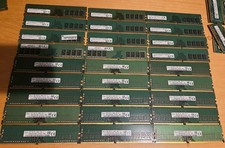
Lot of 27 8GB DDR4 2666MHz Desktop RAM PC4-2666V UDIMM HYNIX MICRON SAMSUNG
$750.00
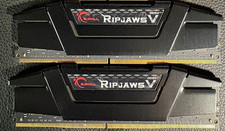
RAM G. SKILL Ripjaws V Series 32GB 2x16GB DDR4 3200 CL16 F43200C16Q64GVK Matched
$149.99

A-Tech 8GB DDR3 1600 PC3-12800 Laptop SODIMM 204-Pin Memory RAM PC3L DDR3L 1x 8G
$21.68

RAMAXEL Lenovo 32GB LPDDR5X CAMM2 7500MHz Laptop RAM | UNTESTED
$445.00
![[ BULK LOT OF 10 ] UNITS of 8GB DDR4 Laptop RAM SAMSUNG, HYNIX etc. picture](/store/img/g/IKQAAeSwEK9qv9TG/s-l225/-BULK-LOT-OF-10-UNITS-of-8GB-DDR4-Laptop-RAM-SAMSU.jpg)
[ BULK LOT OF 10 ] UNITS of 8GB DDR4 Laptop RAM SAMSUNG, HYNIX etc.
$299.99

Crucial 16GB (2x 8GB) Kit DDR3 1600MHz PC3-12800 UDIMM Desktop 240-Pin CL11 RAM
$41.00

16GB ( 4X 4GB ) MEMORY DDR3 PC3-10600 1333MHz FOR DELL OPTIPLEX 790 780 990 980
$39.99