

 Reply With Quote
This should do it:
apt-get --purge remove guarddog


I want to remove guarddog from knoppix hd install because it is a pain to try to configure for me. How do I go about doing that?
This should do it:
apt-get --purge remove guarddog
When I run that it says that guarddog does not exit or something like that. I can see it and run it but I can't get rid of it. I tried it from root also and the same result.
apt-get remove --purge guarddog
or you could just disable guarddog firewall in advace tab.
or you could just leave guarddog in your system and remove it's daemon:
update-rc.d -f guarddog remove
or you could do the above and remove /usr/share/apps/guarddog + remove /etc/init.d/guarddog + remove /etc/rc.guidedog
Thank you. That lets me get back into this site from linux. Disable the firewall did not even let me back in here or other configurations.
Is it still installed? COLUMNS=150 dpkg -l|grep guarddog
Try removing with dpkg: dpkg -P guarddog
Not installed anymore. Thank You.
 Posting Permissions


(New) AMD Ryzen 7 5700X 8 Core 16 Thread AM4 Unlocked 3.4 GHz CPU OEM Tray
$169.99
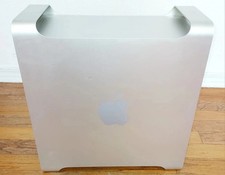
Apple Mac Pro 5,1 • 8‑Core 2.26GHz • 14GB RAM • 128GB SSD + 1TB HDD Dual NVIDIA
$325.00

Intel Core i9-9900K SRG19 3.60GHz 16MB 8-Core LGA1151 B Grade CPU Processor
$175.00

AMD Ryzen 7 7700X 8-Core, 16-Thread Unlocked Desktop Processor
$250.00

Intel Xeon E5 - 2667V2 / SR19W 3.30GHz 25MB 8-Core CPU Socket LGA2011
$30.00

AMD Ryzen 5 PRO 4650GE 100-000000153 6-Core 3.30GHz 8MB AM4 CPU Processor
$59.99

AMD Ryzen Threadripper PRO 3945WX 12-Core 4.0GHz sWRX8 CPU NEW Tray Unlocked
$79.99

AMD FX 8350 8-CORE 4.00GHz CPU FD8350FRW8KHK SOCKET AM3+ *QTY
$39.99

DELL OPTIPLEX 3280 21.5" AIO Core i5 10500T 8GB 256GB NVMe Windows 11 -NO STAND
$179.99

Home Assistant Server | 8GB RAM | 128GB SSD | Intel i5 Quad-Core | Dell OptiPlex
$159.99