-
Senior Member
registered user
Can't get to this site in Linux
After I went to the klik site and installed guarddog I could not get back into this site. Now I'm in win.... and have to keep switching to post and check for answers. Any suggestions on how to fix that minor problem?
-
Senior Member
registered user
Check the HELP for GuardDog - since you set up a firewall program to "protect" your computer to the internet / intranet, you need to "open" a few paths for you to get out with...
Use a root window, and type "guarddog" - if you haven't set it up, you will be prompted for selections... While in the interface for GuardDog, check the "help" for it, and follow the steps for "Quick Install", or maybe its something like "Basic Install / Setup" -=- it will walk you through setting "simple" protections, and allowing your computer to "get to the outside world"...
I have Knoppix, and GuardDog, and I'm getting out to Knoppix.net fine - so, its possible for you to do the same, all I did was follow the help screens in GuardDog....
Good Luck, and hope this helps,
Ms. Cuddles
-
Senior Member
registered user
Thank you very much. That helped and fixed the problem temporarily. Now after messing with guarddog I just want it off my machine. How does one remove an application?
-
Senior Member
registered user
Well,
If you were in Windows - you would look for the "uninstall" program - or - in some cases the install program realizes that you already installed it ( as in M$ Office 2000 ) and changes to a "update or remove" switch...
But, since we are in Linux - hopefully you used apt-get install guarddog" -=- in which case you would do the following to remove it -=- apt-get remove --purge guarddog -=- replace the "install" for remove, and if you want the uninstall to remove its files that it created, use the "--purge" option...
Cases when you would use the "purge", and when you wouldn't:
use purge when you want to completely remove the stated program...
don't use purge if you intend to turn right around and re-install - this would keep your config files unchanged, so that after you re-install, the configs would be remaining...
Hope this helps,
Ms. Cuddles
-
Senior Member
registered user
I still can't get to this site in Linux. I've tried several times to configure guarddog. Now I can't remove it from my system(linux). When I try the apt-get --purge remove guarddog it said it does not exist.
-
Senior Member
registered user
You're stuck. Basically, the minute you installed guarddog (or ran it for the first time), it changed the iptable rules so that it blocked everything by default. If you still have the .deb file for guarddog in /var/apt/cache/archives, reinstall it as root with:
Code:
dpkg -i guarddog-version#_i386.deb
replacing the words version# with the actual version # of the deb package. That will reinstall it. Then you need to run guarddog as root and put a checkmark in dns for the internet zone. Click apply and you should be able to get out in the internet. You may need/want to open additional holes in the firewall, depending on your needs. Additionally, you might also need to enable dhcp for all of the interfaces in the firewall so that your nic(s) can pull an ip address and get you started, networking-wise. If you can't reinstall guarddog, you're basically stuck until you can figure out how to write your iptable rules manually to open the same holes that guarddog closed.
HTH,
Durand
Similar Threads
-
By Markus in forum The Lounge
Replies: 2
Last Post: 05-31-2005, 07:19 AM
-
By eadz in forum The Lounge
Replies: 2
Last Post: 12-04-2004, 07:45 AM
-
By eadz in forum The Lounge
Replies: 9
Last Post: 09-30-2003, 01:32 PM
-
By eadz in forum The Lounge
Replies: 3
Last Post: 05-30-2003, 04:10 AM
-
By eadz in forum The Lounge
Replies: 2
Last Post: 05-07-2003, 05:22 AM
 Posting Permissions
- You may not post new threads
- You may not post replies
- You may not post attachments
- You may not edit your posts
-
Forum Rules

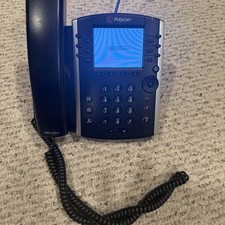
Polycom VVX 411 12-Lines Desktop VoIP Phone (2200-48450-025)
$20.00
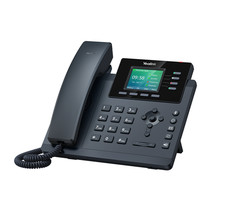
YEALINK T34W PHONE & 2 MONTHS OF PHONE SERVICE
$65.00

NEW Cisco IP Phone 7841-K9 4-Line VoIP Gigabit PoE CP-7841-K9
$49.95

Grandstream WP810 Portable Cordless Wi-Fi IP Phone
$54.99

Cisco/Linksys SPA2102 VoIP Phone Adapter Router 2FXS (Unlocked)
$17.99

Cisco / Linksys SPA2102 VoIP 2FXS Phone Adapter with Router (unlocked)
$18.99

Lot Of 16: Polycom VVX 501 VoIP Touchscreen Desktop Phone W/Handsets & Stands
$150.00
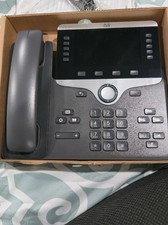
Cisco CP-8861-K9 8861 VoIP IP Corded Phone Charcoal New 9 available
$118.00

Grandstream HT801 v2 1 FXS, 1 Fast Ethernet New Version
$34.99

Yealink MP54 - VoIP Phone - Black Teams phone Android POE WIFI Bluetooth
$49.95



 Reply With Quote