

 Reply With Quote
Not personally, no, but does this page help?Originally Posted by .Entity.


I've been searching the forums for just about an hour now and I'm hoping the conclusion that I've come to is wrong. Does ANYBODY know ANYTHING about properly mounting raided drives when booting from Knoppix (Live-CD)?
I'd rather not install Linux to my drive if I can't even get the CD-Boot version to work properly at detecting my NTFS drives. I try using Captive but, after downloading the proper service pack from Microsoft, it says:
I know my file structure is ntfs; I set it up. I've tried to manually perform the suggested steps above and it mounts, but I can't do anything to it and it's completely empty.... Don't think it's mounting properly in that case...All needed modules were found in their best preferred versions.
Despite drivers were found no NTFS disk partitions were found on your computer. You still can mount read/write NTFS partitions by using filesystem type 'captive-ntfs' such as:
mkdir /mnt/captive-LABEL_C
mount -t captive-ntfs /dev/hda1 /mnt/captive-LABEL_C
I've even tried to mount the drive as a vfat or msdos (just in case my memory's too bad from too much pot) to no avail. In fact, I've gone through most of the file configs with no luck.
Is anybody going to be able to help me on this problem? If I sound frustrated, I am... This is extremely irritating and I hate asking for help.
Not personally, no, but does this page help?
Awesome. Thanks for the help. Hopefully this will help others with similar problems.
After a crud load of attempts at getting this thing to work right, I'm still a failure... NEED help...
I've used the "knoppix floppyconfig" to run the raid drivers from my floppy and I'm not noticing any errors in the boot proccess. All that happens though is that I have the following under my devices:
Everything works as I would expect except when I click on the "0" HD I get:CD-ROM (cdrom) /mnt/auto/cdrom
CD-ROM (scd0) /cdrom
Floppy
Hard Disc /mnt/auto
Hard Disc 0
Hard Disc (cloop) /KNOPPIX
Hard Disc (root) /
Hard Disc (Sys) /sys
(DISCLAIMER: I'm a Linux noob and I'm not sure if that's what should be happening or not)mount: can't find /0 in /etc/fstab or /etc/mtab
Please check that the disk is entered correctly.
SOOOOoooo, I decided that maybe I still need to captivate the NTFS partition. When I run Captive I still get the same error that I was getting in the first post under this topic. I've tried following the onscreen instructions from the Captive program but the drive doesn't mount properly and it's even listed under the CD-ROM section rather than the Hard Disc section.
This is my fstab if it helps:
I would just partition my drive out but I'm worried that if I can't get it to work this way, trying that may cause me to lose all my data./proc /proc proc defaults 0 0
/sys /sys sysfs noauto 0 0
/dev/pts /dev/pts devpts mode=0622 0 0
/dev/fd0 /mnt/auto/floppy auto user,noauto,exec,umask=000 0 0
/dev/cdrom /mnt/auto/cdrom auto user,noauto,exec,ro 0 0
# Added by KNOPPIX
noauto,users,exec 0 0
Please Help!!!
Completely in the same boat here.
Would be a MASSIVE boost to the useability of Linux for me. So much so I'd pretty much stop using Windows all-together!
Pete
-Bump-
 Posting Permissions


NEW Kingston 8GB DDR4 2666MHz Desktop RAM KCP426NS8/8 PC4-21300
$30.00
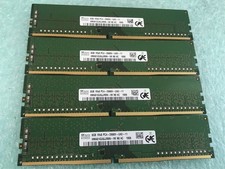
SK hynix 32GB(4 x 8GB) HMA81GU6JJR8N-VK PC4-2666V DDR4 Desktop RAM - CR337A
$89.95
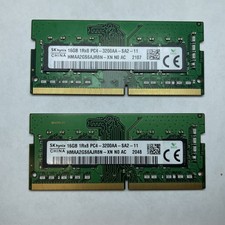
Lot of 2 SK Hynix HMAA2GS6AJR8N-XN 16GB DDR4 PC4-3200AA 1Rx8 Laptop SODIMM RAM
$354.99

16GB (2x8GB) Kingston HyperX blu KHX1600C10D3B1/8G PC3-12800U DDR3 1600
$27.99
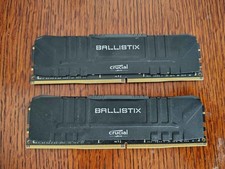
Crucial Ballistix 32GB (2x16GB) DDR4 3200MHz CL16 Desktop RAM BL16G32C16U4B.16FE
$149.99

DDR4 Laptop RAM 4GB 8GB 16GB 32GB 2400 2666 3200 Samsung Hynix
$66.00

Samsung W03J0009150379F87A 64GB (2x32GB) RAM DDR4 2400MHz CRC0Y
$179.99

A-Tech 8GB DDR3 1600 PC3-12800 Laptop SODIMM 204-Pin Memory RAM PC3L DDR3L 1x 8G
$21.68
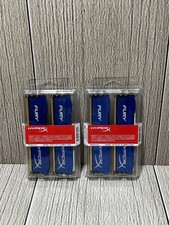
Lot of 2 Kingston Fury 8GB (4x4GB) HX316C10FK2/8 DDR3-1600MHz Ram
$50.35
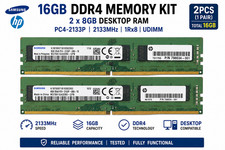
16GB (2x8GB) Samsung DDR4-2133MHz PC4-2133P Desktop RAM 2Rx8 UDIMM
$54.99