

 Reply With Quote
Xine, by default, will expect your dvd drive to be at /dev/dvd. I think your dvd drive is really at /dev/sr2 right? If so either create a symlink from /dev/dvd to /dev/sr2, or just change the appropriate place in Xine's config.


This is what I get when I try to get a dvd to play in kaffeine. How do I fix?
The source can't be read.
Maybe you don't have enough rights for this, or source doesn't contain data (e.g: no disc in drive). (/dev/dvd)
Xine, by default, will expect your dvd drive to be at /dev/dvd. I think your dvd drive is really at /dev/sr2 right? If so either create a symlink from /dev/dvd to /dev/sr2, or just change the appropriate place in Xine's config.
When I open xine, it does not stay open. After about 5 seconds it automatically closes itself even with a dvd in.
 Posting Permissions


Samsung 2.5" 870 EVO SSD SATA III 250GB 500GB 1TB Internet Solid State Drive Lot
$100.00

Micron MTFDDAK256TBN 256 GB, Internal ,2.5" SSD
$23.00

Netac 2TB 1TB 512GB 256GB Internal SSD 2.5inch SATAIII Solid State Drive lot
$549.00

EDILOCA EN880E 1TB M.2 NVMe PCIe Gen4 Internal SSD for Laptop/PC
$115.00

Crucial MX500 1TB 2.5" SATA III Internal SSD CT1000MX500SSD1
$99.99

Crucial MX500 250GB 2.5" SATA III SSD - Preowned
$29.00

Samsung 256 GB Internal SATA SSD Fully Tested 50%-79% Health
$24.00

2 PACK 128 GB SSD M.2 2280 SATA Solid State Drive Major Brands, Samsung, LiteON
$28.00

Netac 512GB SSD 2.5'' SATA III 6 Gb/s Internal Solid State Drive 500MB/s PC/MAC
$73.00
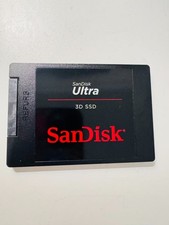
SANDISK ULTRA 3D NAND 1TB SSD SATA III 6 GB/S 2.5" /7 (SDSSDH3-1T02)
$138.56